AI Commercial Maker: Cinematic Ads with AI (2026 Guide)
The complete AI commercial maker guide: an agent designs shots, cast and sound; cross-cut continuity keeps it seamless. Plus one-shot spots with MiniMax H3.

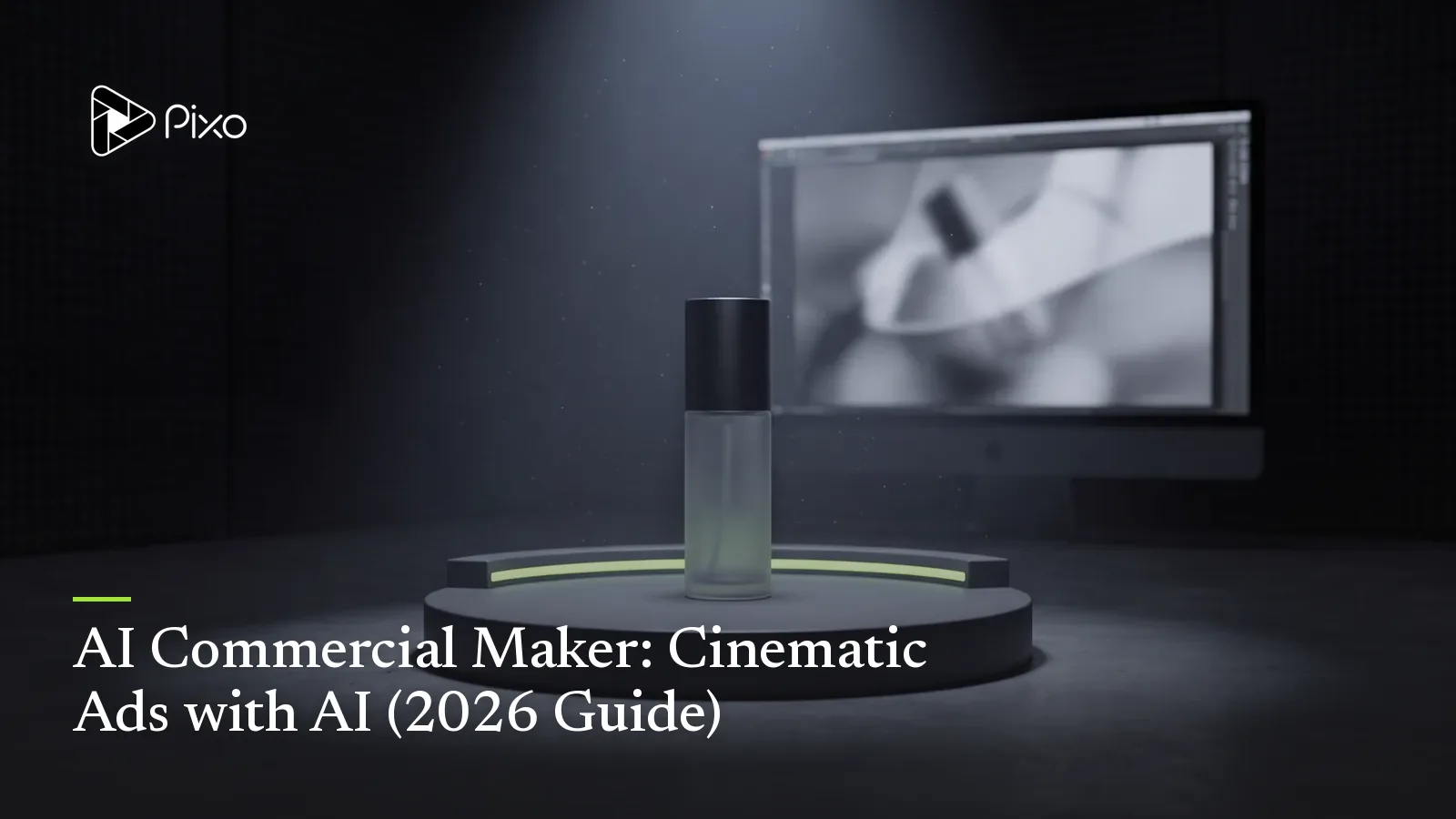
A commercial has to do in 15–30 seconds what a whole brand team obsesses over for weeks: look expensive, feel intentional, and make you remember the product. That's a high bar, and it's exactly where AI clip generators fall short. String together individual AI clips and your spokesperson's face shifts between shots, the product changes shade, and the "cinematic" lighting resets every cut. A commercial that looks inconsistent doesn't just fail — it makes the brand look cheap.
The way to get a film-like result is a structured workflow, not a lucky prompt. I build commercials on Pixo's long-form video path: a script-writer agent designs the shots, style, and cast; reference sheets lock your spokesperson and product; and a cross-cut continuity engine chains shots so poses, props, and camera lines carry seamlessly from one cut to the next. It renders on Seedance 2.0, and you can upscale the final to 4K.
Here's the exact workflow, plus a real cinematic storyboard so you can see what the output looks like.
1. Why Use a Structured Workflow for AI Commercials?
A commercial demands three things at once: strict visual consistency, a clear narrative flow, and high-quality pacing across multiple shots. A clip generator gives you none of them by default — you'd be fighting drift on every render. Pixo's long-form path is built to protect your credits and hold all three:
| The hard part of a commercial | How Pixo handles it |
|---|---|
| Writing a tight, cinematic shot list | A script-writer subagent writes a detailed, shot-by-shot script to a fixed 30s/45s runtime |
| Casting and set consistency | Style, character, and location assets with reference sheets — your "casting and location scouting" phase |
| Spokesperson/product drifting between cuts | A cross-cut continuity engine chains shots so they inherit poses, props, and camera lines from the previous shot |
| Designing the sound, not just the picture | Each panel carries audio design — dialogue, ambient, SFX, and music cues, placed precisely |
| Surprise credit burns on a bad plan | A review checkpoint — approve the full storyboard before a single credit is spent on video |
| Looking soft on a big screen | Upscaling to 1080p, 2K, or 4K, plus multilingual voiceovers |
The short version: it's a production pipeline for cinematic ads, not a clip generator you're wrestling to keep on-brand.
2. Understand the Structure First: The Commercial Arc
A great short commercial follows a compact emotional arc. Don't overload it — 15–30 seconds rewards restraint:
| Section | What it does |
|---|---|
| Setup / mood | Establish the world and the feeling in one striking shot |
| Product moment | The hero product, shot close and beautiful |
| Human payoff | Someone experiencing the benefit — the emotional beat |
| Brand / CTA | Logo, tagline, and the line that sticks |
Each section becomes one or two timed storyboard panels. Brief the script-writer agent in these terms and the script comes back already shaped like a commercial.
3. Hands-On: The Workflow, with a Real Storyboard
Let's build a real one: a 15-second cinematic ad for "Terra Coffee," a premium eco-friendly coffee brand. Style guide: modern high-end cinematography, warm natural lighting, shallow depth of field, organic textures. Realistic time for a first pass: about 2–3 hours, most of it hands-off.
Step 1 — The brief and duration
Start with your product, target audience, and key message: what you're advertising, any specific characters or settings, and the target duration (a standard 30s or 45s TV/social ad; Terra Coffee is a tight 15s).
Step 2 — Script and asset design
The script-writer subagent writes a highly detailed, shot-by-shot script and automatically designs the assets:
- Style asset — the overall aesthetic (for Terra: warm, high-end, organic).
- Character assets — your actors or spokespeople, with personality, clothing, and voices.
- Location assets — the settings (a rustic sunlit kitchen table).
Step 3 — Reference images (casting & location scouting)
Before rendering any video, Pixo generates reference sheets for your style, characters, and locations. This is the phase that guarantees your spokesperson looks exactly the same when she appears in shot 1 and shot 4.
Step 4 — Storyboard panel layout
The shots are committed into timed panels (e.g., 5 seconds each), each with visual descriptions (framing, lighting, camera moves, asset @-mentions) and audio descriptions ([DLG] dialogue, [AMB] ambient, [SFX] effects, [MUSIC] cues). Adjacent shots of the same scene are joined with the cross-cut continuity engine (.cut) so they inherit poses, props, and camera lines. Here's the Terra Coffee storyboard:
Shot 1 · The Origin (0–4s) Visual: Close-up.
@[Terra Coffee Mug]on a rustic wooden table; soft morning light through a window, steam rising. Audio:[MUSIC: warm acoustic guitar, soft][AMB: morning birds, distant wind][DLG: Narrator]"Some mornings deserve more than just a routine."Shot 2 · The Pour (4–8s) — chained to Shot 1 (
.cut) Visual: Tight macro. Dark coffee pours from a glass carafe into the@[Terra Coffee Mug]; slow camera push. Audio:[SFX: rich coffee pour][DLG: Narrator]"They deserve a moment of connection."Shot 3 · The Experience (8–12s) Visual: Medium shot. A warm, smiling woman lifts the
@[Terra Coffee Mug], sips, eyes closed in appreciation. Audio:[AMB: quiet kitchen][SFX: gentle sigh][DLG: Narrator]"Sustainably sourced. Roasted to perfection."Shot 4 · The Brand (12–15s) — chained to Shot 3 (
.cut) Visual: Close-up. She cradles the mug, smiling at camera; the "Terra Coffee" logo fades onto the lower-right third. Audio:[MUSIC: guitar swells to a warm final chord][DLG: Narrator]"Terra Coffee. Taste the earth."
Step 5 — Review checkpoint
Once the full text storyboard is complete, you stop and review: script, shot progression, audio design, and reference sheets. Adjust camera angles, edit dialogue, or change locations here — before spending a single credit on video.
Step 6 — Generation and post-production
Once you approve, Pixo generates the voiceovers (high-quality, multilingual, matched to each character), the cinematic video (rendered on the Seedance 2.0 model), and the background music and SFX, placed precisely on the timeline. Finally, upscale key shots to 1080p, 2K, or 4K, and export watermark-free. For a finishing pass, export the .otioz timeline (OpenTimelineIO standard) into DaVinci Resolve for grading and a final mix.

Create AI videos with Pixo
Turn any idea into a publish-worthy video. One sentence is all it takes.
4. Making Variants and Cuts (Reuse Your Assets)
Once the cast and locations exist as assets, adapting the ad is fast — you re-brief, and the same style and characters carry over:
| Variation | How to do it |
|---|---|
| Cutdowns (6s / 15s / 30s) | Ask the script-writer agent for a tighter runtime; same cast, same style |
| Vertical version | Start a 9:16 variant at the prompt stage rather than cropping the 16:9 master |
| Localized versions | Regenerate voiceovers in another language; visuals stay identical |
| Alternate endings | Re-brief the brand/CTA shot with a different tagline, keep the rest |
The point: you're not rebuilding the commercial, you're re-briefing shots. That's the advantage of an asset-anchored, agent-run pipeline.
5. Common Pitfalls & How to Avoid Them
| Pitfall | Cause | Fix |
|---|---|---|
| Ad looks cheap | Style asset too generic | Commit to a specific look ("warm high-end cinematography, shallow DOF") at the asset stage |
| Spokesperson changes between shots | Assets not @-mentioned in every panel | Reference the same character asset in each shot; let cross-cut continuity chain the scene |
| Product isn't the hero | No dedicated product-moment shot | Give the product its own close, beautiful panel — don't bury it in a wide |
| Sound feels flat | Only dialogue, no design | Use the audio layers — [AMB], [SFX], [MUSIC] — a commercial is half sound |
| Soft on a big screen | Skipped the upscale | Upscale key shots to 2K/4K before export for premium placements |
6. Need It Faster? One-Shot Spots with MiniMax H3
The pipeline above is built for 30–45 second spots with a spokesperson and a narrative arc. But sometimes the job is a 15-second product spot for a paid placement, due yesterday. For that, there's now a second lane: MiniMax H3, live in Pixo's Playground, generates a complete short spot in a single pass — multiple cuts, trailer-style title cards, and native stereo audio including a spoken tagline, all inside one 4–15 second generation at 768p or 2K.
Two things make it commercial-grade rather than clip-grade. First, reference locking: upload your product photos (up to 9 images) and the SKU's shape, material and logo hold across every cut in the generation. Second, the sound ships with the picture — ambience, effects and the voiceover line you write into the prompt, no post pass needed for a draft.
Two prompt patterns that work:
A manual showcase in the same register
Image 1 locks the product's shape, material and logo: [your product packshot].
A 15-second cinematic product spot with three hard cuts. Cut 1: the product on dark slate,
a single spotlight fades up. Cut 2: macro detail pass across the product's surface, shallow
focus. Cut 3: the product centered, the brand name fades in as a clean title card lower-third.
A confident voice says: "[Your tagline here.]" Sound: low ambient room tone, one soft impact
on each cut. Non-narrative music: N/A.
The showcase's reference files
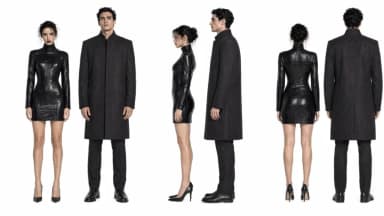

A manual showcase in the same register
Image 1 locks the product: [your product]. Image 2 is the brand logo, exact mark.
Trailer-style pacing: quick black-frame flashes between shots. Shot 1: city night bokeh,
the product catches a streak of neon light. Shot 2: hard cut to black, then the product
rotating on glass. Final frame: Image 2's logo resolves on black with a deep bass hit.
A low voice says: "[Your tagline here.]"
Which lane to pick: one product, one beat, under 15 seconds → H3 in the Playground. A spokesperson, a story, cutdowns and localized versions → the storyboard pipeline above. Many teams will use both: H3 for the fast paid-social variants, the pipeline for the hero spot. For product-led (rather than brand-led) creative, see the dedicated e-commerce product video guide; for sound-driven creative, H3's native audio explained.
FAQ
How is an AI commercial different from a UGC ad?
A commercial is cinematic and polished — high-end cinematography, a spokesperson, a brand moment — typically 15 to 45 seconds for TV or social. A UGC ad is deliberately rough and phone-shot. In Pixo you build a commercial on the long-form video workflow, where a script-writer agent, reusable cast/location assets, and cross-cut continuity keep it consistent and film-like across every shot.
How does Pixo keep a spokesperson and product consistent across shots?
Before any video renders, Pixo generates reference sheets for your style, characters, and locations — a "casting and location scouting" phase. Every shot @-mentions those assets, and a cross-cut continuity engine chains shots so they inherit poses, props, and camera lines from the previous shot — like cutting from a wide of a spokesperson holding your product to a close-up of it in their hand.
Do I have to write the commercial script and plan the audio?
No. A dedicated script-writer subagent writes a detailed, shot-by-shot script and designs the style, character, and location assets. Each storyboard panel is timed and includes both visual descriptions and audio design — dialogue, ambient sound, sound effects, and music cues.
Can I review everything before spending credits on video?
Yes. There's a review checkpoint: once the full text storyboard and reference sheets are ready, you review the script, shot progression, and audio design, and adjust camera angles, dialogue, or locations before a single credit is spent on video.
Can I get the ad in 4K?
Yes. After generation you can upscale key shots to 1080p, 2K, or 4K so the commercial looks razor-sharp on large screens and premium placements. Voiceovers can also be generated in multiple languages.
Does the exported commercial have a watermark?
No. Pixo exports are watermark-free by default. You choose aspect ratio and resolution at the prompt input stage — 16:9 for TV and YouTube, 9:16 for vertical social placements.
Can I make a commercial in a single AI generation?
For short spots, yes. MiniMax H3 — live in Pixo's Playground — generates a 4–15 second commercial in one pass: multiple cuts, locked product identity from your reference photos, title cards, and native stereo audio including a spoken tagline. For 30–45 second spokesperson ads, use the full storyboard pipeline instead.
Explore More Video Types
Making a different kind of video? These guides walk the full Pixo workflow for each:
- How to make an AI social media video — vertical, mobile-first content for TikTok, Reels, and Shorts.
- How to make an AI explainer video — explain a product in 60 seconds.
- How to make an AI music video — turn a song into a lip-synced video with MV Director.
Making money from your videos? See how to make money with AI video.
Ready to make a commercial that looks like a brand spent a fortune on it? Open Pixo, start a long-form project, and share your brief — new users get 200 free credits on sign-up, and plans are currently up to 55% off. For the tool-specific breakdown, see AI marketing videos; for rougher, phone-shot ads, see making UGC ads with Pixo.
Generate AI summary
From idea to finished video.
In one conversation.
Start CreatingNo credit card required • Free 200 credits