How to Make a Marketing Video with Kling on Pixo
Make cinematic marketing videos with Kling 3.0 on Pixo — dramatic product hero shots, brand mood films, agent-built storyboards, and watermark-free export.

Viewers price your brand before they hear your pitch. In the first two seconds of a spot, camera movement, lighting, and grade tell them whether this is a company that invests in itself — and that judgment transfers directly to the product. It's why brands have historically paid five figures for thirty seconds of footage: not for the information, but for the production value. And it's why most AI-generated marketing video undercuts the brands that run it — the content is fine, but the motion looks synthetic, and synthetic reads as cheap.
Kling 3.0 is the model on Pixo built for exactly this problem. Its differentiator is cinematic camera work — the most film-like motion on the platform — which means a product reveal can have the weight of a tabletop shoot and a brand mood film can move like it was shot on a dolly, not assembled from stock. With native multishot generation, a full hook–build–reveal spot structure comes out of structured prompts rather than disconnected clips.
On Pixo, you don't even storyboard it yourself: the agent turns your brief into a script and shot list, and you assign Kling 3.0 to the hero shots. Honest caveat upfront — Seedance 2.0 remains the consistency flagship, so spokesperson-led campaigns should anchor there. Kling is what you cast when the spot has to feel expensive.
Why Kling 3.0 for Marketing Videos
Motion that reads as money
Audiences can't name a jib arm, but they feel one. Kling 3.0 translates cinematography directions — a slow orbital around the product, a crane-up that turns packaging into architecture, a push-in with focus breathing — into motion with real weight and easing. That's the texture agencies bill for, and it's the single fastest way to make an AI-produced spot read as a produced spot. For brand-level storytelling beyond a single ad, the same strengths drive Kling brand videos.
Dramatic product hero shots
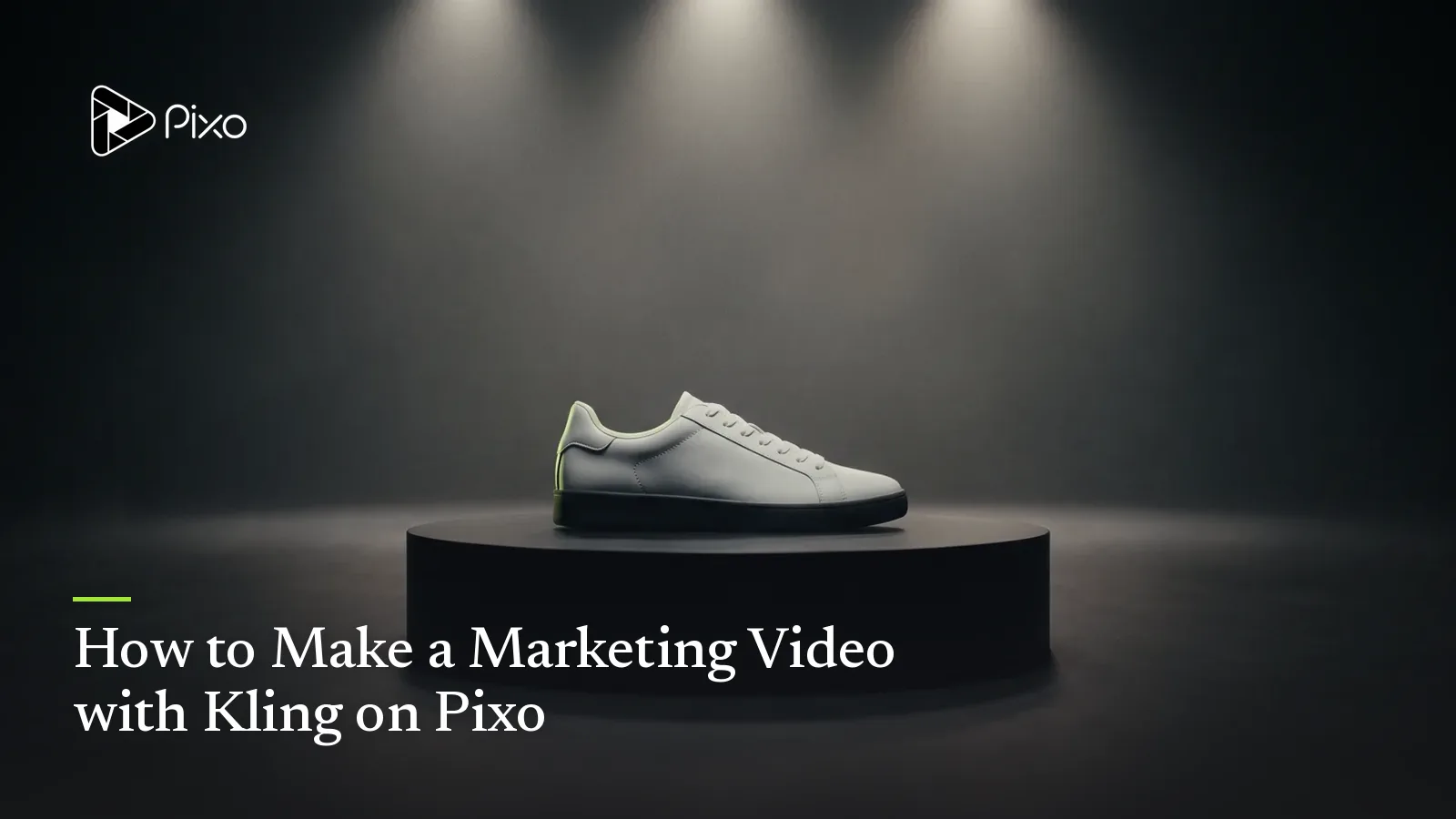
The hero shot is the conversion frame: product, light, drama. Kling 3.0 handles the staging vocabulary of high-end tabletop work — hard rim light through smoke, liquid pours in slow motion, a beam of light sweeping across a matte surface — and ties it to camera moves that build to the product instead of just orbiting it. Pair it with Pixo's asset library so the same product, referenced per shot, stays your product across the whole spot. (When the brief calls for demonstration rather than drama, that's Kling product demo territory.)
Native multishot for ad structure
A 30-second spot is a structure: hook, build, reveal, logo. Kling 3.0 generates native multishot sequences (as do Seedance 2.0 and Veo 3.1), so the build and the reveal can come from one structured prompt — same set, same light, same grade — and cut together like they were blocked on the same shooting day. That continuity is what makes a spot feel directed rather than compiled.
A spectrum of polish, per shot
Marketing in 2026 runs from cinematic brand films to deliberately raw creator-style ads — and Pixo covers the whole spectrum in one project. Keep Kling 3.0 on the premium end; for spokesperson continuity across many shots use Seedance 2.0; for the intentionally phone-shot UGC register, see the UGC ads playbook. The point is that "which model" is a per-shot casting decision, not a tool purchase.
Kling vs Other Models for Marketing Videos
| Kling 3.0 | Seedance 2.0 | Veo 3.1 | Hailuo | |
|---|---|---|---|---|
| Cinematic motion / production value | ★★★★★ | ★★★★ | ★★★★ | ★★★ |
| Product photorealism | ★★★★ | ★★★★★ | ★★★★★ | ★★★ |
| Native multishot | ✅ | ✅ | ✅ | ❌ |
| Spokesperson consistency | ★★★★ | ★★★★★ | ★★★★ | ★★★ |
| Cost-effectiveness | ★★★ | ★★★★ | ★★★ | ★★★★★ |
| Agent automation | ✅ Pixo Director | ✅ Seedance2 Director | ✅ Pixo Director | ✅ Pixo Director |
When to switch, honestly:
- The beauty shot demands literal accuracy — true materials, readable textures, 4K detail — hand that shot to Veo 3.1, the photorealism specialist.
- A spokesperson or recurring character carries the campaign across ten shots and three cutdowns: anchor on Seedance 2.0, the consistency and physical-realism flagship, and bring Kling in for the opener and the reveal.
- You're filling a retargeting library with dozens of light lifestyle variations: Hailuo's cost-effectiveness wins on volume.
The shot-level mix is the argument for making the spot on Pixo rather than inside any single model's own app: the storyboard is one project, the models are interchangeable per shot, and asset references keep the product and cast consistent across all of them.
How to Make a Marketing Video with Kling on Pixo
Budget about 2–3 hours for a 30–60 second spot, less once your brand assets and grade are saved for reuse.
Step 1 — Brief the agent like an agency (3–5 minutes)
Open a project with Pixo Director, tell it you want Kling 3.0 (or let it choose one for you), and write the brief: product, audience, the one feeling the spot must land, runtime, and mandatories (logo beat, tagline, end card). Set aspect ratio and resolution now, at the prompt input stage — 16:9 for site and YouTube placements, a separate 9:16 variant for vertical placements — because the frame is chosen when you prompt, not at export.
Step 2 — Pressure-test the storyboard (30–45 minutes)
The agent returns a script and full storyboard: visual descriptions, asset references, audio/SFX, durations per shot. Review it like a creative director. Does the hook arrive in the first two seconds? Does every shot escalate toward the reveal? Lock your product and any brand-world locations as referenced assets so each shot points at the same versions.
Step 3 — Generate the spot on Kling 3.0 (1–2 hours)
With Kling 3.0 set as the project's model, the opening mood shots, the build, and the hero reveal all generate in the cinematic register you briefed. Generate multishot sequences for continuous scenes and singles for inserts. Each generation runs roughly 5–30 seconds — conveniently, the native shot lengths of ad editing — and you regenerate per shot, not per spot. Want a per-shot mix? Fine-tune a shot in its workspace — talky or consistency-critical shots do well on Seedance 2.0.
Step 4 — Cut to rhythm in the timeline (10–15 minutes)
Assemble in Pixo's timeline: reorder, trim to the beat, and audition the spot at feed speed — mute it once, too, since most placements autoplay silent. Verify the product reads correctly in every shot before you call it.
Step 5 — Export watermark-free (under 5 minutes)
Export clean — no watermark, no platform badge — and ship it to your channels. Run the vertical variant project through the same flow for placement-native crops instead of lazy center-cuts.
Create AI videos with Pixo
Turn any idea into a publish-worthy video. One sentence is all it takes.
Copy-Paste Prompts
1. Cinematic product hero shot:
Single shot, 10 seconds, 16:9. A matte black wireless speaker on a wet
slate pedestal in a dark studio. A single hard beam of light sweeps
slowly across the product from left to right, revealing its silhouette,
then the camera begins a slow 90-degree orbital dolly as fine mist
drifts through the beam. Specular highlights trace the speaker's edge.
High-contrast noir grade, deep blacks, subtle film grain, 24fps look.
Premium fragrance-commercial energy.
Why it works: the light moves before the camera does — staged revelation is the signature of high-end tabletop work — and the orbital dolly is a named, single move that Kling 3.0 executes with believable weight. "Premium fragrance-commercial energy" anchors the whole register in one reference the model understands.
2. Brand mood film sequence (multishot):
Multishot sequence, 4 shots, 16:9, brand mood film. Shot 1: dawn aerial
drifting over fog-covered pine forest, gold light breaking the ridge.
Shot 2: slow tracking shot beside a trail runner's feet striking gravel,
shallow focus, breath visible in cold air. Shot 3: macro insert, water
droplets shaking off a jacket's fabric weave in slow motion. Shot 4:
crane-up behind the runner cresting the summit into full sunlight, lens
flare. Consistent cold-blue-to-warm-gold grade arc across all shots,
natural light, filmic contrast.
Why it works: mood films sell a feeling arc, not a feature list — and this prompt encodes the arc into the grade itself (cold blue to warm gold), so the multishot sequence carries emotional progression even before music. Each shot is one move, one texture, which keeps Kling's motion clean.
3. Dramatic reveal:
Multishot sequence, 2 shots, 16:9. Shot 1: extreme close-up in near
darkness — a hand slowly lifts a silk cloth, fabric sliding in slow
motion, only edges of an object glinting beneath. Shot 2: as the cloth
clears frame, hidden rim lights bloom on one by one around a glass
perfume bottle on a black mirror surface; camera pulls back and rises
in a smooth crane move to a perfect symmetrical composition. Amber
caustics through the glass, black background, luxurious pacing.
Why it works: a reveal is choreography — cloth, light cue, camera move, in that order — and writing it as an explicit sequence of events gives Kling a timeline to execute rather than a vibe to guess. The two-shot multishot structure keeps the darkness and the bloom in the same lighting world so the cut feels inevitable.
Tips & Common Pitfalls
- Build the spot around one dramatic move, not five. The most expensive-feeling commercials are restrained: a single committed dolly or crane per shot. Stacking moves inside one 5–30 second generation is the fastest way to get drifting, weightless motion.
- Don't ask the model to typeset your label. Fine on-pack text is the weak point of every video model. Keep packaging text minimal in the prompt, lean on your product asset reference, and check the label in every generated shot — supers and end cards belong in the edit, not the generation.
- Spend the premium where the viewer feels it. Kling on the hook and the reveal; Seedance or Hailuo on connective lifestyle shots. A spot that's 30% Kling usually reads as 100% cinematic — and your credits go three times further.
- Make the spot survive mute. Most feed placements autoplay silent. If the storyboard's story isn't legible without the VO line, fix the shots before you generate, not after.
FAQ
Why use Kling 3.0 for marketing videos instead of other AI models?
Because perceived production value is the conversion variable in brand marketing, and Kling 3.0 has the most film-like camera motion on Pixo. Dolly moves, dramatic reveals, and motivated lighting read as an expensive shoot. For exact product detail switch a shot to Veo 3.1; for spokesperson continuity, Seedance 2.0 — Pixo lets you mix all three per shot.
How long does it take to make a marketing video with Kling on Pixo?
Plan around 2–3 hours end to end for a 30–60 second spot: 3–5 minutes to brief the agent, 30–45 minutes reviewing the script and storyboard, 1–2 hours generating shots, 10–15 minutes in the timeline, and under 5 minutes to export watermark-free.
Can I feature my actual product in a Kling marketing video?
Yes. Add your product to Pixo's asset library and reference it in each shot, so the same product appears across the spot. Keep on-pack text minimal in prompts — fine label type is a weak point for every video model — and check the product in every generated shot before you cut.
How do I use Kling 3.0 with Pixo's agent?
Start the project with the Pixo Director agent and tell it you want Kling 3.0 — or let it choose the right model for the brief. The agent writes the script and builds the storyboard, and generation runs on the model you've set. You can still fine-tune any individual shot in its workspace, for example keeping a consistency-critical spokesperson segment on Seedance 2.0.
Should I use Kling 3.0 or Veo 3.1 for a product ad?
Use Kling 3.0 when drama sells it: hero reveals, mood films, lifestyle sequences where motion and atmosphere carry the message. Use Veo 3.1 when photorealistic accuracy sells it: true-to-life materials and 4K close-ups. Many strong spots on Pixo use both — Kling for the build-up, Veo for the beauty shot.
Can I export the same campaign in different aspect ratios?
Aspect ratio and resolution are chosen at the prompt input stage, not at export — so run 16:9 and 9:16 as separate project variants composed for each frame. Every export is watermark-free and ready for the placement it was built for.
Ready to make a spot that looks like it cost five figures? Sign up for Pixo — new users get 200 free credits on sign-up. Put them to work on your hero shot today. See plans (currently up to 55% off), or explore the broader toolkit on the AI marketing video maker hub.
Generate AI summary
From idea to finished video.
In one conversation.
Start CreatingNo credit card required • Free 200 credits