Making UGC Ads with Pixo: A Complete Pipeline from Concept to Ad-Ready Creatives
How to create high-converting UGC ads with AI. This guide breaks down the full pipeline from script to deployment — with a 30-second ad walkthrough, prompt rules, and batch variant tactics to help you ship ad-ready UGC creatives fast using Pixo.
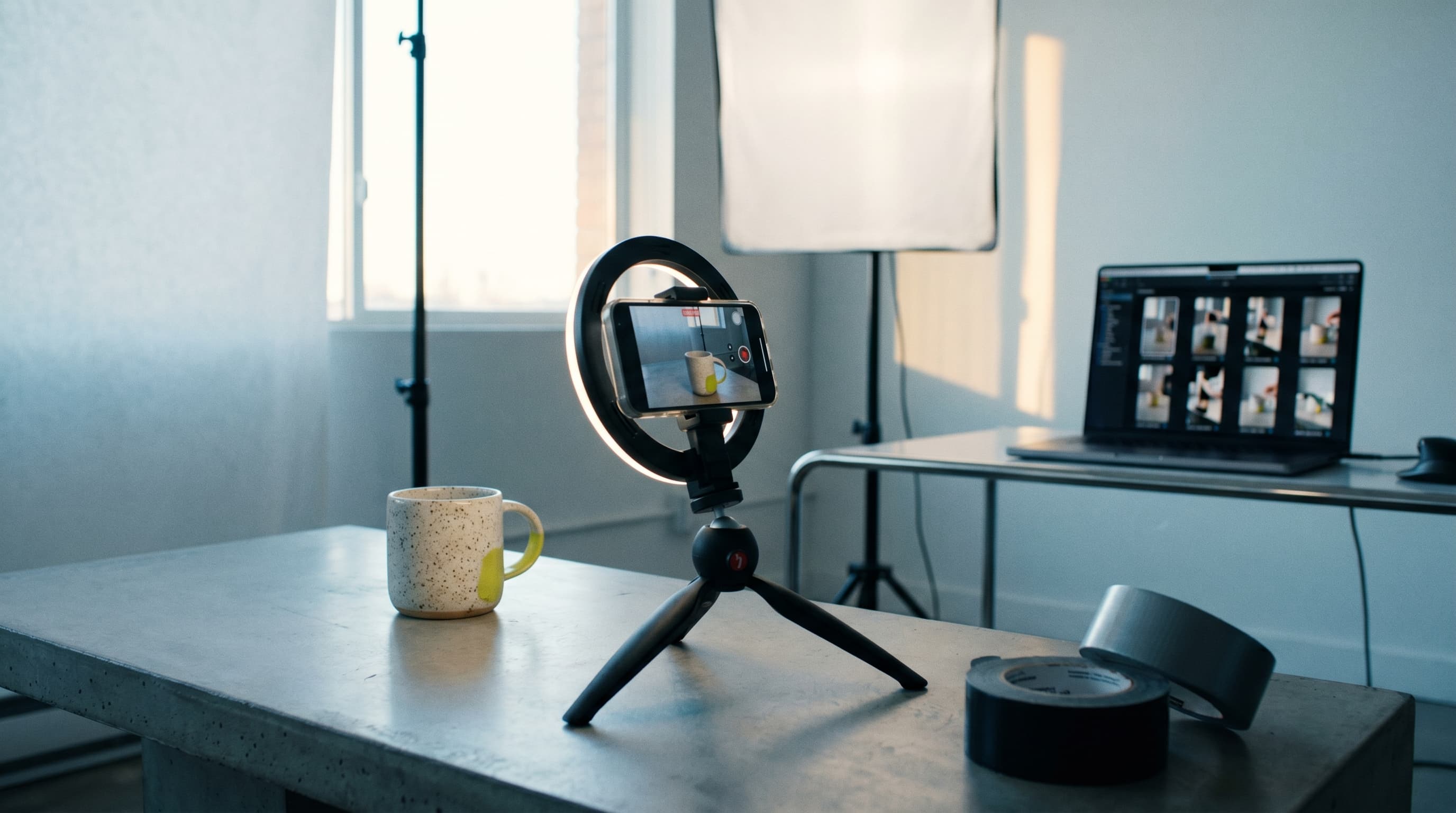
UGC ads boil down to one idea: make the ad not look like an ad.
It should feel like a real person talking to their phone camera, casually recommending something — a little shaky, a little rough, but believable. Those perfectly lit, immaculately composed "brand-feeling" ads? They're actually a liability in the TikTok and Reels feed — research shows that users instinctively swipe past anything that "looks like an ad."
The problem is that traditional UGC ad production is painfully slow: find a creator → schedule a shoot → reschedule three times → receive a pile of inconsistent footage → edit → produce a few versions → deploy → data comes back bad → start over. Two weeks from kickoff to launch is considered fast.
Pixo's storyboard-first workflow is a natural fit for UGC ads — a production mode built around "multi-shot assembly + per-shot iteration + batch variant output." This article walks through a complete workflow using a real product example, from concept to ad-ready creatives.
1. Why Pixo for UGC Ads?
Let me be clear upfront: AI isn't here to replace real UGC creators. For certain categories (beauty close-ups, food tasting), real people on camera are still irreplaceable. But for scenarios where you need to crank out creatives fast, test variants, and iterate on hooks, an AI-assisted pipeline has a crushing efficiency advantage.
With Pixo, you're running an AI-assisted director's pipeline:
| Traditional Pain Point | How Pixo Solves It |
|---|---|
| Hiring is expensive, timelines are long | Free credits are enough to get started (~400 credits for new users) |
| One revision means reshooting | Iterate individual storyboard panels — if one shot is off, just regenerate that one |
| Character/product consistency | Upload reference images to the asset library, reuse across the entire project |
| Need 10 variants for A/B testing | Duplicate project → swap the Hook or CTA → batch generate |
The core advantage isn't "cheaper" (though it is cheaper) — it's iteration speed. The real game in UGC ads is rapid testing and letting data decide. You can run 10 hook variants simultaneously and know which one has the highest ROAS within 3 days — that's virtually impossible with traditional workflows.
2. The UGC Ad Structure Template
A high-converting UGC ad is typically 15–45 seconds in vertical format (9:16), and its structure is extremely formulaic. Don't try to "innovate" on this structure — it's been validated by hundreds of millions of dollars in ad spend:
| Section | Time | Function | Key Metric |
|---|---|---|---|
| HOOK | 0–3s | Stop the scroll | 3-second retention rate |
| PROBLEM | 3–8s | Build empathy | "Yes, that's exactly me" |
| DISCOVERY | 8–15s | "I found this thing…" | Curiosity-driven |
| DEMO | 15–30s | Show the product in use | The most critical section |
| RESULT + SOCIAL PROOF | 25–35s | Outcome + endorsement | Trust building |
| CTA | 35–45s | "Link in bio / limited time" | Conversion action |
Pixo's storyboard is naturally organized as "panel = shot." Just turn each section above into 1–2 panels — the structure maps perfectly onto Pixo's workflow.
3. Hands-On: Building a 30-Second UGC-Style Ad in Pixo
Let's walk through the full process with a concrete example. The product is "EarthMug Spill-Proof Coffee Cup," targeting TikTok / Reels / Shorts placements.
Step 0: Gather Your Materials (1 minute)
What you need to prepare is simple:
| Material | Details |
|---|---|
| 2–4 product photos | Front, three-quarter angle, lid close-up (high-res; white background or lifestyle settings both work) |
| Brand info | Product name, core selling points (≤3), CTA copy, landing page / promo code |
| Style reference keywords (optional) | Pull up a real UGC screenshot for reference — "phone-shot quality, natural light, indoor window" |
⚠️ Don't use polished product shots from the official website directly as your scene. The soul of UGC is "a candid moment caught in a real-life setting." If all you have are white-background product shots, make sure to emphasize lifestyle settings in your prompts later.
Step 1: Create the Project & Set the Format
- Go to pixo.video → Log in → New Project → Video
- Set aspect ratio to 9:16 (vertical) — this determines all your compositions and prompt writing going forward
- Name the project clearly:
EarthMug_UGC_v1_HookA
Naming conventions matter. When you're running 6–12 variants simultaneously later, sloppy naming makes it impossible to tell them apart. Recommended format: ProductName_Type_Version_Variable.
Step 2: Write the Script, Let AI Director Break It into Storyboard Panels
You can write the script manually, or drop a brief into Pixo's AI Director and let it break things down:
Sample brief (copy and modify as needed):
30-second TikTok UGC-style ad. Speaker: 26-year-old female office worker, lives in a city apartment, coffee lover. Hook: She looks down at a coffee stain on her white shirt and rolls her eyes. Problem: Her old mug leaks every time she puts it in her bag. Discovery: She came across EarthMug last week — claims to be truly spill-proof. Demo: She twists the lid shut, flips it upside down, shakes it, tosses it in her bag, pulls it out bone dry. Result: Been using it for two weeks straight, zero spills. Tone: Conversational, "recommending to a friend" vibe, not ad-speak. Closing CTA: Limited-edition mint green, link in bio.
AI Director will break this into 5–7 storyboard panels (Scene 1A, 1B, 2A…), each with a scene description, shot type (close-up / medium / handheld), and suggested duration (3–6s per panel).
At this point, you're looking at a storyboard — no video has been generated yet. This is Pixo's most valuable feature: plan first, generate later. You can tweak the structure back and forth at this stage until you're satisfied, before spending any compute.
Step 3: Fill in Prompts & Choose Models per Panel
This is the core production step. The key to UGC style: your prompts must not sound "ad-like."
Panel breakdown example (EarthMug case, AI assistant auto-generated):
| Panel | Visual Content | Prompt Writing (Key Phrases) | Recommended Model |
|---|---|---|---|
| P1 · HOOK | She looks down at coffee stain on her white shirt, grimace-smile | Handheld selfie angle · indoor window natural light · 26-year-old Asian female office worker · white shirt coffee stain · slight camera breathing · phone-shot quality · background bokeh | Veo (realistic skin/texture) |
| P2 · PROBLEM | Old mug pulled from bag, still dripping | Top-down shot · cluttered desk (laptop keys earbuds) · old mug dripping onto wooden table · casual handheld slight shake · lived-in feel | Veo or Hailuo (fast iteration) |
| P3 · DISCOVERY | She holds up EarthMug toward the camera | Medium shot · sitting by window on couch · one hand holding mug, other hand phone-selfie angle · EarthMug mint green · natural sidelight · subtle rim light · casual smile | Veo (product realism) |
| P4 · DEMO 1 | Twists lid tight, flips upside down, shakes | Close-up · hand twisting lid · flipping cup · shaking twice · dappled sunlight on desk · slight handheld motion | Kling (smooth motion) |
| P5 · DEMO 2 | Opens lid — not a single drop leaked | Extreme close-up · lid unscrewing moment · liquid surface calm inside · no spillage · warm light reflecting on rim | Veo (detail realism) |
| P6 · RESULT | She puts on a clean jacket, drops mug into tote bag, shrugs at camera with a smile | Medium shot · walking toward door · glancing back at "camera/phone" with a smile · relaxed · bag slung crossbody · doorframe natural light | Kling or Veo |
| P7 · CTA | Product still life + space reserved for text overlay | Clean lifestyle setting · EarthMug on windowsill · sunlight passing through cup · options: mint green / cream white · leave bottom 1/3 for subtitle space | Image-to-video or static image |
Ironclad Rules for UGC Prompt Writing:
✅ Do include:
- "handheld shot" "phone front camera quality" "slight shake"
- "lifestyle setting" "natural light" "imperfect"
- "casual" "authentic" "iPhone selfie style"
❌ Never include:
- "cinematic lighting" "studio softbox" "professional commercial"
- "perfect composition" "dramatic angle"
- These are the enemies of UGC — include them and you've got a brand film, not UGC
💡 How to use product reference images: Upload your EarthMug product photo to the Reference Image slot on each relevant panel. Every panel featuring the product should reference the same image to ensure visual consistency — same logic as Pixo's asset library character management, except here you're managing a "product" instead of a "character."
Step 4: Generate → Iterate → Lock
Standard loop — repeat for each panel:
- Generate keyframe image → Pick the one with the right composition and expression
- Image-to-video (select model & duration 3–6s)
- Preview → If it's off, tweak the prompt or switch models
- Satisfied? Lock it ✓
Practical tips:
- Regenerate the HOOK panel multiple times. Until the expression and composition are "scroll-stopping" enough. TikTok's own data shows you have 2–3 seconds to determine your ad's fate — if the 3-second retention rate fails, nobody will see the rest no matter how good it is. Prepare at least 3 different Hook versions for each ad.
- Keep the DEMO panel conservative, not flashy. Overly smooth motion in UGC actually looks fake — slight imperfections feel real. A real person filming a product demo on their phone can't possibly have perfect camera work.
- If the character's face changes: Go back and regenerate the keyframe image, keeping the reference image consistent. Or lock a character asset in the asset library and reference it from every panel.
- Model selection: For UGC style, Seedance 2.0 performs best for character consistency, while Kling's cinematic quality is sometimes "too polished" for UGC. You can generate the same panel with different models in Pixo and compare which one has more of that "shot on a phone" feel.
Step 5: The Sound Layer — The Key to Not Looking AI-Generated
Sound is the soul of a UGC ad. A silent AI video? Viewers can tell it's AI within 3 seconds. Add the right audio, and their ability to detect it drops dramatically.
Pixo has a built-in TTS + sound effects + BGM pipeline. Here are the voiceover secrets:
| Element | How to Do It |
|---|---|
| Voiceover | Choose a young female voice; manually insert commas, periods, and ellipses in the text to control breathing pauses |
| Ambient noise | Very subtle coffee shop ambient / city window traffic rumble (volume <10%, but without it the audio sounds "dead silent") |
| Action SFX | The "click" of a lid tightening, the "thud" of a mug on a table, the "zip" of a zipper — small sounds, big authenticity |
| BGM | Pick a lo-fi / acoustic guitar loop, keep the volume at accompaniment, not foreground — music that's too prominent in UGC = instant ad flag |
🎙️ The golden rule of voiceover: Make the AI read slightly unevenly — add extra punctuation where pauses should go, occasionally leave a trailing "So…" or "Honestly…" half-breath. Perfect reading = instant AI giveaway. Adding casual pace, natural pauses, not a voiceover artist to your prompt helps.
Step 6: Assemble & Export
- Pixo's timeline stitches all panels into one continuous video
- Final checklist:
- Can you cut 2 more seconds between HOOK and PROBLEM? (Tighter is always better)
- Is the DEMO long enough? In UGC, the demo can't be shorter than 5–6 seconds — otherwise viewers won't remember what the product looks like
- Does the overall pacing drag anywhere? A 30-second ad can't have any "dead air"
- Is the product prominent enough in the frame?
- Export 1080×1920 MP4, ready to deploy on TikTok / Reels / Shorts (more social media video tips for reference)
Want to try it yourself? Create a new 9:16 project on Pixo, drop your product brief into AI Director — within 5 minutes you'll have your first storyboard, no prompt writing required.
4. The Killer Move: Batch Variants (Fuel for A/B Testing)
This is Pixo's most commercially valuable capability for UGC ads.
The money in UGC advertising isn't in "one perfect video" — it's in running 5–10 variants simultaneously and letting data pick the winners. But making 10 variants the traditional way? Either you hire 10 creators, or you get one creator to shoot 10 takes — neither is realistic in terms of time or cost.
Here's the fastest approach in Pixo:
| Variant Dimension | How to Do It | Cost |
|---|---|---|
| Hook variants | Duplicate project → Only swap P1 (switch to "price shock" / "comparison test" / "friend recommendation" openers) | Only regenerate 1 panel |
| CTA variants | Duplicate project → Only change the last screen's text + VO closing line | Very low |
| Model variants | Have the AI assistant generate one version with each model for comparison | Medium |
| Voiceover variants | Same script, different voice (huskier / sweeter / more neutral) | Very low |
This way, from a single storyboard skeleton, you can rapidly produce 6–12 deployable creatives, with controlled variables between each — you know exactly whether it's "Hook A vs. Hook B" affecting ROAS, instead of guessing.
This is the right way to play AI UGC ads: not making one perfect piece, but making a batch of testable ones. Industry data shows that brands using AI to optimize ad creatives see an average 72% improvement in ROAS — not because AI-made ads are better, but because AI lets you test more variants and find the winner faster.
Ready to batch-produce your UGC creatives? Start a project on Pixo, use AI Director to build your storyboard, run through the first video, then duplicate the project and swap the Hook — within a day you'll have a batch of A/B test creatives ready for deployment.
5. Common Pitfalls & How to Avoid Them
| Pitfall | Cause | Fix |
|---|---|---|
| Ad screams "AI" | Prompts included studio/commercial keywords, BGM too loud, VO too perfect | Add "handheld / phone-shot quality / natural light / slight shake," deliberately break up VO pacing with pauses |
| Mug looks different in every frame | No reference image attached, prompt doesn't have a fixed product description | Upload product photo to every relevant panel, keep description wording identical throughout |
| Pacing is dead slow | Every panel set to 6s+ | HOOK 3s, Problem 4s, Demo gets a full 6–10s, closing CTA no more than 3s |
| Watched the whole thing, no idea what to buy | Demo is all vibes, no "product action proof" | Must include a close-up of a verifiable action — flip / shake / open lid, bone dry |
| Ad gets rejected by platform | Made absolute efficacy claims | Use first-person experience language: "I found / I've been using it for two weeks / for me it's been…" — never write "100% guaranteed" |
FAQ
Can viewers tell that UGC ads are AI-generated?
It depends on your execution quality. If the prompts are right (handheld, natural light, imperfect) and the audio is handled well (conversational, with natural pauses), most viewers won't notice during fast-scroll in their feed. 2026 industry testing shows that short-form AI ad creatives are now performing on par with real creator content. The goal isn't to "fool everyone" — it's to make sure the ad's first 3 seconds don't get instinctively skipped. Once a viewer stops to watch, the content's persuasive power takes over.
How many creatives can you produce in a day?
Once you're up to speed, producing 6–12 deployable variants in a day is entirely feasible. The first video takes the most time (building the storyboard, dialing in prompts, locking character and product assets). After that, each variant is basically "duplicate → change one variable → regenerate the relevant panels," with an incremental time of about 15–30 minutes per variant.
What product categories work best?
Best suited for products that don't require real human experience — tech accessories, home goods, tools, apparel (non-try-on scenarios), beverage containers, etc. For categories that need a real face/tasting/fitting (beauty, food), AI still has a realism gap — a hybrid AI + real person approach is recommended.
How do you control costs?
The core principle is plan first, generate later. Spend enough time in the storyboard phase refining structure and prompts — don't rush to generate video. Video generation is where compute gets consumed — a well-tuned prompt nails it on the first try, while a poorly written one won't deliver even after 10 attempts. Also, when making variants, only regenerate the panels that actually changed — don't redo the entire video. Check Pixo's pricing plans for details.
Can you make landscape ads?
Yes, but the main battlefield for UGC ads is vertical feeds (TikTok, Reels, Shorts). If you also need a landscape version (for YouTube pre-roll or website landing pages), build the vertical version first, then adjust the composition in Pixo for a landscape version — don't start with landscape and then crop. Cropping a vertical frame loses too much of the image. If your YouTube content goes beyond ads into long-form video, check out Pixo's YouTube creation tools.
The essence of UGC advertising is "test fast, let data drive." Instead of spending two weeks polishing one "perfect" video, use Pixo to produce a batch of deployable variants in a single day and let the market tell you which one is the real winner. Go build your first UGC project now — start with a 30-second Hook test.