Start with a conversation.
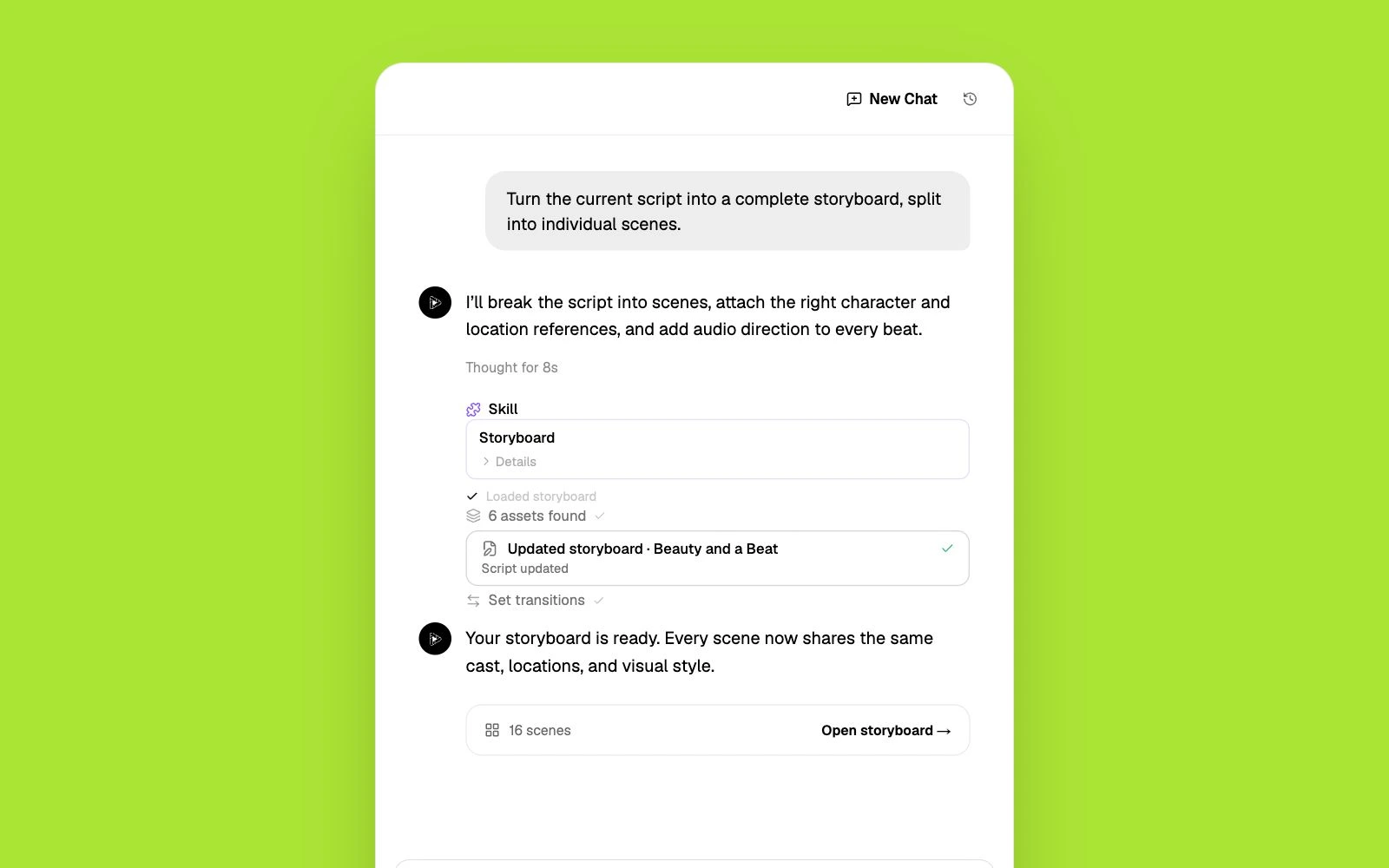
Tell Pixo what you’re making—your idea, audience, style, and length. The agent turns your brief into a script and a production-ready plan.
CapCut's AI generator makes short clips inside an editor. Pixo is generation-first — AI agents script, storyboard, and edit complete 1080p videos from a prompt.
CapCut is ByteDance's hugely popular video editor, and its AI video generator is a layer inside it: script-to-video with avatars and templates, plus Seedance-powered text- and image-to-video clips. For quick social edits it's convenient — but the AI generator is a metered add-on, not the core product. AI points on the $19.99/mo Pro plan run out fast for a regular posting cadence, clips are short-form one-shots with no narrative structure, and CapCut's 1.3-star Trustpilot rating is dominated by billing and cancellation complaints. If you're searching for a CapCut AI video generator alternative, you likely want generation to be the main event — not a coin slot inside an editor.
CapCut is an editor first. AI generation is point-gated, and heavy users report exhausting a month of AI points in about two weeks.
Seedance clips generate shot by shot with no storyboard or continuity — turning them into a coherent video is entirely manual timeline work.
CapCut's Trustpilot sits at 1.3 stars, dominated by reports of surprise charges, difficult cancellations, and unreachable support.
CapCut bolts AI generation onto an editor. Pixo builds the whole workflow around generation, with an agent doing the assembly.
| Criterion | Pixo | CapCut |
|---|---|---|
| Built for | Complete AI-generated videos from a prompt, agent-edited end to end | Short AI clips and avatar videos inside a manual editor |
| AI models | Seedance, Kling, Veo, Hailuo, Vidu and more, chosen per shot | Seedance-powered generation with style presets |
| Script & storyboard | Agent scripts, storyboards, and keeps scenes consistent automatically | Script-to-video templates; storyboard outlines are manual |
| Assembly | Agent edits generated shots into a finished video; you direct and approve | You assemble AI clips yourself on the timeline |
| Multi-scene continuity | Shared assets keep characters and products identical across shots | Clips generate independently; continuity is up to you |
| Pricing approach | 200 free credits to start; monthly plans with top-ups | Free editor; AI gated behind Pro $19.99/mo with 1,200 points, extra points from $4.99 |
Competitor details are based on publicly available information as of each page's last update and may change. Always verify current pricing and features on the vendor's site.
Tell Pixo what you’re making—your idea, audience, style, and length. The agent turns your brief into a script and a production-ready plan.
Pixo AI reviews every scene, camera move, reference, and sound cue before generation. Change one shot without starting the whole video over.
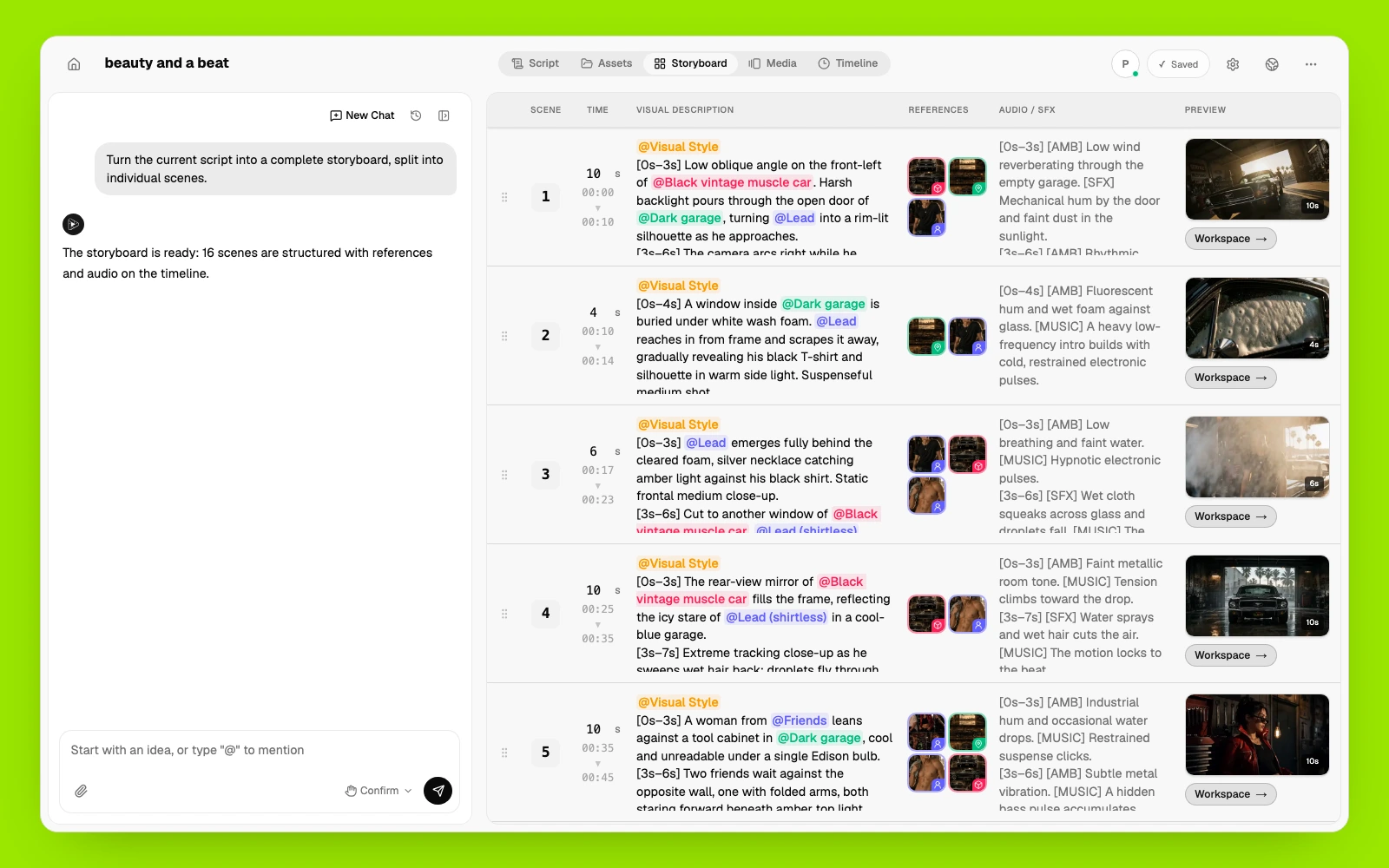
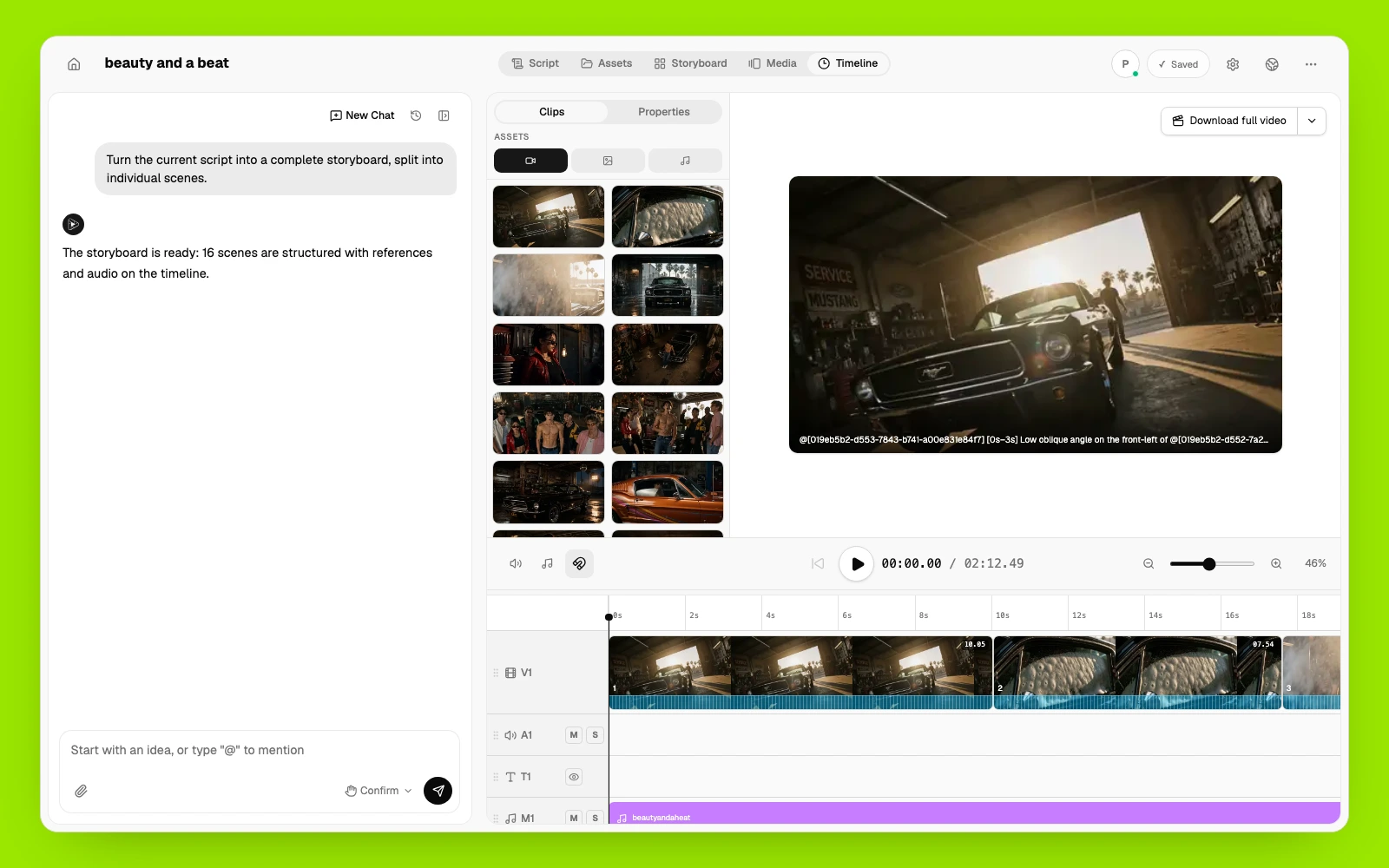
Pixo AI manages and reuses the same characters, products, locations, voices, and visual styles across every scene.
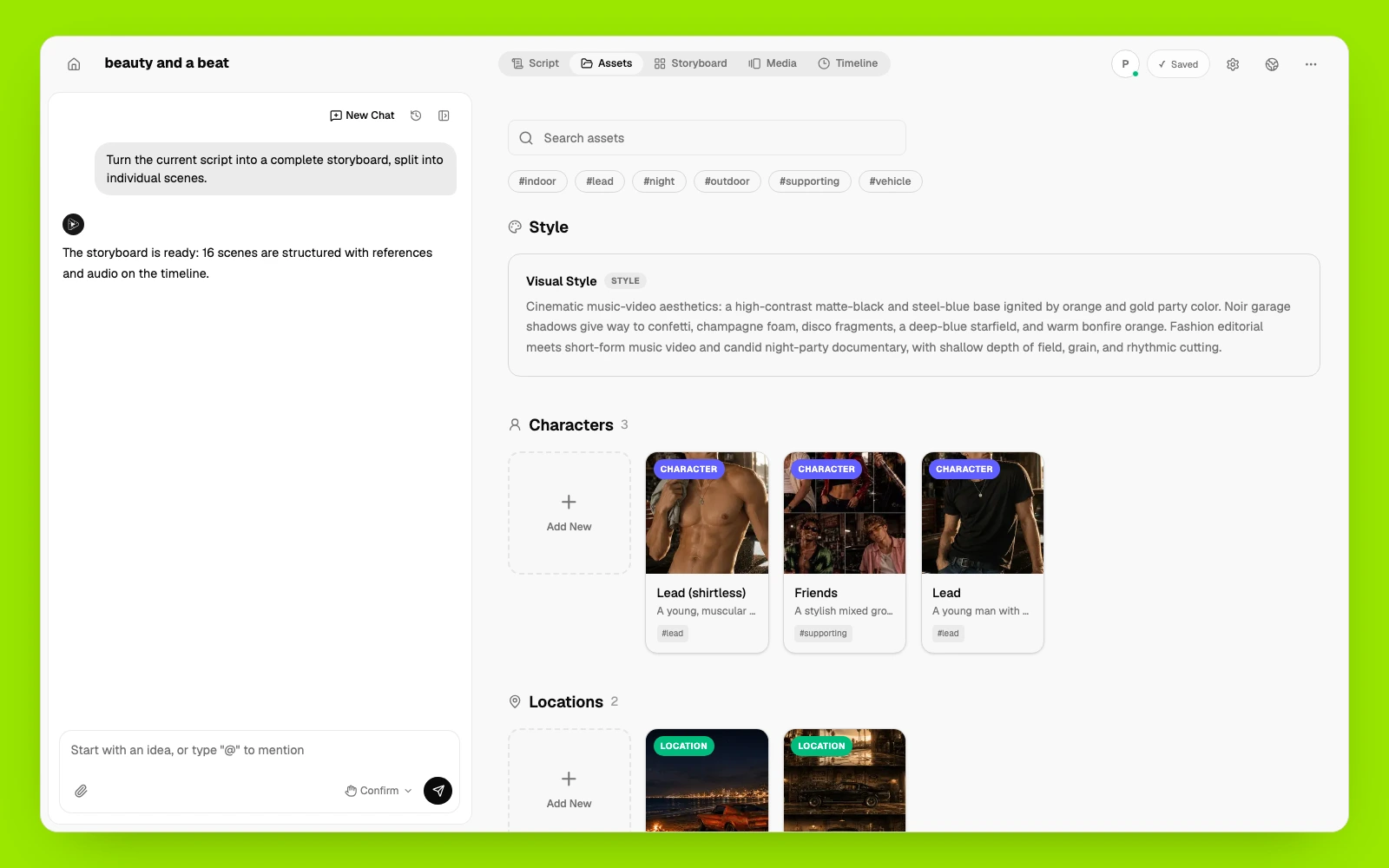
Pixo AI arranges clips, voiceover, music, and sound on one timeline. Regenerate what changed, keep what works, and export the finished video.
Depending on which part of CapCut you're replacing, these tools compete directly.
Gen-4 text- and image-to-video with strong cinematic single-shot quality.
Best for: cinematic one-shot generation and VFX experiments.
Prompt-to-complete-video with stock media and voiceover.
Best for: marketing videos assembled from one prompt.
Browser-based editor with AI subtitle and cleanup tools.
Best for: teams that mainly need editing and subtitles.
AI clipping that turns long videos into shorts automatically.
Best for: repurposing podcasts and streams into clips.
Describe the video — style, length, platform. The agent scripts it and storyboards every shot up front.
Pixo generates the shots and edits them together with audio. Review the storyboard and the cut; change only what you want changed.
Finished 1080p video with native audio, ready for TikTok, Reels, YouTube — the platforms you were editing for anyway.
Common questions from creators comparing CapCut's AI generation with Pixo.
Opus Clip cuts your existing footage into shorts. Pixo generates original video from a prompt — AI agents script, storyboard, and edit finished 1080p videos.
Viewmax makes Sora 2 shorts for faceless channels. Pixo's AI agents script, storyboard, and edit complete videos with your choice of top models — Seedance, Kling, Veo, and more.
Vivago makes 5–10 second trend clips. Pixo's AI agents script, storyboard, and edit complete multi-scene videos in 1080p — with commercial rights from the start.
Viblo cuts short-form videos out of footage you already have. Pixo generates the footage — script, storyboard, consistent characters, voiceover and music — so you don't need a source video to start.
Turn a post idea, campaign brief, or product message into platform-ready vertical and feed videos with original AI-generated scenes. Pixo's AI agent helps plan the storyboard, generate individual scenes with leading video models, add voice and sound, and refine the complete video in one workspace.
Turn a photo, illustration, product shot, or AI image into video. Describe the camera movement, subject motion, and atmosphere you want, then generate with leading models including Kling, Veo, and Hailuo—all in Pixo.
No credit card required • Free 200 credits