Start with a conversation.
Tell Pixo what you’re making—your idea, audience, style, and length. The agent turns your brief into a script and a production-ready plan.
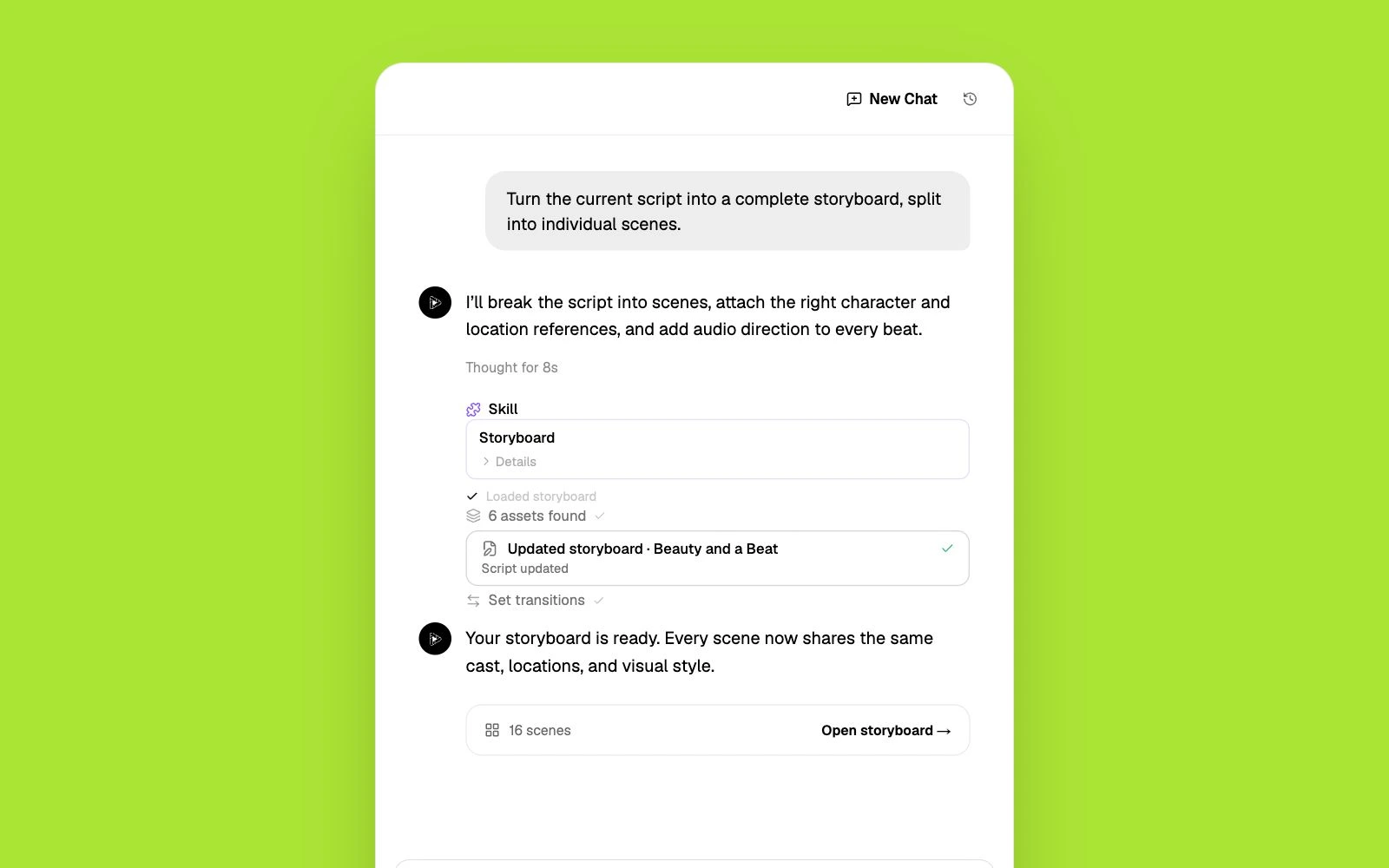
Pixo's AI director makes complete multi-scene videos — script, storyboard, consistent characters, voices, and an edited final cut. Free 200 credits, no card needed.
Hedra is an AI character video platform built around its Character-3 model: give it a portrait image and audio, and it produces an expressive talking or singing character with best-in-class lip sync. That makes it a strong choice for avatar content — but reviewers consistently note it struggles beyond the bust shot: full-body motion, action, and multi-scene storytelling aren't its territory. Add billing frustrations users report — monthly credits that don't roll over and a roughly 2-star Trustpilot rating driven by account and support complaints — and many creators start searching for a Hedra alternative that can handle complete videos, not just character performances.
Character-3 lip sync is excellent, but reviewers report weak full-body motion — walking, action, and complex movement fall apart, so scenes default to bust framing.
A talking character is one shot. There's no script-to-storyboard pipeline, no multi-scene continuity, and no timeline to cut a narrative video together.
Monthly credits don't roll over, and users report credits being reserved before output is validated — billing complaints dominate Hedra's Trustpilot reviews.
Hedra is a character-performance tool. Pixo is an agentic filmmaking platform that handles the whole video.
| Criterion | Pixo | Hedra |
|---|---|---|
| Built for | Complete multi-scene videos — ads, demos, music videos, short films | Talking/singing character videos from a portrait image |
| Character animation | Consistent characters across scenes, full-body action via top video models | Best-in-class lip sync; weak full-body and action motion |
| Script & storyboard | AI agent writes the script and storyboards every shot before generating | No storyboard workflow — one character performance at a time |
| AI models | Seedance, Kling, Veo, Hailuo, Vidu and more, chosen per shot | Character-3 plus access to third-party models in its workspace |
| Audio | AI voiceover, sound effects, and music built into the pipeline | Built-in text-to-speech, priced per character |
| Pricing approach | 200 free credits to start; monthly plans with top-ups | Watermarked free tier; $15–75/mo, monthly credits don't roll over |
Competitor details are based on publicly available information as of each page's last update and may change. Always verify current pricing and features on the vendor's site.
Tell Pixo what you’re making—your idea, audience, style, and length. The agent turns your brief into a script and a production-ready plan.
Pixo AI reviews every scene, camera move, reference, and sound cue before generation. Change one shot without starting the whole video over.
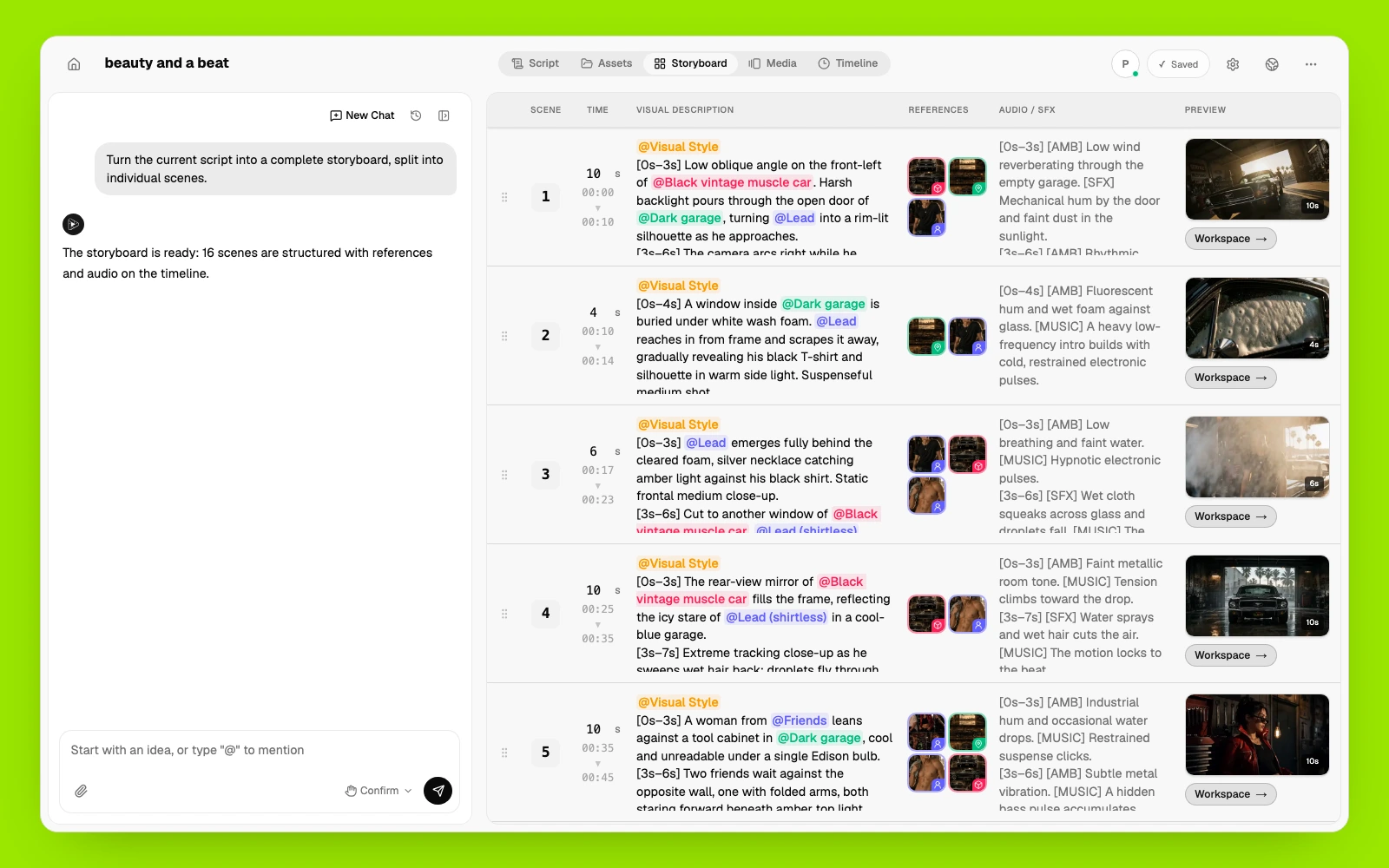
Pixo AI manages and reuses the same characters, products, locations, voices, and visual styles across every scene.
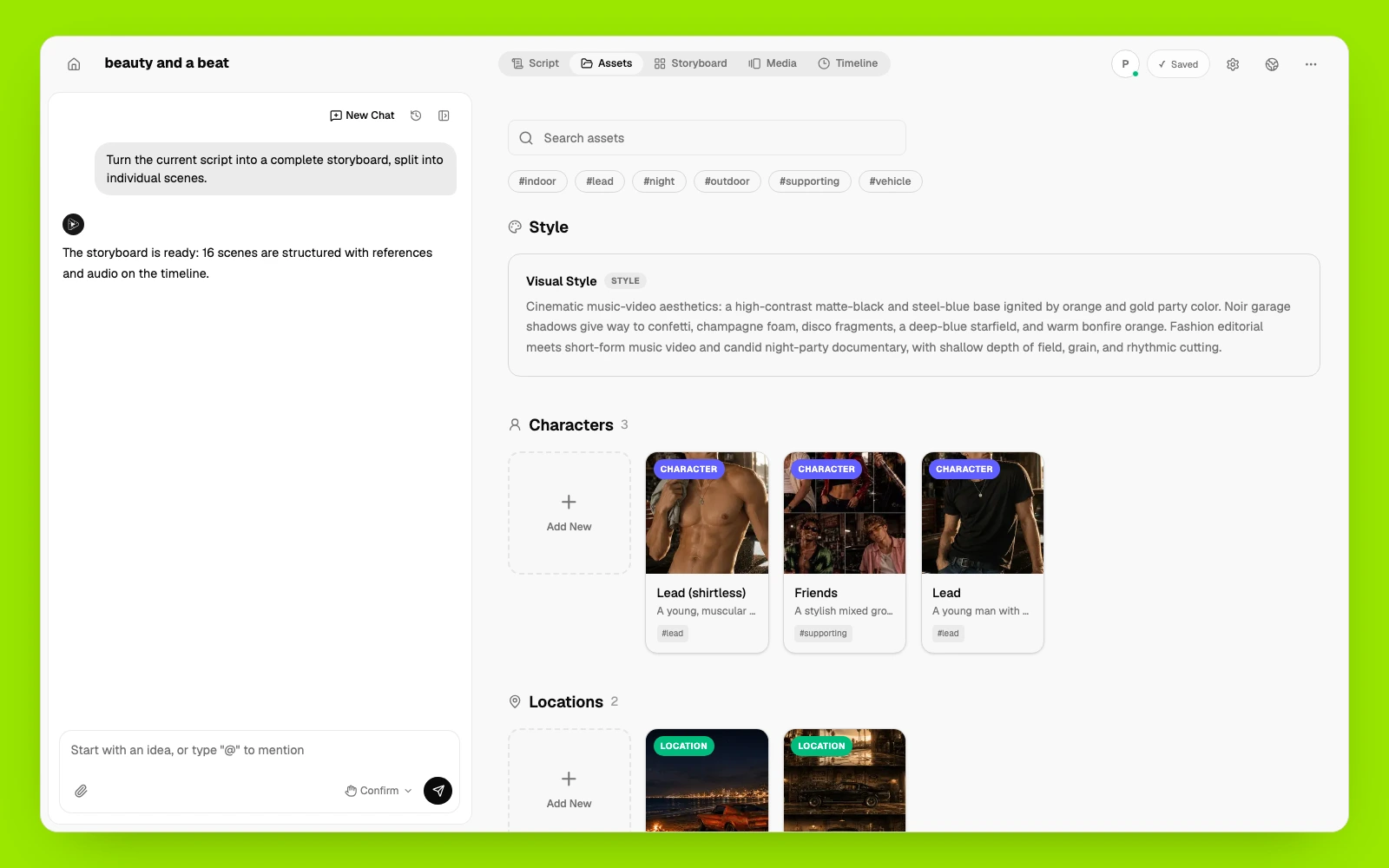
Pixo AI arranges clips, voiceover, music, and sound on one timeline. Regenerate what changed, keep what works, and export the finished video.
If talking-avatar content is specifically what you need, these platforms compete directly with Hedra.
Polished business avatar platform with stock avatars and support for 175+ languages.
Best for: corporate training and localized marketing videos.
Enterprise avatar video with 140+ languages and compliance features.
Best for: L&D and internal communications at scale.
Photo-to-talking-head studio and API for embedding avatar video into products.
Best for: developers adding avatar video to their own apps.
Accessible text- and image-to-video generator with a free tier.
Best for: casual creators exploring general AI video.
Upload your character's reference images as a shared asset — Pixo anchors every shot to it, the same way you anchored Hedra to a portrait.
Describe the video; the agent scripts it and lays out every shot — dialogue, action, and scene changes included.
Pixo generates each shot with the best-fit model, keeps your character consistent, and edits the result into a finished 1080p video.
Common questions from creators comparing Hedra with Pixo.
Fliki assembles stock clips under a voiceover. Pixo generates original footage — AI agents script, storyboard, and edit real generative video in 1080p.
Vivago makes 5–10 second trend clips. Pixo's AI agents script, storyboard, and edit complete multi-scene videos in 1080p — with commercial rights from the start.
HeyGen makes an AI avatar read your script to camera. Pixo generates the actual video — an AI agent scripts, storyboards, and edits original scenes into a finished 1080p film with native audio.
Synthesia puts an AI avatar in front of your script for training and corporate comms. Pixo generates original video from a prompt — AI agents script, storyboard, and edit finished 1080p videos with real scenes, not a presenter.
Turn a story idea, outline, or short-film script into a connected short film with a storyboard, consistent characters, voice, sound, and final edit. Pixo's AI agent helps plan the storyboard, generate individual scenes with leading video models, add voice and sound, and refine the complete video in one workspace.
Turn a photo, illustration, product shot, or AI image into video. Describe the camera movement, subject motion, and atmosphere you want, then generate with leading models including Kling, Veo, and Hailuo—all in Pixo.
No credit card required • Free 200 credits