Start with a conversation.
Tell Pixo what you’re making—your idea, audience, style, and length. The agent turns your brief into a script and a production-ready plan.
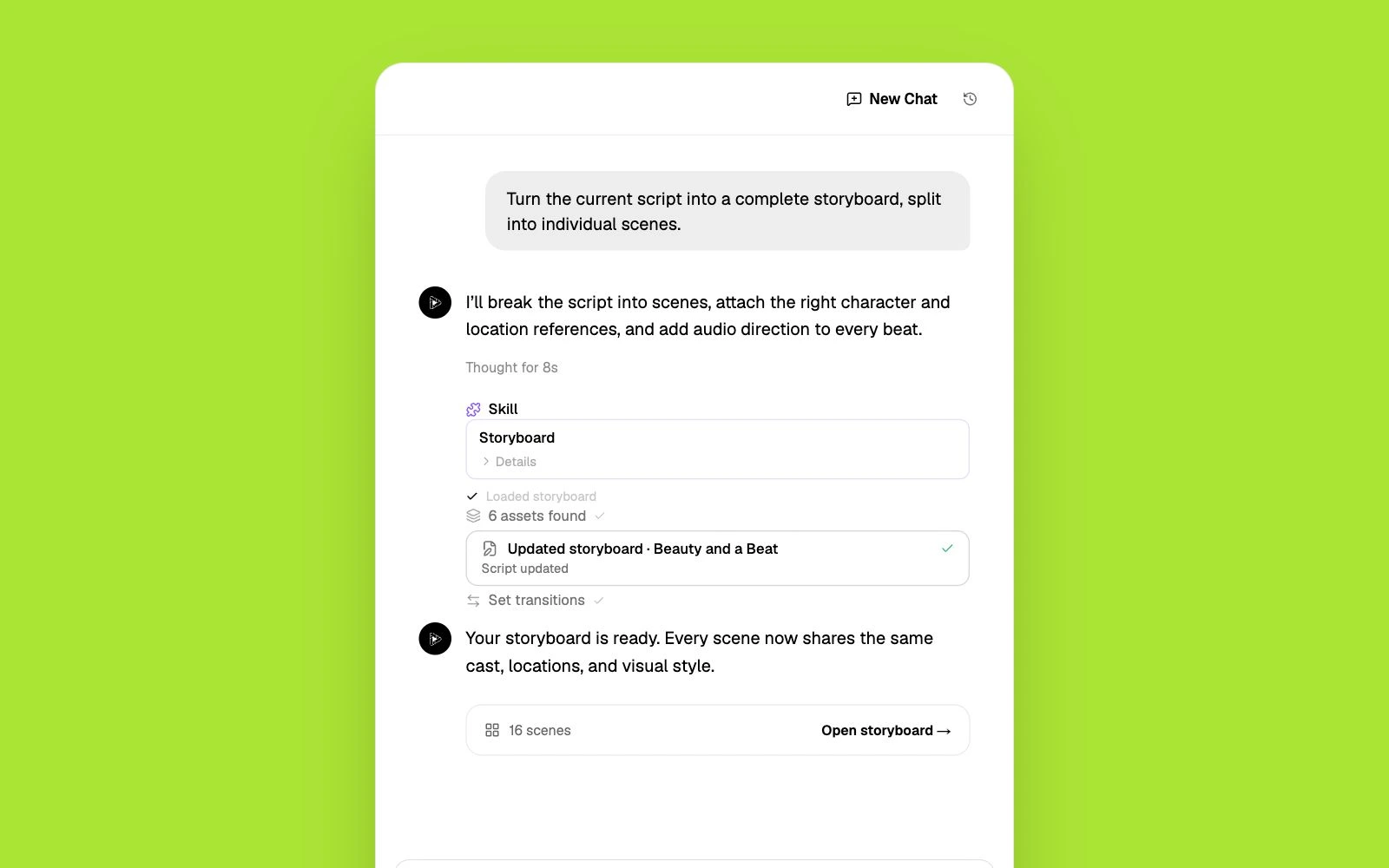
Opus Clip cuts your existing footage into shorts. Pixo generates original video from a prompt — AI agents script, storyboard, and edit finished 1080p videos.
Opus Clip is an AI repurposing tool: you upload a long video — a podcast, webinar, or stream — and it detects the most engaging moments, cuts them into vertical clips, and adds captions and a virality score. It does that job well, but it only works if you already have footage. It charges by source-video minutes rather than usable output, free exports expire after three days, and it can't create a single second of original video. If you're searching for an Opus Clip alternative because you want to make videos — not just slice them — you need a generative platform, not a clipper.
Opus Clip can only repurpose what you upload. No long-form source video means nothing to clip — the tool has no way to generate original scenes, characters, or stories.
A 30-minute upload costs 30 minutes of quota even if you keep two clips. Users cite this credit mechanic — plus exports that expire — as a top frustration in reviews.
Talking-head podcasts clip well; everything else less so. There's no path from a clip to a product demo, a music video, a short film, or any video that doesn't already exist.
Two different jobs: Opus Clip repurposes footage you already have. Pixo generates original video from a text prompt, end to end.
| Criterion | Pixo | Opus Clip |
|---|---|---|
| Built for | Generating original videos from a prompt — ads, demos, music videos, short films | Cutting existing long videos into social clips |
| Original video generation | Yes — text-to-video and image-to-video with top models (Seedance, Kling, Veo, Hailuo) | No — requires uploaded source footage |
| Script & storyboard | AI agent writes the script, storyboards every shot, and keeps scenes consistent | None — works from your existing recording |
| Editing workflow | Agent assembles and edits shots into a finished 1080p video; you direct and approve | Timeline and text-based editing of detected clips |
| Audio | AI voiceover, sound effects, and music generation built in | AI voice-overs and speech cleanup on paid plans |
| Pricing approach | 200 free credits to start; monthly plans with top-ups when you need more | Free plan (60 min, watermarked captions); $15–29/mo, metered by source-video minutes |
Competitor details are based on publicly available information as of each page's last update and may change. Always verify current pricing and features on the vendor's site.
Tell Pixo what you’re making—your idea, audience, style, and length. The agent turns your brief into a script and a production-ready plan.
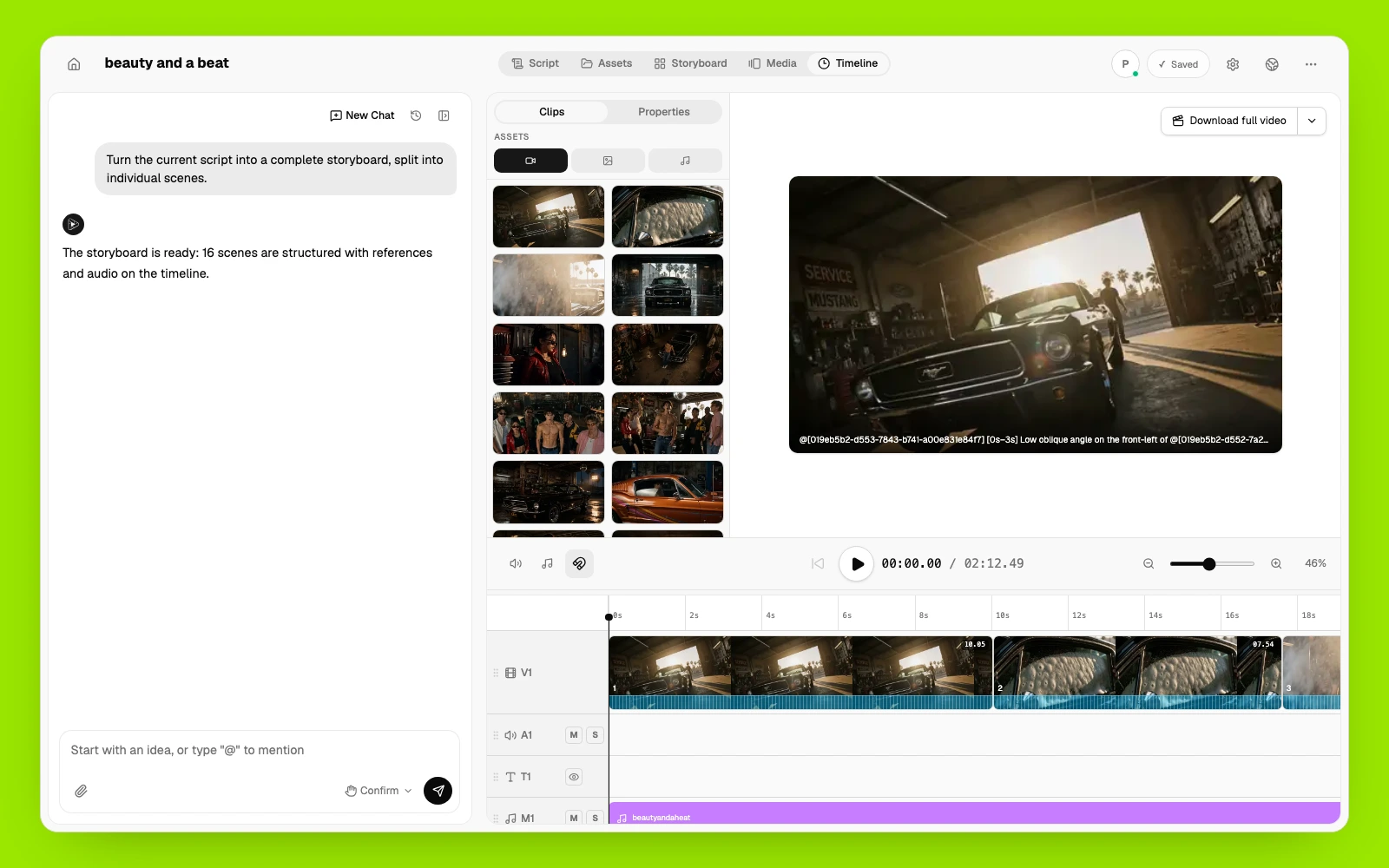
Pixo AI reviews every scene, camera move, reference, and sound cue before generation. Change one shot without starting the whole video over.
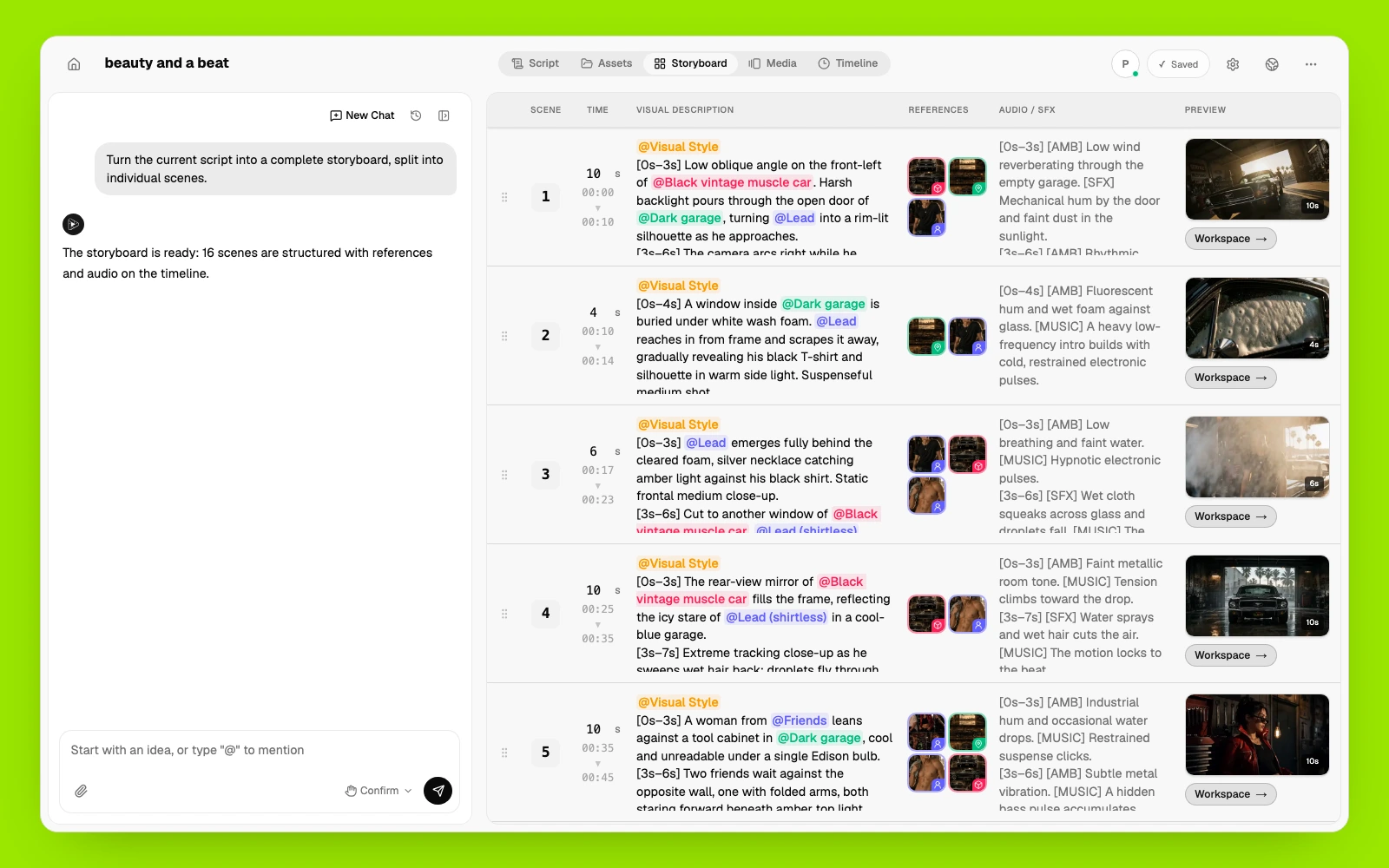
Pixo AI manages and reuses the same characters, products, locations, voices, and visual styles across every scene.
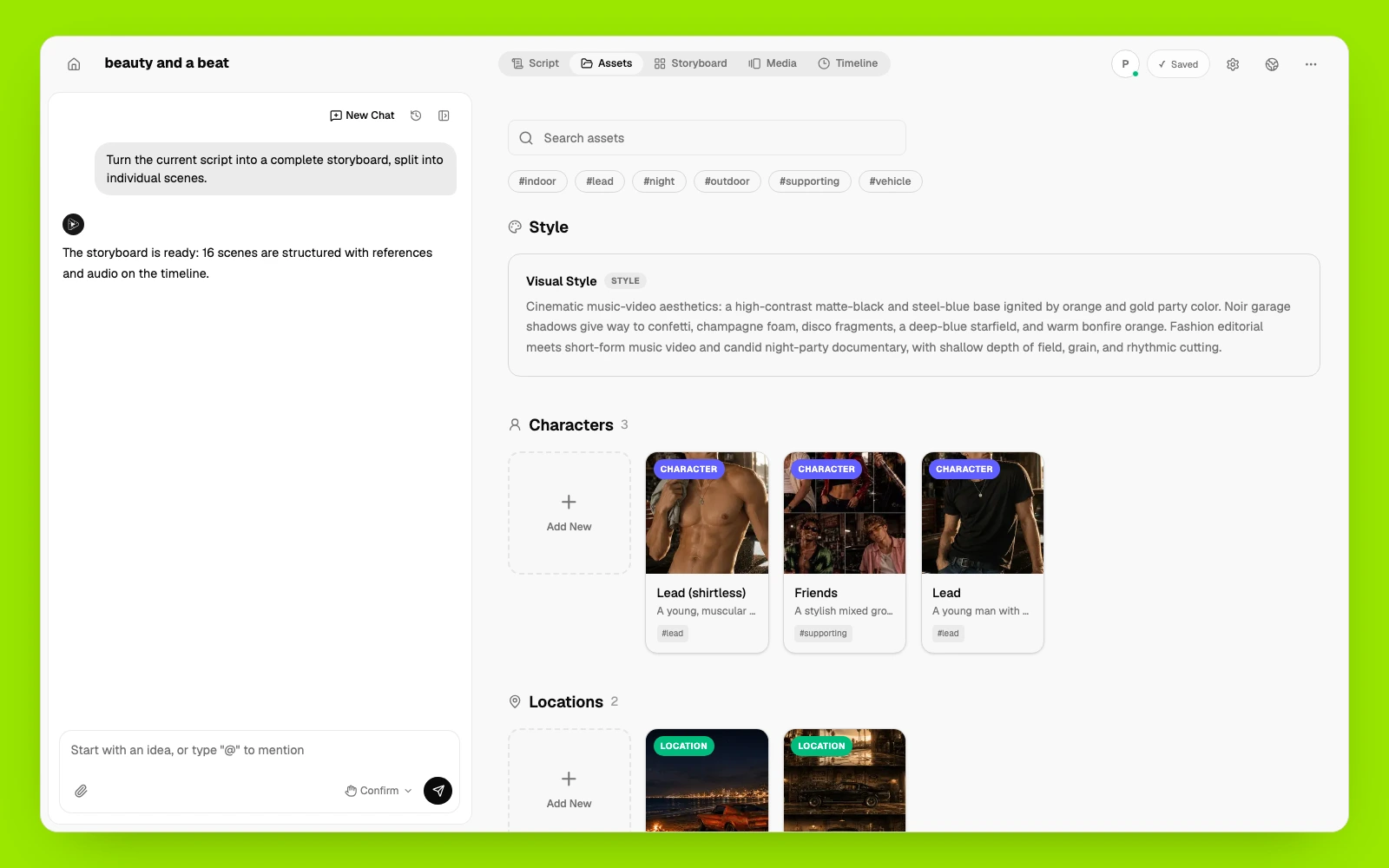
Pixo AI arranges clips, voiceover, music, and sound on one timeline. Regenerate what changed, keep what works, and export the finished video.
If you specifically need clip repurposing rather than original video generation, these tools compete directly with Opus Clip.
One-click AI clipping with a generous free tier and cheaper per-minute pricing than Opus Clip.
Best for: creators who want Opus-style clipping at a lower cost.
An AI clipper trained on viral short-form data, focused on hook detection and TikTok-native output.
Best for: TikTok-first creators optimizing clips for virality.
Clipping plus AI avatars, chapters, and a broader social publishing toolkit.
Best for: social media managers who need more than clipping.
A free manual editor with auto-captions — no AI clip detection, but no subscription either.
Best for: zero-budget creators willing to find the moments themselves.
Instead of uploading footage, tell Pixo's agent what you want — topic, style, length, and where it will run.
The agent scripts and storyboards every shot. Approve it, or adjust shots and lines before anything renders.
Pixo generates the shots, edits them together with audio, and exports a finished 1080p video ready to post.
Common questions from creators comparing Opus Clip with Pixo.
CapCut's AI generator makes short clips inside an editor. Pixo is generation-first — AI agents script, storyboard, and edit complete 1080p videos from a prompt.
Viewmax makes Sora 2 shorts for faceless channels. Pixo's AI agents script, storyboard, and edit complete videos with your choice of top models — Seedance, Kling, Veo, and more.
Syllaby plans and schedules faceless content. Pixo generates the videos themselves — agent-directed, multi-model, consistent from shot to shot in 1080p.
Pixo generates original footage from one prompt — an AI director scripts, storyboards, and edits a finished 1080p video with voiceover and music. Free 200 credits to start.
Turn a post idea, campaign brief, or product message into platform-ready vertical and feed videos with original AI-generated scenes. Pixo's AI agent helps plan the storyboard, generate individual scenes with leading video models, add voice and sound, and refine the complete video in one workspace.
Turn a topic, outline, or script into a structured YouTube video with a hook, connected scenes, voice, sound, and a final cut. Pixo's AI agent helps plan the storyboard, generate individual scenes with leading video models, add voice and sound, and refine the complete video in one workspace.
No credit card required • Free 200 credits