Create Claymation Images and Videos with AI
Give an original character soft sculpted shapes, visible surface marks, and a miniature environment—then animate a small action without losing its handmade identity.
Best for: original characters · mascots · short story beats
What defines the look
Composition
Use a simple silhouette, a small number of props, and clear separation between limbs and nearby objects.
Color
Choose a limited, slightly muted palette that helps the character stand apart from the miniature set.
Light
Use broad soft light and gentle contact shadows so every element feels physically placed.
Material
Describe matte modeling clay, faint fingerprints, shallow tool marks, and small handmade asymmetries.
Motion
Ask for a slightly stepped, handmade quality. Begin with one small gesture before testing walking or object interaction.
Build the key image
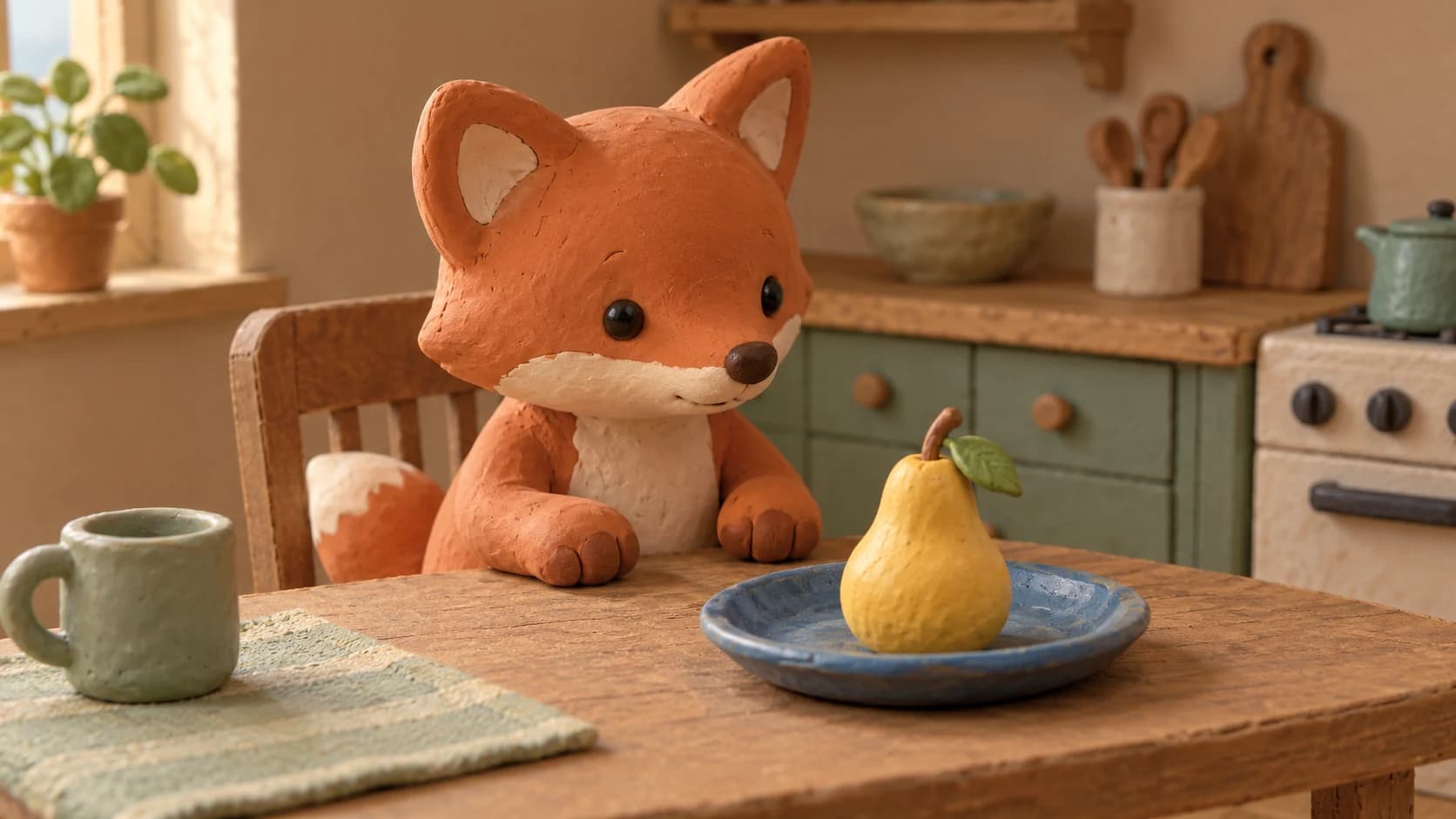
An original small terracotta-colored clay fox seated at a miniature kitchen table, looking at one yellow clay pear on a blue ceramic plate. Rounded ears, simple dark bead-like eyes, short sculpted paws, soft asymmetric handmade features. Matte modeling-clay surfaces with faint fingerprints and shallow tool marks. Medium eye-level framing, both paws and the pear clearly visible, uncluttered cardboard kitchen background. Broad soft studio light from the left, gentle contact shadows. Warm terracotta, muted yellow, and soft sage palette. Tactile handmade miniature aesthetic, no text or logos.Bring it into motion
Use the supplied clay fox still as the visual reference. Keep the camera fixed. The fox slowly tilts its head toward the pear, pauses, and returns to its starting pose. Preserve the rounded silhouette, eyes, paws, pear, plate, table, and miniature kitchen. Keep the matte clay texture visible throughout. Motion should feel slightly stepped and handmade, with only subtle soft deformation at the neck. Keep lighting stable. No cuts, extra limbs, melting, or new objects.Use this look for
A product mascot
Place an original clay mascot beside a product reference. Keep the product stationary while the mascot reacts with one small gesture.
A three-shot micro-story
Plan separate shots for noticing an object, reacting, and settling. Review character continuity before connecting them.
Adjust the result
- The character looks like glossy plastic: Ask for matte, softly rough clay and broad light; remove polished or glass-like descriptors.
- The character melts during motion: Reduce deformation, simplify the action, and reuse the approved still as reference.
- The movement looks too smooth: Request visibly stepped motion; exact cadence may still require editing after generation.
Generation details
- Image model
- OpenAI ImageGen
- Video model
- Seedance 2.0 via BytePlus Ark
- Image reference used
- The key image shown above
- Aspect ratio
- 16:9
- Video duration
- 6.04 seconds
- Generation date
- 2026-10-19
- Selected output notes
- The selected clip keeps the clay texture and miniature kitchen intact during the head movement.
FAQ
Is claymation the same as stop-motion?
Claymation is traditionally made by photographing clay subjects frame by frame. This workflow aims for a claymation-inspired visual result rather than documenting a physical production process.
Can I create a recurring clay character?
Reuse an approved character reference and repeat its proportions, colors, facial features, and material description across shots.
Does the prompt set an exact frame rate?
No. Motion wording influences the visual quality; actual frame rate depends on generation and export settings.
Can I use my own character design?
Yes. Use a design you have permission to use and adapt the material and motion instructions around it.
Create your own claymation scene
Adapt the image and motion prompts to your character, then continue the scene in Pixo.