Create a Cyberpunk City Scene with AI
Build a dense night street from layered light, technology, and weathered urban surfaces, then guide one controlled camera move through the scene.
Best for: music visuals · sci-fi stories · atmospheric action shots
What defines the look
Composition
Create depth with foreground cables or awnings, a readable midground subject, and a layered background of buildings and transit.
Color
Choose one dominant cool light and one warm or magenta accent. Let dark neutral areas separate the colors.
Light
Use motivated signs, windows, vehicle light, and wet reflections. Avoid making every surface equally luminous.
Material
Mix rain-dark concrete, scratched metal, clear plastic, glass, cables, and worn technical equipment.
Motion
Use one camera move plus one environmental action. Keep the hero subject and street geometry stable.
Build the key image
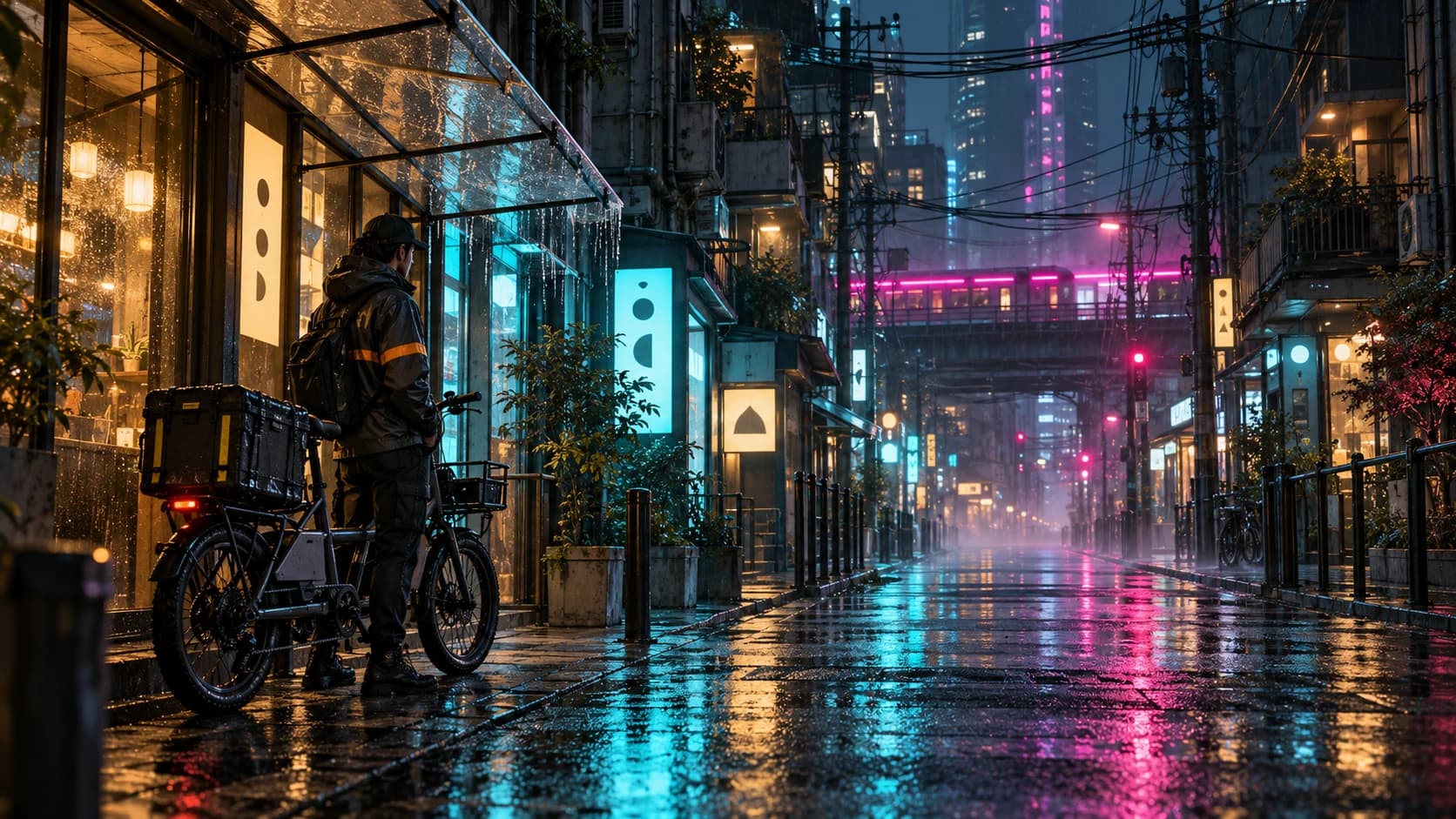
An original near-future bicycle courier waiting beneath a transparent awning on a narrow city street at night. The courier wears a charcoal rain jacket with one amber safety stripe and stands beside a compact cargo bicycle. Deep street perspective, dense overhead cables, stacked balconies, small illuminated shop panels with abstract symbols and no readable text. Rain-wet pavement reflects a dominant cyan storefront light and a restrained magenta transit light in the distance. Dark neutral concrete separates the colors. Eye-level cinematic wide shot, detailed but readable layers, weathered metal, clear plastic, glass, and light mist. No logos, recognizable characters, weapons, or flying vehicles.Bring it into motion
Use the supplied courier street image as the starting reference. The camera makes a short, slow lateral slide to the right while the courier and bicycle remain still beneath the awning. A train outside the frame sends one moving band of magenta reflection across the wet pavement and lower windows. Rain falls lightly at a consistent angle. Keep the courier's face, jacket, bicycle, awning, buildings, cables, and street perspective stable. Preserve the dominant cyan light and dark neutral areas. No cuts, new vehicles, crowd changes, flickering signs, or camera rotation.Use this look for
A music-performance insert
Place one performer in a compact service room with practical colored lights. Keep the camera move slow enough for face and instrument continuity.
A futuristic product reveal
Use a dark technical workbench with one controlled rim light and wet or glass reflections. Keep the product fixed and animate light, not geometry.
Adjust the result
- Everything becomes neon: Specify dark neutral surfaces and identify which two light sources carry color.
- The street becomes unreadably busy: Remove background objects and keep one clear subject in each depth layer.
- Signs mutate during motion: Use abstract non-readable panels, reduce flicker, and explicitly preserve placement and shapes.
Generation details
- Image model
- OpenAI ImageGen
- Video model
- Seedance 2.0 via BytePlus Ark
- Image reference used
- The key image shown above
- Aspect ratio
- 16:9
- Video duration
- 6.04 seconds
- Generation date
- 2026-10-19
- Selected output notes
- The bicycle, awning, wet reflections, and dense street remain recognizable throughout the move.
FAQ
Does cyberpunk require a megacity skyline?
No. A small alley, workshop, apartment, or transit platform can communicate the look through technology, material, light, and social atmosphere.
How many neon colors should I use?
Start with one dominant hue and one accent. Dark neutrals provide separation and make the colored light more legible.
Can I make the scene in daylight?
Yes. Use dense infrastructure, worn technical materials, haze, and strong graphic color instead of relying entirely on night lighting.
How do I keep a character consistent?
Use an approved reference and repeat the character's face, silhouette, clothing, and accessories while limiting camera and body motion.
Create your own cyberpunk scene
Adapt the image and motion prompts to your city, then continue the scene in Pixo.