Create Y2K Cyber-Pop Visuals with AI
Combine fisheye perspective, hard direct flash, glossy translucent materials, and acid-color accents in an original cyber-pop scene, then animate one confident performance gesture.
Best for: music visuals · fashion campaigns · playful technology launches
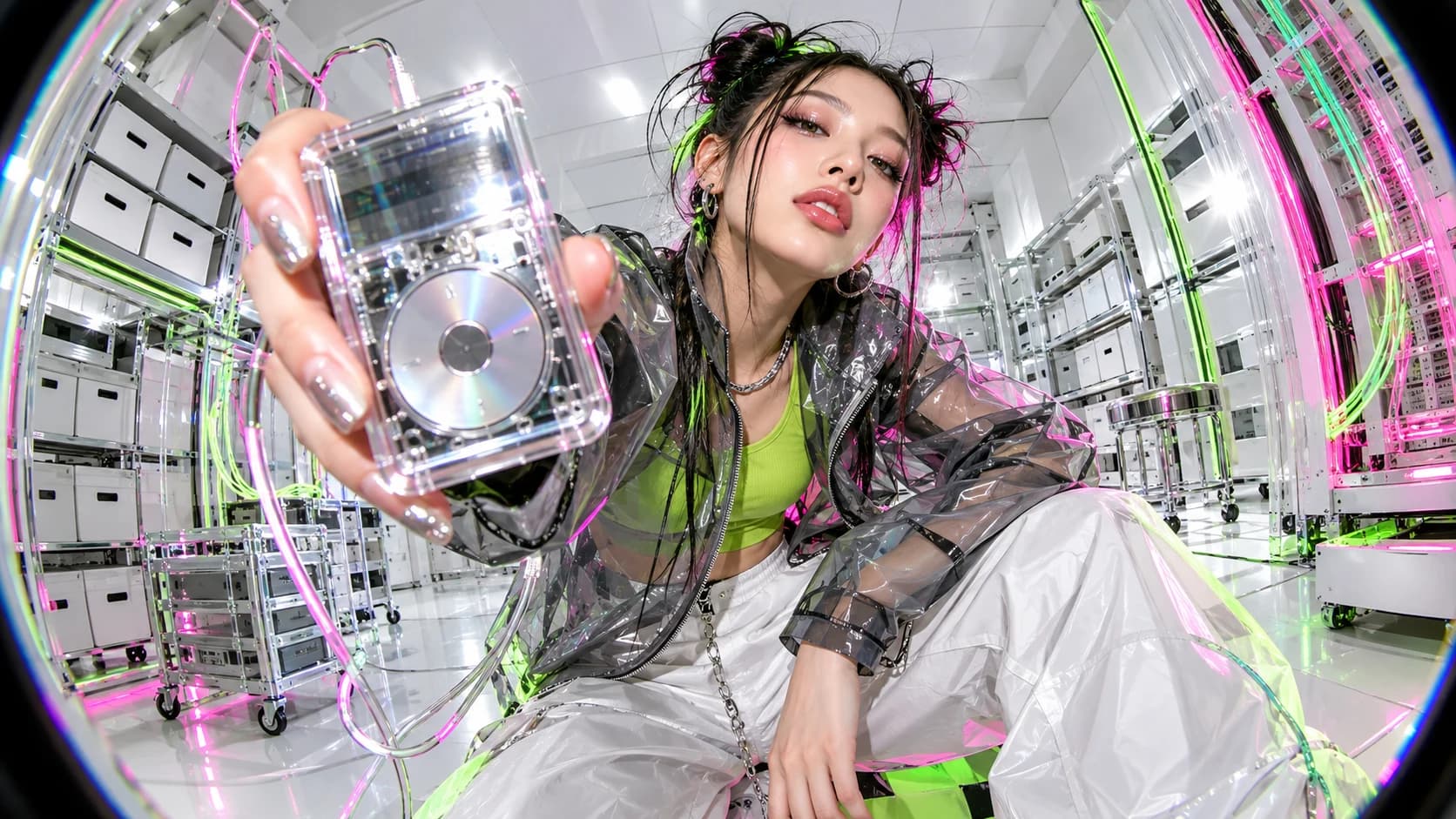
What defines the look
Composition
Use an aggressive low-angle close view with controlled fisheye curvature and strong foreground scale.
Color
Set acid green and hot pink against sterile white and reflective silver rather than filling the whole image with color.
Light
Use hard direct frontal flash with narrow colored rim lights and bright specular highlights.
Material
Choose translucent vinyl, chrome, glossy plastic, fiber optic cable, and early-digital sensor texture.
Motion
Use one rhythmic pose transition and a small camera shift. Keep face, hands, and hero object stable.
Build the key image
An original Y2K cyber-pop editorial image of a charismatic performer standing in a sterile white data-archive room. The performer wears a translucent smoke-gray jacket over a plain acid-green top, wide white trousers, and small silver accessories, holding one clear unbranded handheld music player toward the camera. Aggressive low-angle 16:9 close composition with controlled circular fisheye perspective, the device large in the foreground and the face fully readable behind it. Hard direct on-camera flash creates crisp frontal highlights while thin hot-pink and acid-green rim lights trace the silhouette and fiber-optic cables in the background. Glossy plastic, chrome, translucent vinyl, white panels, sharp chromatic fringes, and an early-digital sensor feel. Playful and high-energy, no readable screen content, logos, text, existing products, or recognizable celebrities.Bring it into motion
Use the supplied cyber-pop performer image as the exact visual reference and first frame. Maintain the extreme low fisheye viewpoint while the camera makes one small rhythmic shift forward and back. The performer rotates the clear music player once so a flash reflection travels across its surface, then moves the free hand from the hip to a single open-palm pose. Preserve the face, hair, smoke-gray jacket, green top, white trousers, hands, device geometry, room panels, fiber-optic cables, direct-flash look, pink-green rim lights, and controlled lens curvature. No cuts, dance sequence, extra limbs, device redesign, changing screen content, new props, readable text, logos, or full camera orbit.Use this look for
A playful product launch
Bring one small device close to the lens while keeping its physical design and interface accurate.
A fashion loop
Use one pose change, direct flash, and a repeated camera pulse instead of a complex dance routine.
Adjust the result
- The fisheye distorts the face: Keep the face near the optical center and place the object, not the head, closest to the lens.
- The colors become chaotic: Return to white and silver foundations with only two saturated accents.
- Hands or device mutate: Reduce gesture complexity and specify the device as a fixed reference object.
Generation details
- Image model
- OpenAI ImageGen
- Video model
- Seedance 2.0 via Huitang
- Image reference used
- The key image shown above
- Aspect ratio
- 16:9
- Video duration
- 6.04 seconds
- Generation date
- 2026-10-19
- Selected output notes
- The wide-angle perspective, chrome surfaces, and bright accents stay recognizable through the gesture.
FAQ
Is Y2K the same as cyberpunk?
No. Y2K cyber-pop is cleaner, playful, glossy, and rooted in early-digital design; cyberpunk is denser, darker, and more urban.
Do I need a fisheye lens effect?
No, but controlled wide-angle distortion is a strong way to signal the look. Keep important faces and products near the center.
Can this work without a performer?
Yes. Build a product still life from clear plastic, chrome, direct flash, and early-digital color accents.
Should generated screen text be used?
No. Keep screens blank or abstract and add accurate interface content during design implementation.
Create your own Y2K cyber-pop visual
Adapt the image and motion prompts to your subject, then continue the scene in Pixo.