Start With the Idea You Actually Have
You do not need a finished script or a preselected viral format. Describe the idea, audience, and desired result, and the agent develops the structure with you.
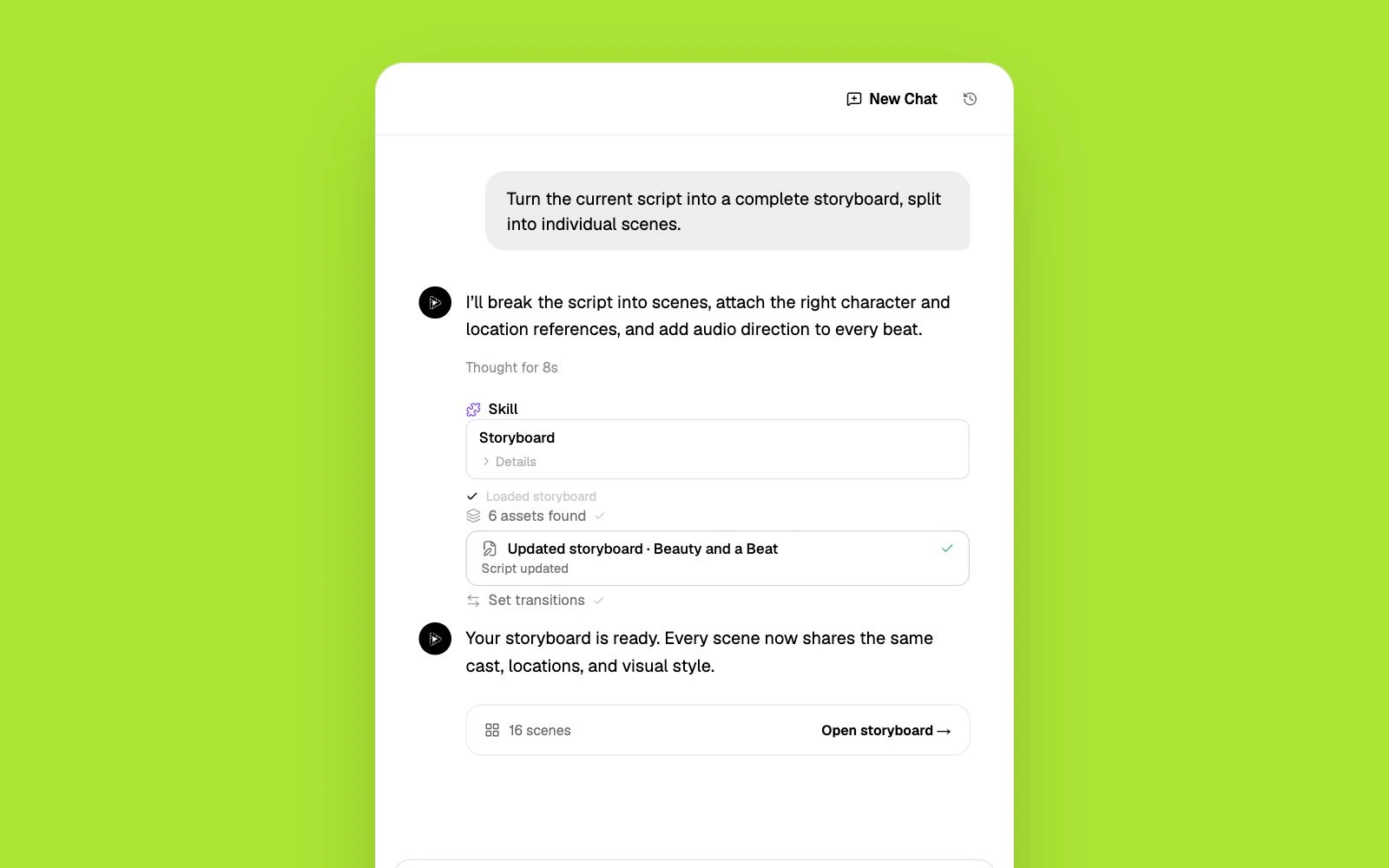
Everygen, formerly Viewmax, is a multi-model suite for generating videos, images, Shorts, and ads. Pixo turns one idea into a complete project — developing the script, storyboard, reusable assets, individual shots, audio, and final timeline in one agent-directed workflow.
Everygen is the new name for Viewmax. What began as a YouTube Shorts tool has expanded into a creative suite with an AI Video Generator, Shorts Studio, Marketing Studio, image generation, scripts, voiceovers, captions, and access to multiple video models. Its format presets and focused studios make it useful when the goal is to produce a post or ad quickly, especially for short-form channels and performance marketing. Everygen also lets creators bring in their own images, video, and audio, and offers access through MCP for supported AI assistants. The reason to consider an Everygen alternative is not a lack of generation options. It is the difference between generating assets and directing a complete production. A connected multi-scene video needs an approved structure, reusable characters and locations, shot-level decisions, layered audio, and a final timeline. If you want one agent to develop a rough idea, present the whole plan for review, preserve project assets across shots, and assemble the result, Pixo is built around that project-level workflow.
Choosing a model and generating a strong shot solves one part of production. A longer story still needs structure, continuity, audio, and assembly across the full sequence.
Shorts templates and ad patterns are fast starting points, but an original film, explainer, music video, or recurring series may need a production plan built around the idea rather than a preset.
Everygen's current plans use monthly credits, and access to some models and higher resolutions depends on the tier. The right plan therefore depends on both the model and output quality you need.
Everygen brings many generation tools into focused studios. Pixo gives one agent responsibility for the complete multi-scene production.
| Criterion | Pixo | Everygen |
|---|---|---|
| Built for | Complete multi-scene videos — ads, explainers, music videos, series, and short films | Fast AI generation, Shorts, UGC-style ads, images, and creator utilities |
| Starting workflow | Begin with a simple idea, outline, or script; the agent develops the production plan | Choose a studio, format, or model and configure the generation |
| Planning and review | Review the script, storyboard, assets, camera direction, timing, dialogue, and sound plan before rendering | Offers scripts, prompts, presets, and focused creation tools; public product pages do not present an equivalent project-wide storyboard review |
| Continuity | Shared assets anchor recurring characters, products, locations, voices, and visual style across shots | Supports reference media and start frames; the public workflow emphasizes individual generations and repeatable formats |
| Final assembly | The agent arranges video, voiceover, sound effects, and music on a timeline; regenerate only what changed | Includes voiceover, scripts, captions, and export tools across its studios |
| Pricing approach | 200 free credits to start; monthly plans with top-ups when you need more | Paid plans with monthly credit allowances; model and resolution access varies by tier |
Competitor details are based on publicly available information as of October 2026 and may change. Always verify current pricing and features on the vendor's site.
You do not need a finished script or a preselected viral format. Describe the idea, audience, and desired result, and the agent develops the structure with you.
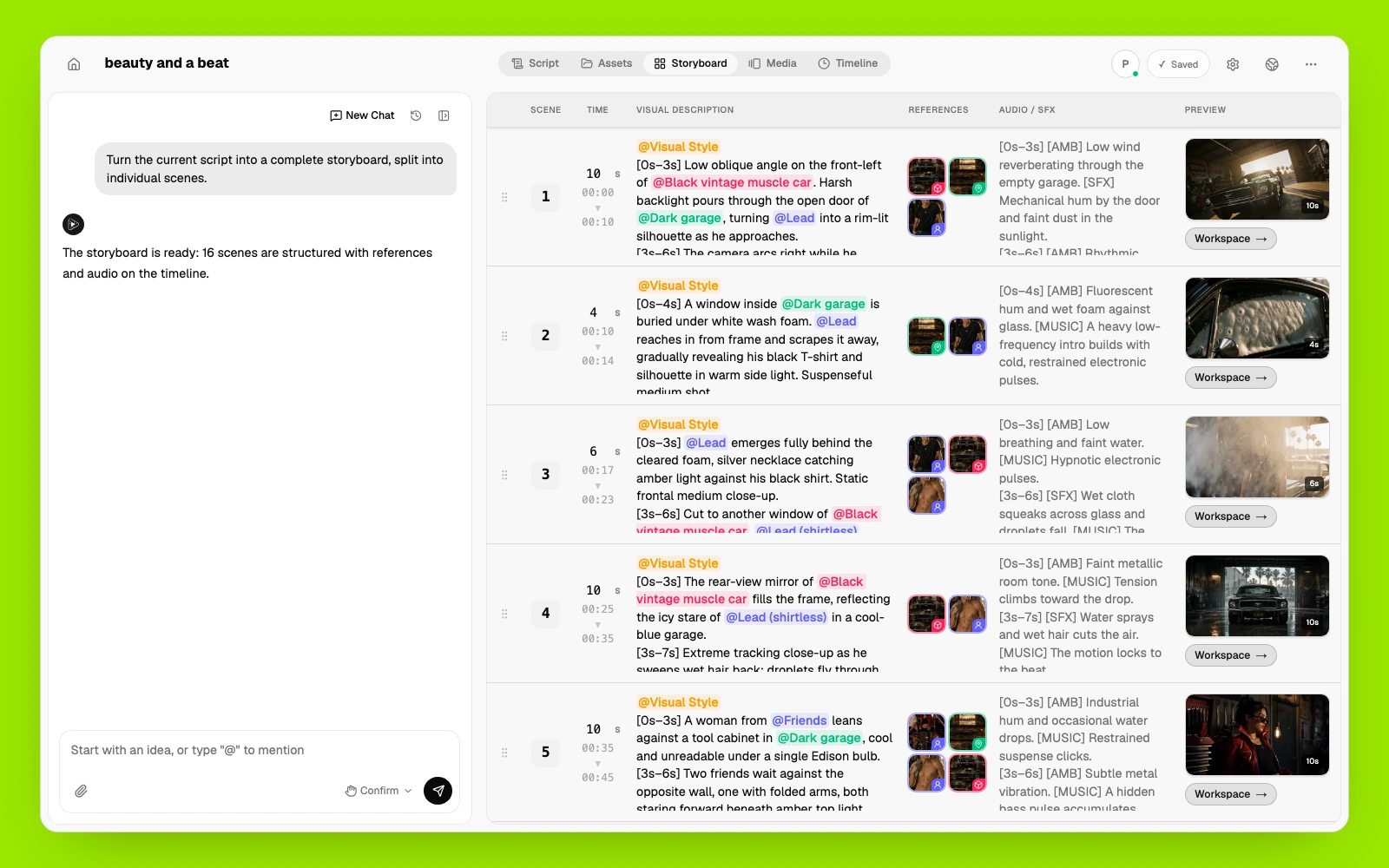
See the script, storyboard, reusable assets, shot descriptions, camera moves, durations, dialogue, and sound direction together before credits are spent on media.
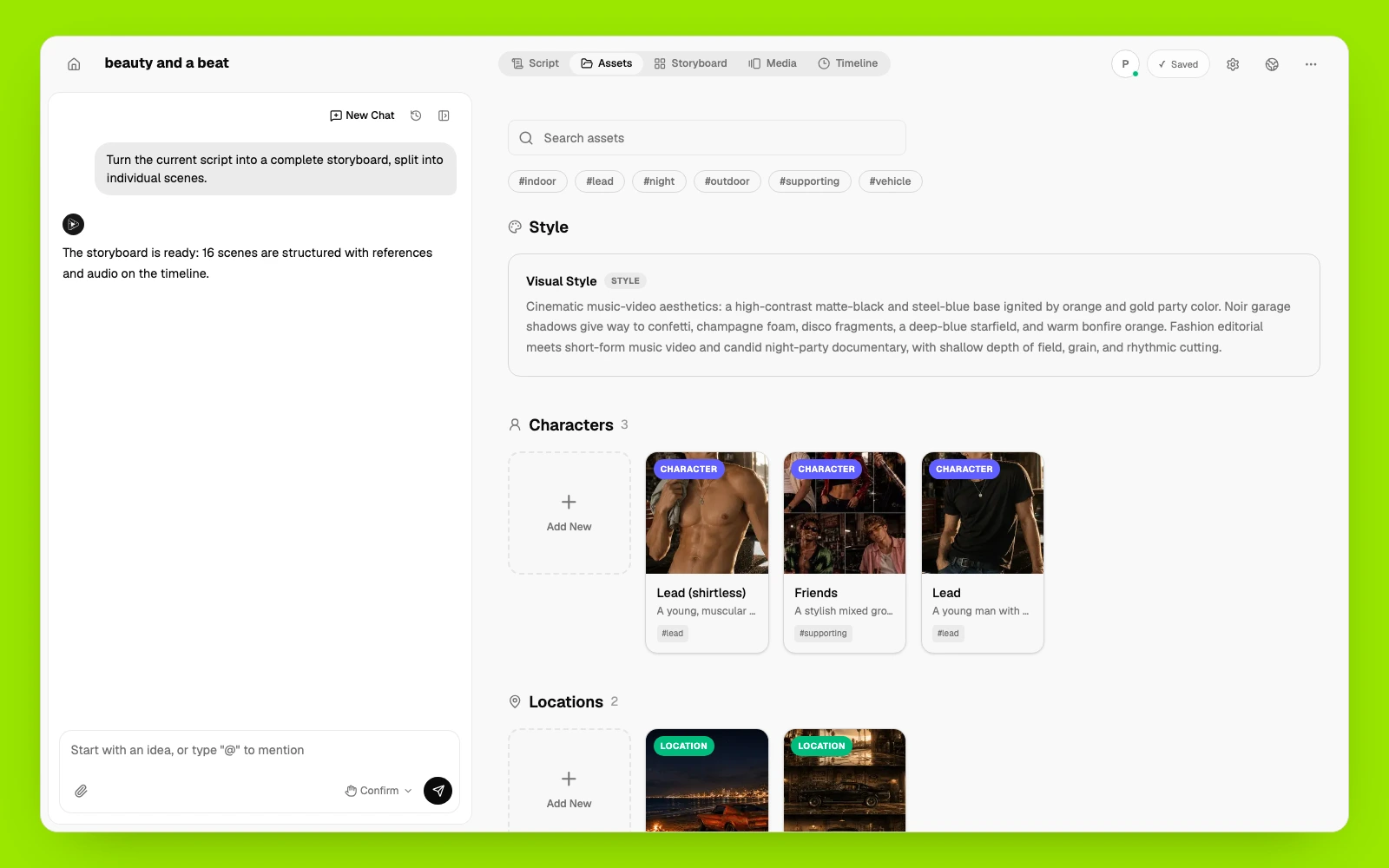
Shared project assets anchor every shot, helping recurring subjects and the visual world stay recognizable throughout a sequence.
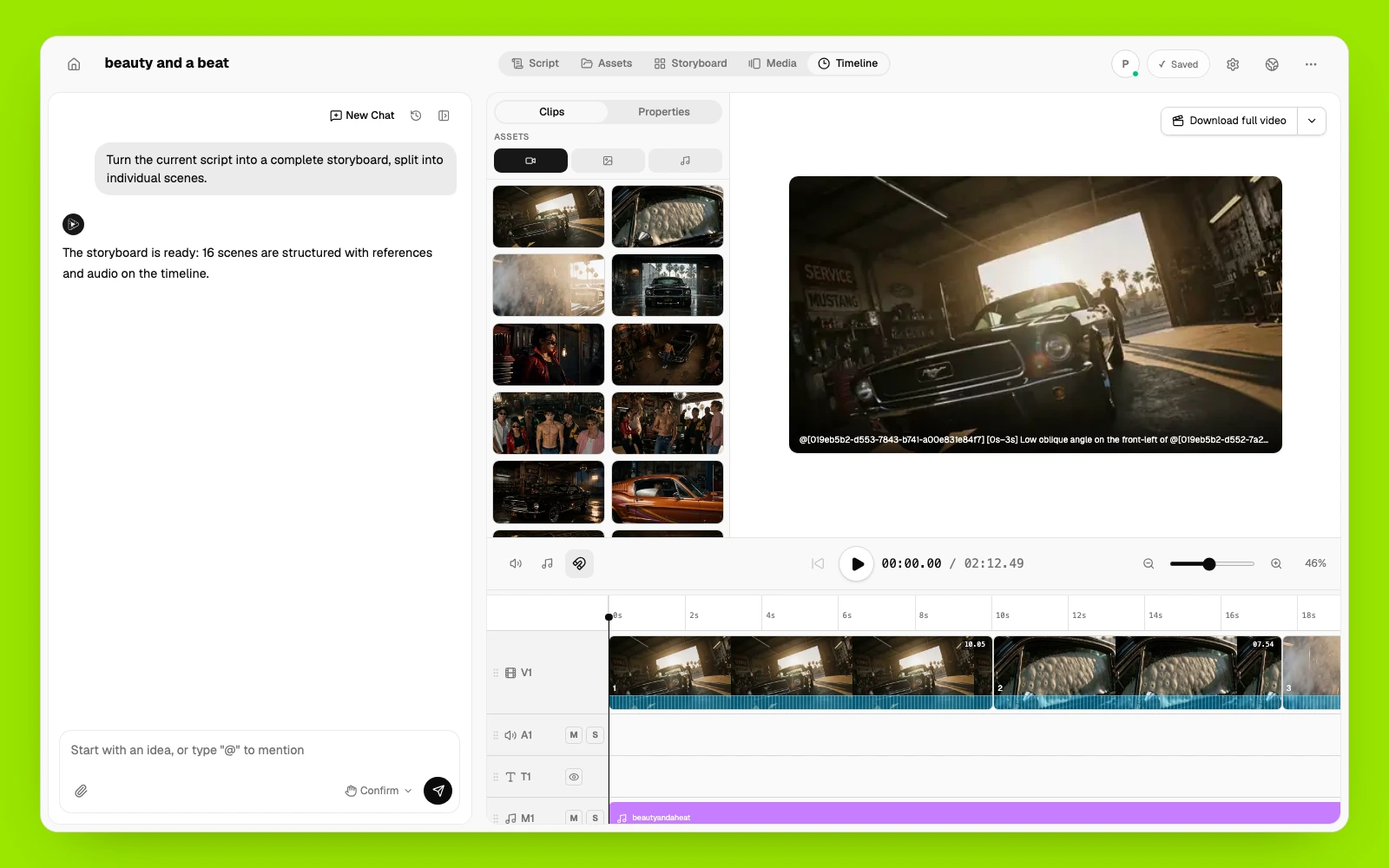
Use Seedance, Kling, Veo, Hailuo, and more across the project, then bring the generated clips, AI voiceover, sound effects, and music onto one timeline for a finished 1080p video.
If your priority is a narrower generation or editing job, these products take different approaches.
Conversational video creation with stock media, templates, narration, and editing tools.
Best for: general marketing videos built quickly from a text brief.
Product-link-to-ad workflows with UGC-style presenters and variant generation.
Best for: performance teams producing many product-ad concepts.
A broad generative video and visual-effects toolkit with detailed shot controls.
Best for: hands-on creators who want to craft and edit individual shots.
Camera, avatar, dubbing, caption, and editing tools centered on social video.
Best for: presenter-led clips and mobile-first creator workflows.
Start with a sentence, rough outline, full script, or the images, video, and audio you already use. The agent can help fill in the missing production details.
Review the full storyboard and asset plan in one place. Adjust the sequence, shot direction, references, dialogue, and sound before choosing what to generate.
Create selected shots first or generate the approved sequence together, then review the media, refine only what changed, and assemble the final cut on the timeline.
Common questions from creators comparing Everygen with Pixo.
Opus Clip cuts your existing footage into shorts. Pixo generates original video from a prompt — AI agents script, storyboard, and edit finished 1080p videos.
Syllaby plans and schedules faceless content. Pixo generates the videos themselves — agent-directed, multi-model, consistent from shot to shot in 1080p.
Fliki assembles stock clips under a voiceover. Pixo generates original footage — AI agents script, storyboard, and edit real generative video in 1080p.
Viblo cuts short-form videos out of footage you already have. Pixo generates the footage — script, storyboard, consistent characters, voiceover and music — so you don't need a source video to start.
Turn a post idea, campaign brief, or product message into platform-ready vertical and feed videos with original AI-generated scenes. Pixo's AI agent helps plan the storyboard, generate individual scenes with leading video models, add voice and sound, and refine the complete video in one workspace.
Describe the video you want in everyday language. Pixo turns your text into a scene-by-scene storyboard, generates each shot with leading AI video models, and helps assemble a complete video you can refine before export.
No credit card required • Free 200 credits