Build an Epic Sci-Fi World with AI
Make a lone explorer feel small against monumental architecture, vast negative space, and a single atmospheric light—then reveal the scale with one slow camera move.
Best for: world-building · title sequences · speculative landscapes
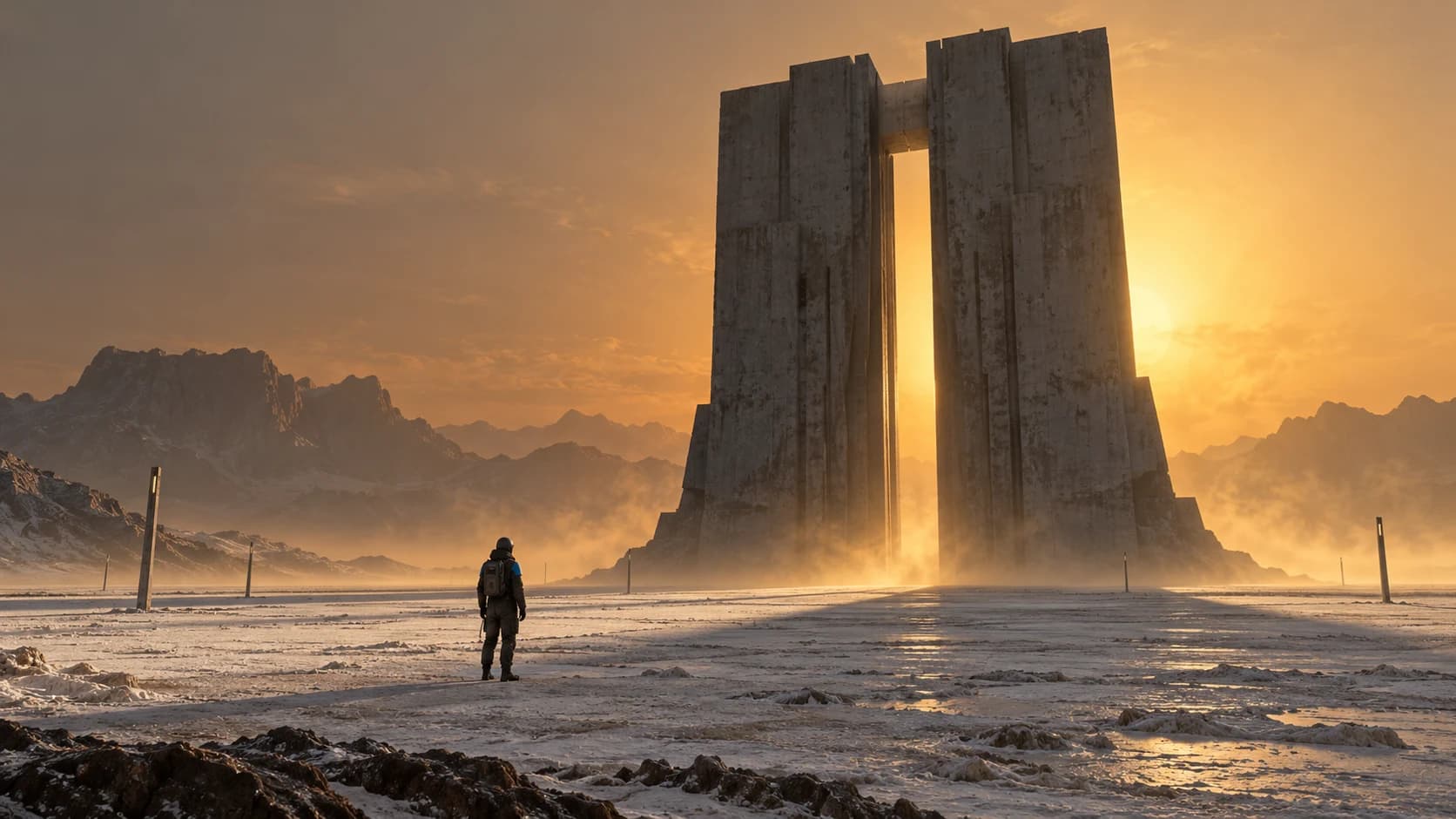
What defines the look
Composition
Use an extreme wide frame, a very small human silhouette, and one dominant structure surrounded by negative space.
Color
Commit to one environmental color family—amber, cold cyan, or mineral gray—with only a restrained accent on the character.
Light
Backlight the structure through dust, fog, or airborne particles so its outline remains monumental.
Material
Favor raw concrete, eroded stone, matte technical fabric, and weathered metal at architectural scale.
Motion
Use a glacial push-in and one slow environmental movement. Avoid fast action that collapses the sense of weight.
Build the key image
An original epic science-fiction landscape featuring a lone planetary surveyor standing motionless on a pale salt plain before a colossal brutalist signal gate. The surveyor wears a simple charcoal environmental suit with one muted blue shoulder panel and carries no weapon. The gate is a single massive concrete form with a narrow vertical opening, dwarfing the person. Extreme wide 16:9 establishing composition, low horizon, vast negative sky, strict readable geometry, and extreme scale contrast. A distant amber sun backlights the gate through suspended mineral dust, creating a dark silhouette and long soft-edged shadows. Weathered concrete, salt crust, matte fabric, and sparse metal markers. Solemn, quiet, physically grounded future world, no text, logos, spacecraft, crowds, or recognizable franchise designs.Bring it into motion
Use the supplied surveyor-and-signal-gate image as the exact visual reference and first frame. The camera performs one extremely slow, straight push toward the surveyor while maintaining the same low horizon and central gate opening. The surveyor remains almost motionless; only the edge of the shoulder fabric moves slightly in the wind. One thin sheet of mineral dust travels laterally across the base of the gate. Preserve the person's silhouette, suit, gate proportions, salt plain, long shadows, amber backlight, and vast negative sky. No cuts, camera rotation, running, new vehicles, structural transformation, flashing lights, text, or additional people.Use this look for
A mysterious arrival
Place one small vehicle at the edge of an immense landing structure and reveal the destination slowly.
A future product world
Present a rugged object as field equipment inside a vast minimal environment without altering its shape or branding.
Adjust the result
- The structure feels ordinary: Reduce nearby clutter and exaggerate the size difference through a smaller figure and wider framing.
- The scene becomes a generic orange desert: Add a specific structure, material system, and human purpose rather than relying on color alone.
- The push-in bends architecture: Shorten the move, preserve verticals explicitly, or lock the camera.
Generation details
- Image model
- OpenAI ImageGen
- Video model
- Seedance 2.0 via BytePlus Ark
- Image reference used
- The key image shown above
- Aspect ratio
- 16:9
- Video duration
- 6.04 seconds
- Generation date
- 2026-10-19
- Selected output notes
- The structure remains dominant, with a slow approach and a strong contrast of human and architectural scale.
FAQ
Does epic sci-fi require a desert?
No. Frozen basins, flooded infrastructure, foggy valleys, and empty interiors can also communicate scale.
How do I make something feel massive?
Use a familiar human-scale reference, simple geometry, negative space, and slower motion rather than adding many buildings.
Can I add action?
Yes, but establish scale first. Generate fast action as a separate shot instead of combining it with the main reveal.
Is this page based on a specific film?
No. The example and prompts describe broad visual choices using an original world and subject.
Build your own epic sci-fi world
Adapt the image and motion prompts to your world, then continue the scene in Pixo.