Create an Industrial Mecha Anime Scene
Combine rigid urban geometry, overwhelming mechanical scale, and graphic warning color in an original animated scene, then animate one precise machine response.
Best for: robot reveals · apocalyptic animation · sci-fi title shots
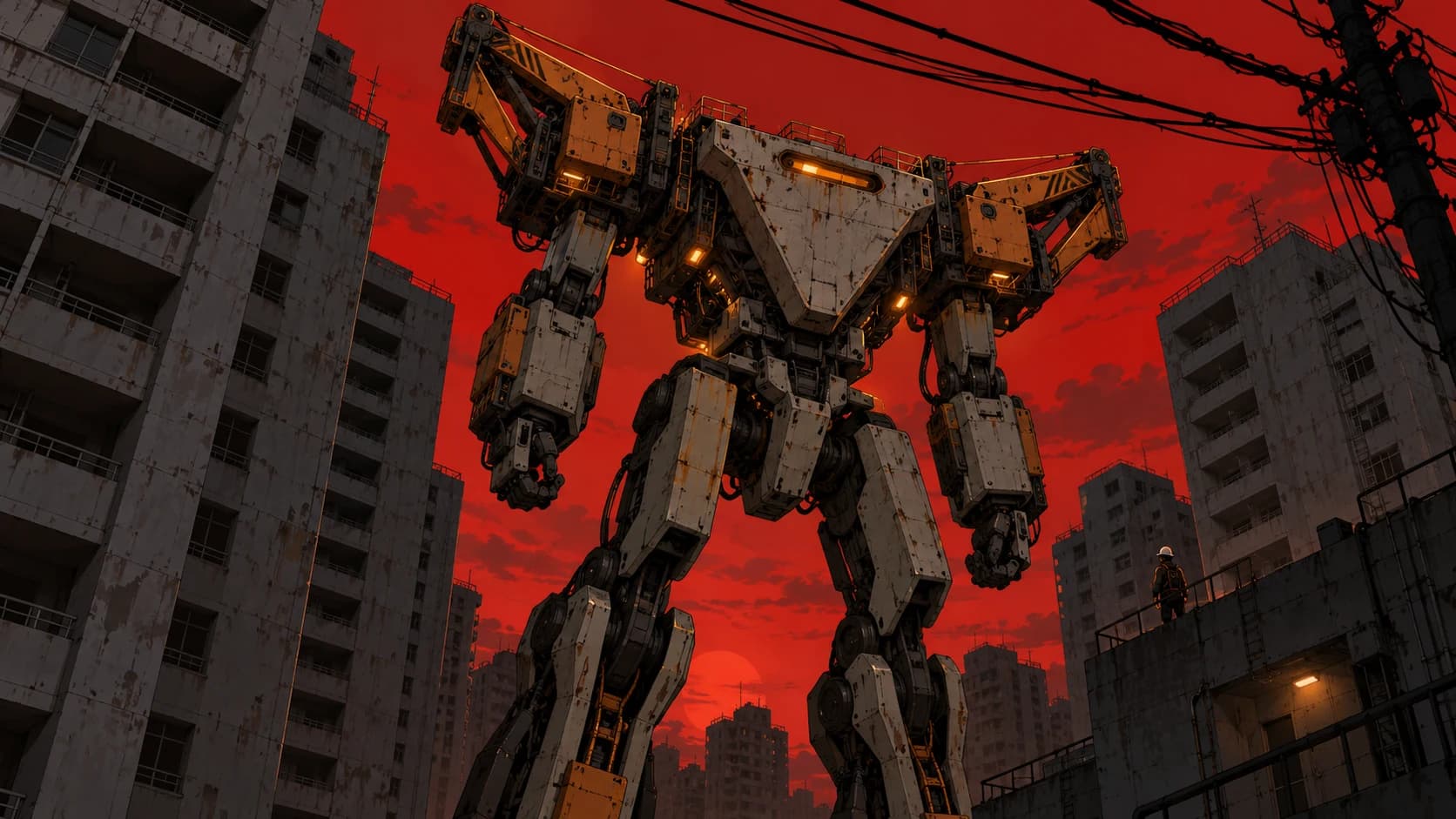
What defines the look
Composition
Use a rigid low angle, severe verticals, compressed city layers, and cables that frame rather than obscure the machine.
Color
Build around concrete gray and black with one alarm color such as red-orange or toxic green.
Light
Use a flat apocalyptic sky plus hard edge light and small functional lamps on the machine.
Material
Describe painted armor plates, exposed joint housings, maintenance labels without readable text, concrete, and insulated cable.
Motion
Keep the camera locked and animate one mechanical articulation. Multiple moving limbs increase design drift.
Build the key image
An original industrial mecha anime scene showing a towering municipal maintenance machine standing motionless between evacuated concrete apartment towers. The machine has a distinctive triangular chest housing, two broad shoulder cranes, compact forearms, reverse-jointed legs, and one horizontal amber optical sensor; no weapons and no recognizable franchise design. Extreme low-angle 16:9 composition with rigid vertical architecture, dense black power lines crossing the upper frame, and one tiny helmeted technician on a rooftop for scale. A flat blood-red dusk sky silhouettes the forms while hard amber service lights edge selected armor plates. Concrete gray, soot black, and restrained warning orange palette. Crisp hand-drawn linework, graphic cel shading, painted industrial backgrounds, weathered armor, exposed joints, and precise readable geometry. No text, logos, interface overlays, or extra machines.Bring it into motion
Use the supplied maintenance-mecha city image as the exact visual reference and first frame. Keep the camera rigidly locked at the same extreme low angle. The horizontal amber optical sensor turns on from left to right, pauses, then the mecha lowers its head by a few degrees with one controlled mechanical stop. One nearby power cable sways slightly and settles. Preserve the triangular chest, shoulder cranes, forearms, reverse-jointed legs, joint count, armor markings, towers, rooftop technician, cable layout, red dusk sky, linework, and cel shading. No cuts, limb redesign, walking, weapons, explosions, added machinery, readable text, or camera shake.Use this look for
A launch preparation
Show technicians servicing one original machine in a gantry while only panels and work lights move.
A machine-scale mystery
Reveal a dormant structure through a small human observer before any large mechanical action occurs.
Adjust the result
- The design changes between frames: Name the major silhouette components and restrict motion to one joint.
- The city becomes visual clutter: Simplify towers into large shapes and keep cable clusters away from the face and chest.
- The image looks like glossy 3D: Reinforce drawn linework, graphic cel shading, and painted background surfaces.
Generation details
- Image model
- OpenAI ImageGen
- Video model
- Seedance 2.0 via BytePlus Ark
- Image reference used
- The key image shown above
- Aspect ratio
- 16:9
- Video duration
- 6.04 seconds
- Generation date
- 2026-10-19
- Selected output notes
- The selected clip maintains the graphic silhouette and red sky, with warning-light accents during the move.
FAQ
Can I use a famous robot design?
Use an original machine or one you have rights to. Define its own silhouette, joints, function, and color system.
Why avoid a full walking shot first?
Large articulated motion makes limb and armor continuity harder. Establish the design with a smaller movement first.
Can the machine be photorealistic?
Yes, but this page targets an illustrated anime treatment. Use Epic Sci-Fi for a more physically realistic monumental scene.
Does warning text need to be readable?
No. Avoid generated text in the hero asset; real interface or labeling can be added separately during design implementation.
Create your own mecha anime scene
Adapt the image and motion prompts to your original machine, then continue the scene in Pixo.