Start With the Brief
Give Pixo photos, memories, dates, and the story you want to tell. Add the audience, goal, visual direction, and target length so the agent can prepare a production plan.
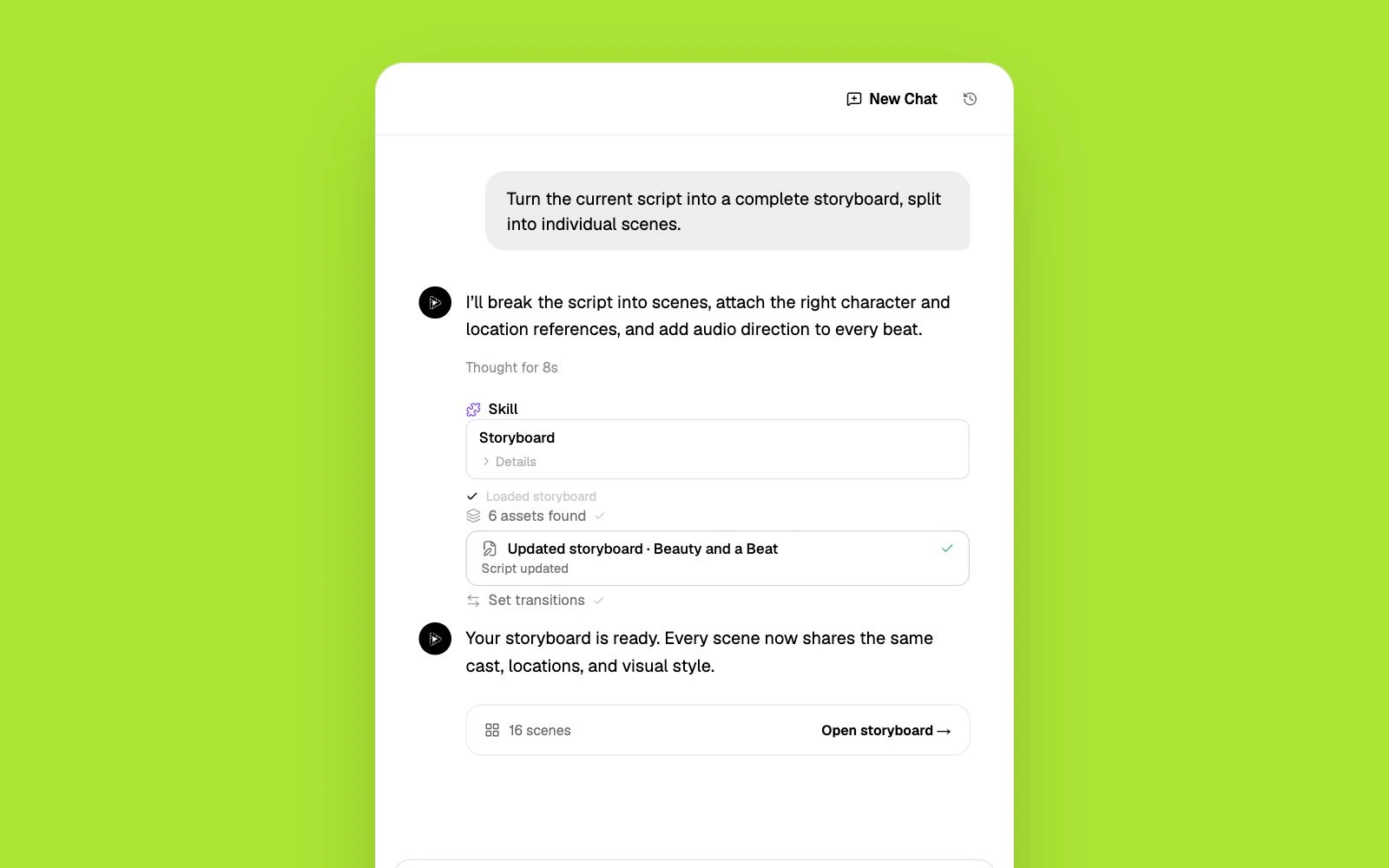
Turn photos, memories, dates, and the story you want to tell into a thoughtful tribute video with a clear sequence, narration, music, and visual continuity. Pixo's AI agent helps plan the storyboard, generate individual scenes with leading video models, add voice and sound, and refine the complete video in one workspace.
New users receive 200 credits on sign-up. Video generation requires a paid plan and sufficient credits.
A sequence of photos may miss the connections between memories. Plan chapters in a storyboard so each image supports the person's story. For a personal celebration, create a birthday video around permitted photos and shared memories.
Preparing a video during a difficult time can make editing feel overwhelming. Start with the family's approved memories and review a clear scene plan. To introduce an upcoming occasion, make a video invitation with the event details and a personal message.
Some important memories were never photographed. Plan respectful creative supporting scenes and distinguish them from authentic family records. For a portrait-led speaking shot, animate a talking photo using a permitted likeness and voice.
Give Pixo photos, memories, dates, and the story you want to tell. Add the audience, goal, visual direction, and target length so the agent can prepare a production plan.
Review the script and storyboard scene by scene. Adjust the visual direction, camera movement, references, dialogue, and sound cues before generating video.
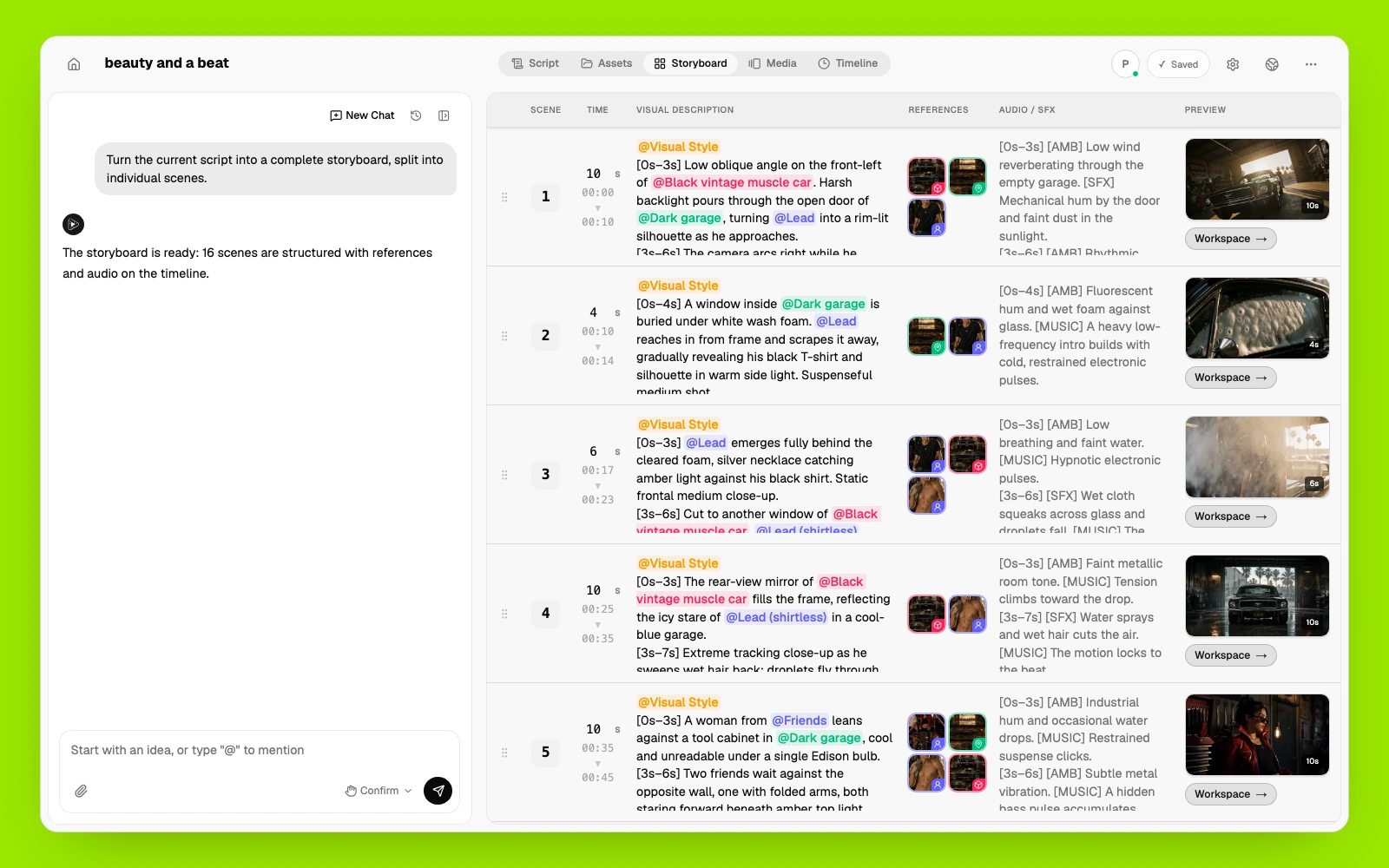
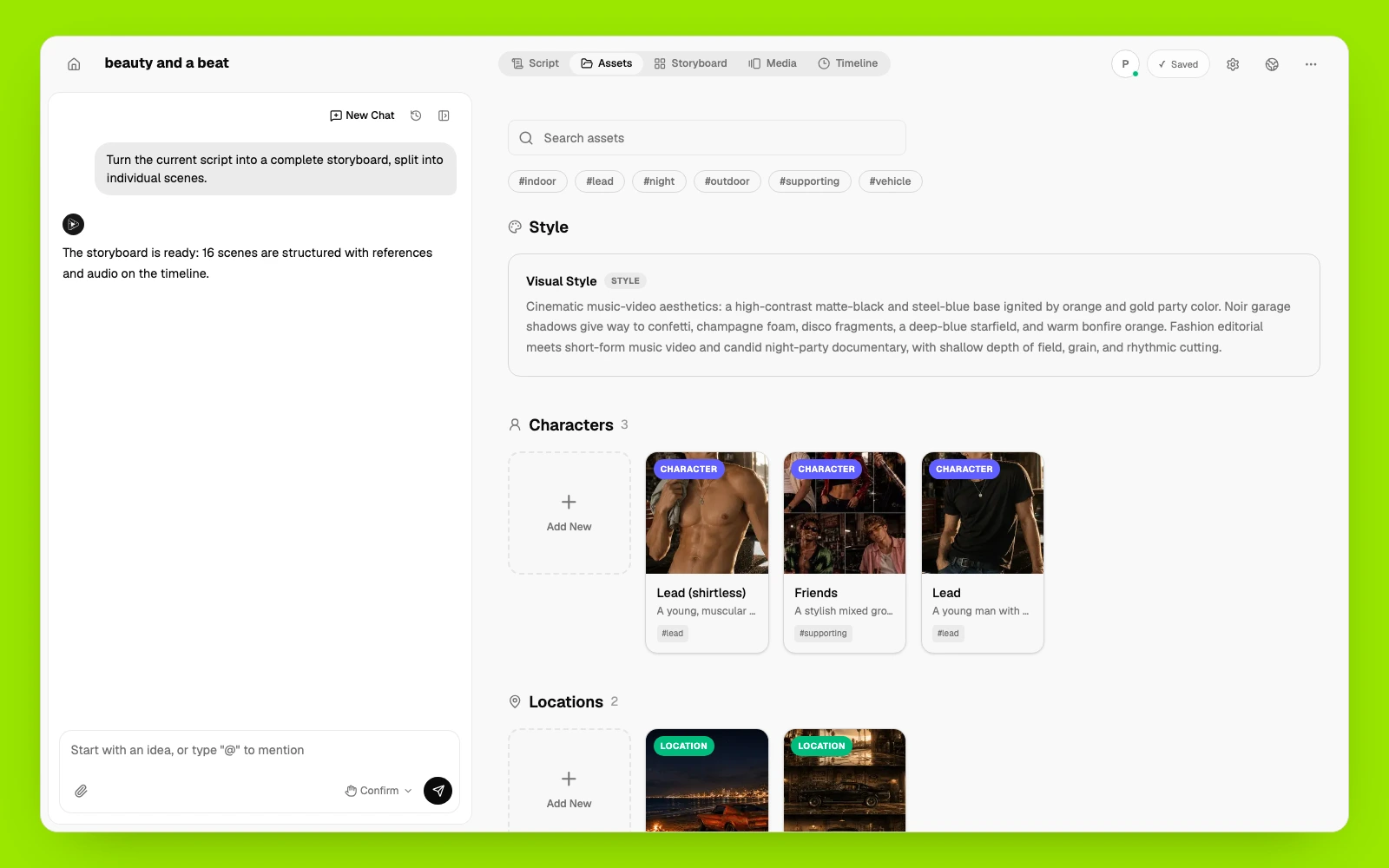
Reuse approved characters, products, locations, voices, and visual references so separate generated scenes belong in the same video.
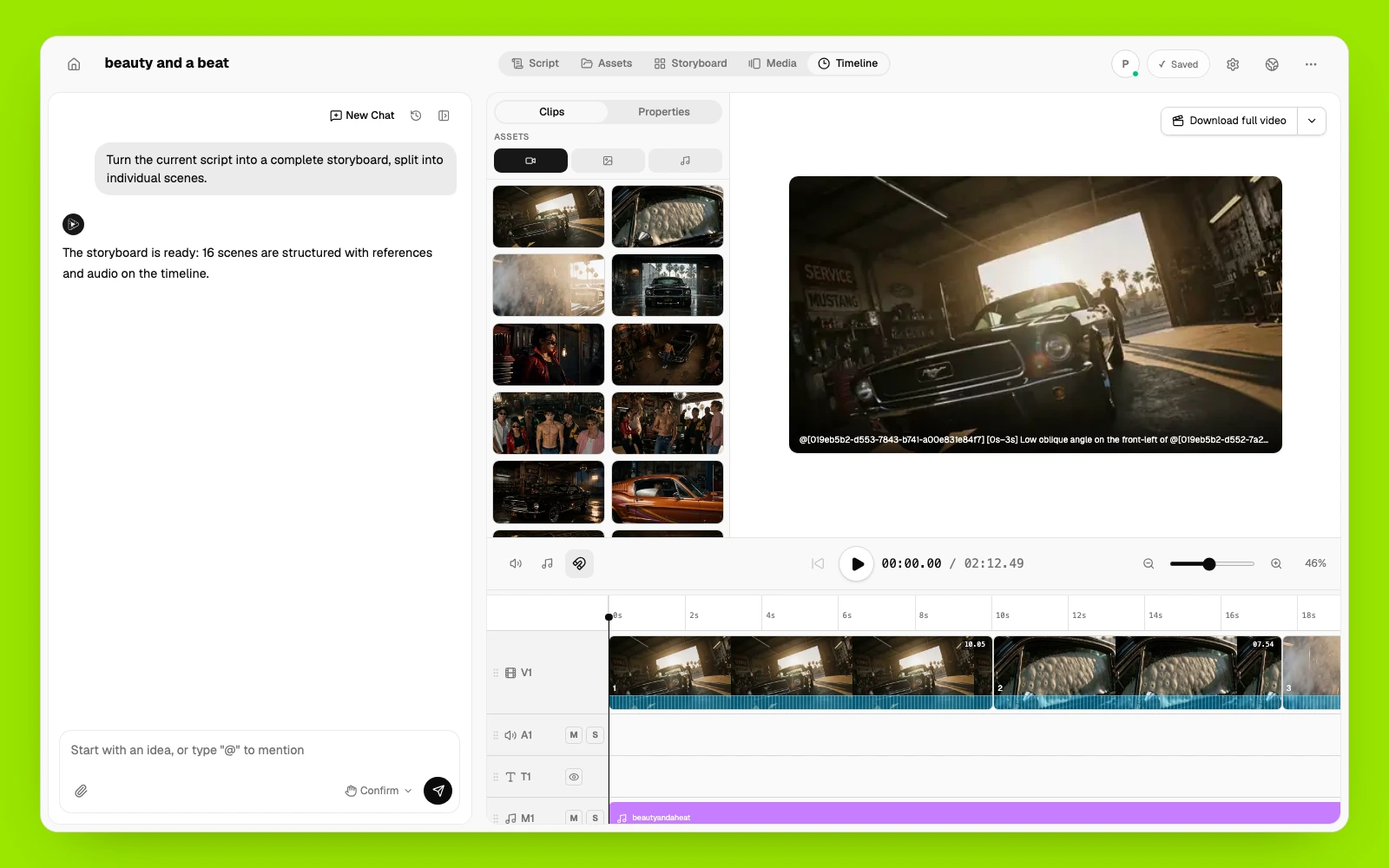
Review the generated scenes after generation. Regenerate only the shots that need changes, then arrange the approved video, voice, music, and sound in the final timeline.
Add photos, memories, dates, and the story you want to tell. Define the audience, purpose, visual style, target length, and any details that must remain accurate.
Review the AI-generated script and storyboard. Rewrite individual scenes, reorder the sequence, and confirm the creative direction before generation.
Generate each scene with a supported AI video model suited to the shot. Change the prompt, references, or model when a scene needs a different result.
Review the complete sequence, add voice, music, and sound where needed, and refine individual scenes before exporting the finished video.
Use approved photos and recollections to shape the script and storyboard, with supporting scenes that respect the source material.
Reuse permitted likeness references and review generated portrayals with the people responsible for the tribute.
Set a warm, quiet, or celebratory direction and choose a suitable leading model for each planned scene.
Arrange an authorized remembrance or narration with the approved visuals, music, and sound in the final sequence.
Plan the intended screen or sharing format, revise individual scenes as needed, and review the complete tribute before export.
Explore related Pixo workflows and AI video models that can help you plan, generate, and refine a thoughtful tribute video with a clear sequence, narration, music, and visual continuity.
Explore the Kling models available in Pixo.
Explore the VEO models available in Pixo.
From bedroom studios to agency pipelines — hear it from the people making videos every day.
1,000,000+
videos generated
100,000+
creators worldwide
190+
countries
Pixo thinks in shots, not clips. I can hold a location and a character across an entire sequence — that's the part every other AI tool gets wrong.
Hago videos para clientes de tres países y Pixo me resuelve la producción completa. Storyboard en la mañana, revisiones en la tarde, entrega el mismo día.
I run two faceless channels and this is the whole production stack. Script goes in, storyboard comes out, I tweak three panels and hit generate.
歌ってみた動画のMVを自分で作れるようになりました。絵コンテを直すだけで世界観が変わるのが楽しいです。
Clients ask for changes on Friday afternoon. I regenerate one scene instead of rebooking a crew — that alone pays for the subscription.
Every single I released this year has a video now. I storyboard the whole thing in an afternoon, regenerate the scenes that feel off, and export for YouTube and Reels in one go.
我做短剧账号,以前一集要剪两天。现在分镜自动生成,我只改镜头描述,当天就能更新。
Product demos used to take two weeks with a freelancer. Now I draft a script in the morning and the team reviews a finished cut after lunch. The scene-by-scene control is what sold me.
Je réalise des clips pour des artistes indépendants. Pixo me permet de tester trois directions artistiques dans la même journée — impensable avant.
브랜드 협찬 영상을 매주 두 편씩 만드는데, 장면별로 다시 생성할 수 있어서 수정 요청이 와도 무섭지 않아요.
Common questions about creating a thoughtful tribute video with a clear sequence, narration, music, and visual continuity with AI.
AI Tribute Video Maker With Photos and Memories turns photos, memories, dates, and the story you want to tell into a thoughtful tribute video with a clear sequence, narration, music, and visual continuity. Pixo adds an AI agent, storyboard planning, multiple video models, scene-level refinement, voice, sound, and final assembly around the generation step.
Start with photos, memories, dates, and the story you want to tell. Add the audience, purpose, style, length, and approved references. Pixo can develop that material into a script and storyboard for you to review.
Yes. Pixo is designed to connect multiple generated scenes in one project, with a script, storyboard, reusable references, voice, sound, and an editable final sequence.
Yes. Change the scene direction, prompt, references, or video model and regenerate that shot while keeping the rest of the approved project.
Pixo supports commercial video creation. You must own or have permission to use the source media, likenesses, voices, music, trademarks, and other assets, and review generated claims and visuals before publishing.
Start with an idea. Plan the story and shots, then direct each scene in Pixo.
Create a complete AI video from a prompt, script, or image—not just a single clip. Pixo brings an AI agent, storyboard tools, voice and sound, and leading video models including Veo, Kling, Hailuo, and Seedance into one workspace, from first idea to final cut.
New users receive 200 credits on sign-up. Video generation requires a paid plan and sufficient credits.