K-pop Music Video with AI: Idol Looks, Concepts & Choreo
Make a K-pop style music video with AI: locked idol visuals, concept switches and choreography-driven cuts, generated from your track. Workflow and prompts.

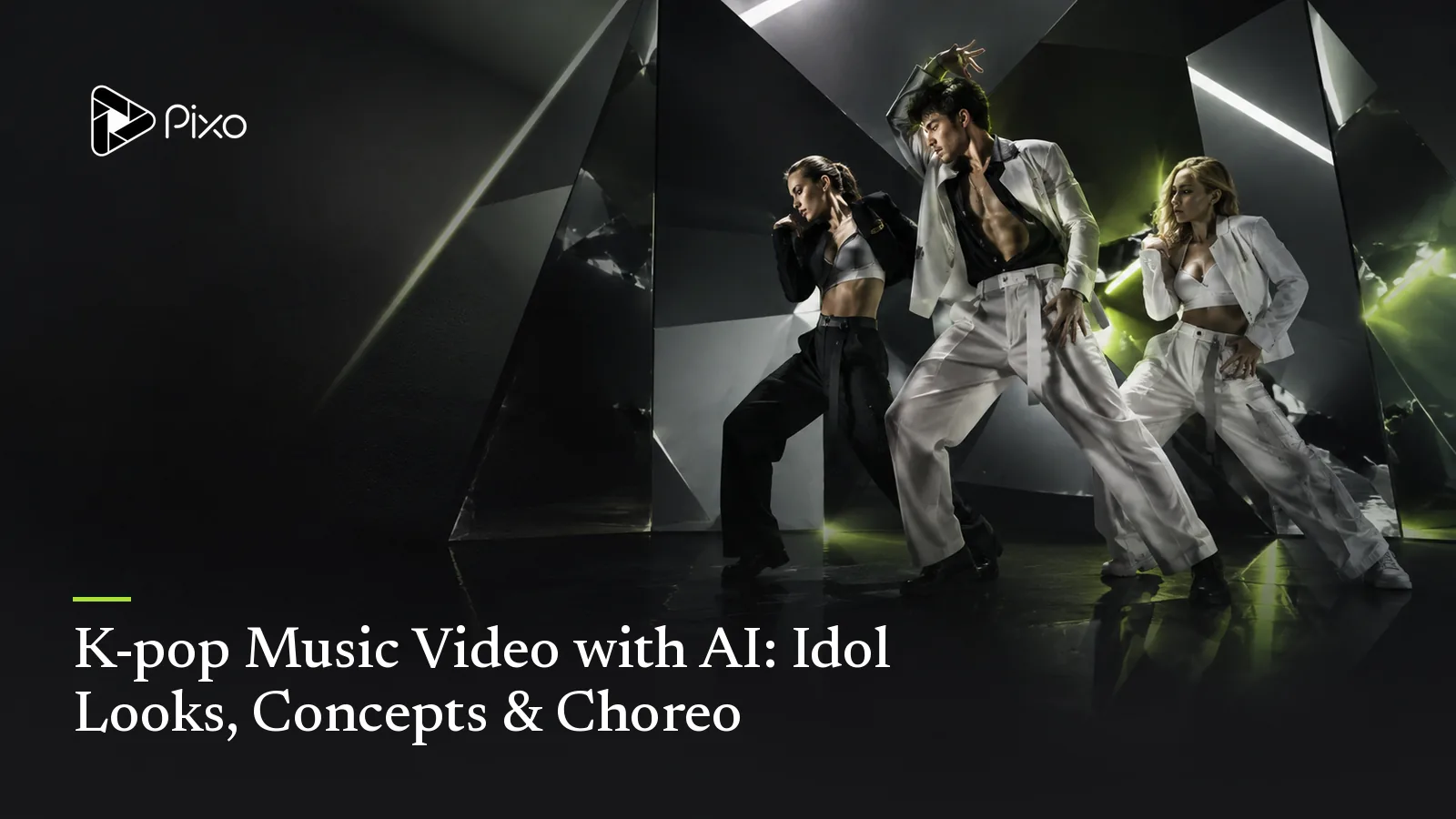
No genre asks more of a music video than K-pop. The form has hard conventions — concept switches, point-move close-ups, formation shots, a bridge that goes soft before the last chorus detonates — and audiences fluent enough to notice every corner cut. That's why K-pop MVs cost what small films cost, and why the genre has been the hardest one for independent artists to release in.
K-pop is a demanding brief for Pixo’s MV Director: reference images and an audio-first storyboard help plan recurring performers and concept changes. Exact choreography, group identity and beat-perfect cuts are not guaranteed. Start with a solo performer or a small group, then review each shot.
What the Genre Demands, and How It Maps
The idol must be the idol, in every frame. A K-pop lead isn't a character, it's a brand: same face, same proportions, styling that evolves but never breaks identity. MV Director creates each member as a fixed reference asset before video rendering — compare identity, wardrobe and proportions across each generated shot.
Concepts switch; members don't. The genre's signature is the concept cycle — schoolyard to cyberpunk to royal court between sections. In prompt terms: the world swaps, the references hold. Describe each concept separately and check that performers remain recognizable as the setting changes.
The edit is choreography. K-pop cutting runs on the eights: full-body formation wide, point-move close-up on the hook, whip to the next member's line. The system parses the track's structure and timestamps, slices it into shots, and matches camera energy to each section — verse restraint, chorus density.
The lip-sync is non-negotiable. Idol MVs live on sung-to-camera moments; generated shots auto-align to the track with audio-guided vocal performance on the vocal.
The Workflow
- Song first. Upload your track, or explicitly ask to generate it in-flow: provide lyrics with
[Verse]/[Chorus]tags plus "upbeat K-pop dance, high energy, female vocal" — the agent calls Suno and you approve the track before any visuals. - Cast the group. One description per member ("main dancer: sharp bob, silver-grey; vocalist: long black hair, soft features") — each locks as a reference asset.
- Define 2–3 concepts. Wardrobe + set + palette per concept: that's the whole spec.
- Approve the board, generate. Shot count and plan come to you first; then shots render, align and assemble on one timeline.
A Starter Concept Set
Concept A — "Practice Room": grey studio, mirrored wall, streetwear; natural light; formation-focused wide shots. Concept B — "Neon Palace": magenta-and-teal throne room, chrome accents, stage fits; hard key lights, point-move close-ups. Concept C — "White Sky": infinite white cyc, floating fabric, soft focus for the bridge only. Structure: verses in A, choruses in B, bridge in C, final chorus intercutting A and B on the eights.
Treat the eight-count instruction as creative intent. The MV pipeline cuts at audio-chunk boundaries; exact eight-count editing and point moves may require a finishing edit.
Tips and Pitfalls
- Fewer members, better video. Every additional locked face raises the consistency stakes; a duo or trio reads cleaner than a nine-member group.
- Name the point move. "On each hook, close-up on the lead's hand-heart point move" — the hook gesture is what fans clip and loop.
- Save one concept for the bridge only. A world that appears once, softly, makes the final chorus's return feel enormous.
- Original idols only. Design your own performers; don't reference real idols or groups — identity rights matter as much as footage rights.
Review Before Release
These prompts are starting briefs, not verified sample outputs. Reference images help continuity; they do not guarantee identical faces, exact lettering, choreography or seamless loops. Review the full cut, including vocal close-ups and repeated shots. Ask explicitly for song generation and provide lyrics if using Suno; approve the audio first. Video generation has a separate approval checkpoint. Song and image generation and requested retries can consume credits before that checkpoint. Check current pricing for your settings.
Review One Concept Before Expanding
If movement carries the concept, start with the dance video workflow and test one short phrase. For a sequence built around the artist addressing the camera, compare the performance-video workflow before expanding the board.
Start with one complete performance panel in the first concept. Compare each performer with their reference, then check hands, feet and the formation through the whole shot. Keep an alternate close-up or environment shot for a difficult move. Add wardrobe and set changes only after the first concept is usable.

Create AI videos with Pixo
Turn any idea into a publish-worthy video. One sentence is all it takes.
Music-video release checks
For a music release, distinguish the composition from the recording using the U.S. Copyright Office's musician guidance. For a YouTube delivery, compare the export with YouTube's encoding recommendations. Before publishing realistic generated scenes, check YouTube's AI disclosure guidance for the upload decision.
FAQ
Can AI make a K-pop style music video?
You can plan original performers, sets and concept changes with MV Director and generate shots from audio and image references. Group continuity and complex choreography need careful review and may require retries or simpler shots.
What is an AI K-pop idol?
An AI K-pop idol is a fictional performer represented through generated images or video. A reusable design can guide multiple shots, but continuity still requires review.
How do concept switches work?
Define each wardrobe, set and palette as a distinct concept, then map them to verses, choruses and the bridge. Reuse performer references and check identities after each change.
Does the choreography match the beat?
Audio timing guides the shot plan, but exact dance moves and beat-perfect choreography are not guaranteed. Preview full-body shots and use simpler movement or performance cutaways when a take misses.
Do I need a finished song first?
No — explicitly ask to generate the song, then paste lyrics with structure tags and a genre description ('upbeat K-pop dance, high energy'), and the agent generates the track via Suno, plays it for your approval, then boards the video from that recording.
Debut your group without a label — Pixo's MV Director takes it from lyrics to stage. Sign up now. See the current plans and generation costs before starting. More concepts in the music video ideas list; the full pipeline in the AI music video guide.
Generate AI summary
From idea to finished video.
In one conversation.
Start CreatingNo credit card required • Free 200 credits