Anime Music Video: Make an AMV for Your Own Song with AI
How to make an anime music video without clipping someone else's show: AI generates original anime scenes cut to your track. AMV workflow, prompts and tips.

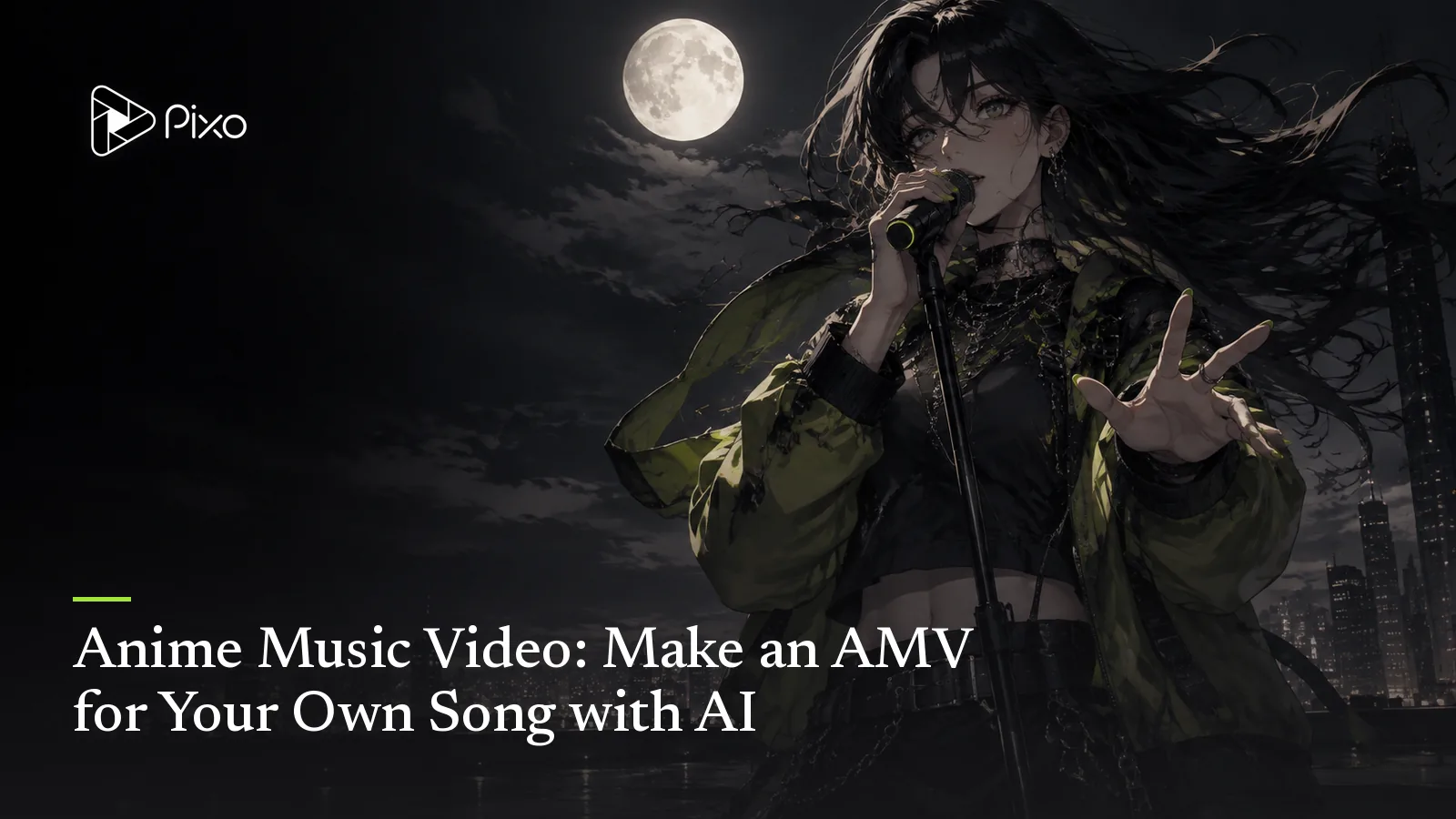
An AMV traditionally edits anime footage to music. This guide focuses on making original anime-style scenes for your song. Existing anime footage can raise rights issues, so plan the visuals as carefully as the soundtrack.
Here's the inversion that AI makes possible: keep the form, replace the footage. Instead of borrowing scenes from an existing show, you generate original anime-style animation for your own song — the AMV grammar (emotional cuts, sakuga bursts on the chorus, that held still frame before the drop) applied to a story that's yours. Pixo's MV Director does exactly this, and this guide covers the workflow, the style vocabulary, and the prompts.
Why Generated Beats Clipped
Use original material. Designing your own characters avoids relying on clips from an existing show, but AI generation does not guarantee ownership, monetization or freedom from claims. Check music, reference-image and character rights before release.
The character is cast, not found. In a clipped AMV you hunt for a character who almost fits your song. Here you design the lead — one description or reference image becomes a locked asset, to guide face, hair and outfit across cuts; check continuity in the generated results. Cross-scene consistency is precisely where casual AI anime clips fall apart, and precisely what the reference-asset system is for.
Cuts land where the song needs them. MV Director parses your track's structure and timestamps and boards one shot per segment — quiet frames on verses, denser cutting and wider motion as the chorus hits. That's AMV editing instinct, applied automatically.
Sakuga on demand. The money shots of anime — the hair-in-wind close-up, the run across the rooftop, the single tear at golden hour — are described, not found in episode 37.
The Style Vocabulary
"Anime style" is a family, not a single look. Steering words that matter in prompts:
- 90s cel — film grain, painted backgrounds, hard shadows, that OVA-era warmth.
- Modern digital — clean lines, luminous color grading, lens flares; the current seasonal-anime look.
- Shōnen kinetic — speed lines, impact frames, high-contrast action lighting.
- Shōjo soft — pastel palettes, sparkle overlays, flower-frame compositions.
- Ghibli-adjacent pastoral — lush painted nature, gentle motion, wind in everything. (House rule applies: describe it as inspired by the aesthetic, never as the studio's work.)
- Western cartoon — and this is its own branch: rubber-hose bounce, Saturday-morning flat color, adult-animation deadpan. A cartoon music video uses the identical pipeline with a different style sentence.
Pick one and commit for the whole video — style drift between shots is the tell of a lazy AI video, and locking the style as a reference asset is what helps reduce it.
The Workflow
Start with the anime music video workflow when the release uses original animated scenes. If the chorus needs readable words as well, plan their placement using the lyric video guide before filling the frame with action.
- Bring the song — upload the MP3, or explicitly ask to generate it in-flow: provide lyrics with structure tags plus a genre description, and the agent calls Suno, playing you the track for approval first.
- Cast and style. Describe your lead and pick the style register: "17-year-old courier, silver bob, oversized flight jacket; 90s cel anime, film grain, painted night backgrounds." These lock as reference assets.
- Give it the story in one breath. AMVs run on simple spines: a chase, a goodbye, a transformation, a loop. One sentence is enough — the lyric structure does the pacing.
- Approve the storyboard (shot count and plan), then generate: shots render, auto-align to the track — audio-guided vocal performance if your lead appears on camera; review mouth timing — and assemble on one timeline.
Two Starter Prompt Sets
The chase (up-tempo, shōnen kinetic):
Lead: a courier girl, silver bob, oversized flight jacket — locked reference. Style: modern digital anime, neon night city, rain. Spine: she races across rooftops to deliver one letter before the last train. Verses: close pursuit details — footfalls, torn map, headlights below. Chorus: wide sakuga runs and leaps, speed lines, coat streaming. Bridge: she stops on the station roof; held still frame; the train doors close — then open again.
The goodbye (ballad, 90s cel):
Leads: two students on a coastal town's last summer day — locked references. Style: 90s cel, film grain, golden-hour painted skies. Spine: one of them is leaving; neither says it. Verses: small unfinished gestures — a held-out popsicle, a photo not taken. Chorus: the wind lifts everything; wide shots of the town they're already missing. Final chorus: the bus pulls away; a single frame of the letter left on the seat.
Tips and Pitfalls
- Don't ask for "anime" alone — name the register (90s cel vs modern digital changes everything downstream).
- The held frame is the genre's best trick. Ask for one deliberate still — AMVs breathe through stillness before impact, and can reduce the amount of motion you need to generate.
- Repeated choruses should escalate the same image, not change subject: same rooftop, worse weather, higher stakes.
- Rights hygiene: generate original characters; don't request existing anime characters or clip studio footage — review references and generated results for recognizable protected material.
Review Before Release
These prompts are starting briefs, not verified sample outputs. Reference images help continuity; they do not guarantee identical faces, exact lettering, choreography or seamless loops. Review the full cut, including vocal close-ups and repeated shots. Ask explicitly for song generation and provide lyrics if using Suno; approve the audio first. Video generation has a separate approval checkpoint. Song and image generation and requested retries can consume credits before that checkpoint. Check current pricing for your settings.
Check the Animation Before Committing
Compare a close-up and a wide shot before generating the remaining panels. Check hair silhouette, costume seams and hand anatomy, then check repeated locations. If the chase is difficult to read, split the creative action across the available panels rather than asking for several events inside one shot. For release, use YouTube’s synthetic-content disclosure guidance and review music and image rights.

Create AI videos with Pixo
Turn any idea into a publish-worthy video. One sentence is all it takes.
Music-video delivery
For a music release, distinguish the composition from the recording using the U.S. Copyright Office's musician guidance. For a YouTube delivery, compare the export with YouTube's encoding recommendations.
FAQ
What is an anime music video (AMV)?
Traditionally, an AMV is anime footage re-edited to music — a fan form built on someone else's animation. This guide uses AMV for an original anime-style music video made for your song. Check rights to the soundtrack, characters and references before publishing.
How do I make an AMV without clipping existing anime?
Generate the animation instead of borrowing it. Pixo's MV Director parses your song's structure, locks your characters and anime art style as reference assets, boards a shot per timed lyric chunk, and renders original anime-style footage aligned to your track.
Can I monetize an AMV?
Monetization depends on rights to the music and visual material and the platform’s policies. Original characters avoid relying on borrowed anime footage, but generated output is not a guarantee against claims or takedowns.
Will my anime character look consistent across scenes?
References help preserve face, hair, outfit and style. They do not guarantee an identical character in every shot; review continuity and simplify or regenerate shots that drift.
What about cartoon styles that aren't anime?
Same pipeline, different style reference: Western cartoon looks — rubber-hose, Saturday-morning flat color, modern adult-animation — are described the same way anime styles are. A cartoon music video is one style sentence away.
Your song deserves its own anime — Pixo's MV Director generates it, cut to your track. Sign up now. See the current plans and generation costs before starting. Song not recorded yet? Start with the Suno music video guide; for more concepts, the music video ideas list.
Generate AI summary
From idea to finished video.
In one conversation.
Start CreatingNo credit card required • Free 200 credits