Upload a product photo. Plan the shots, generate video clips, and edit them in Pixo.
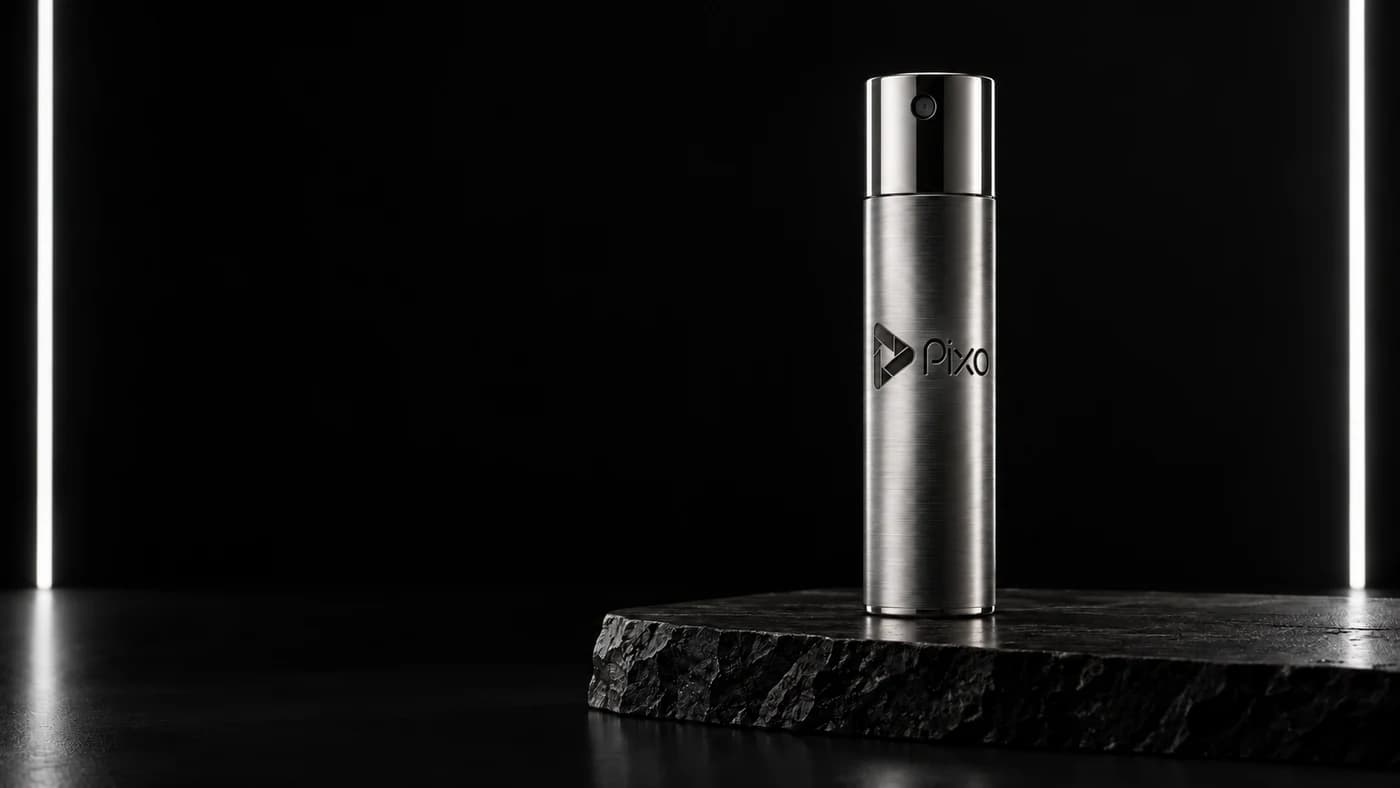
Reference image
Reference imageProduct video · 6 seconds
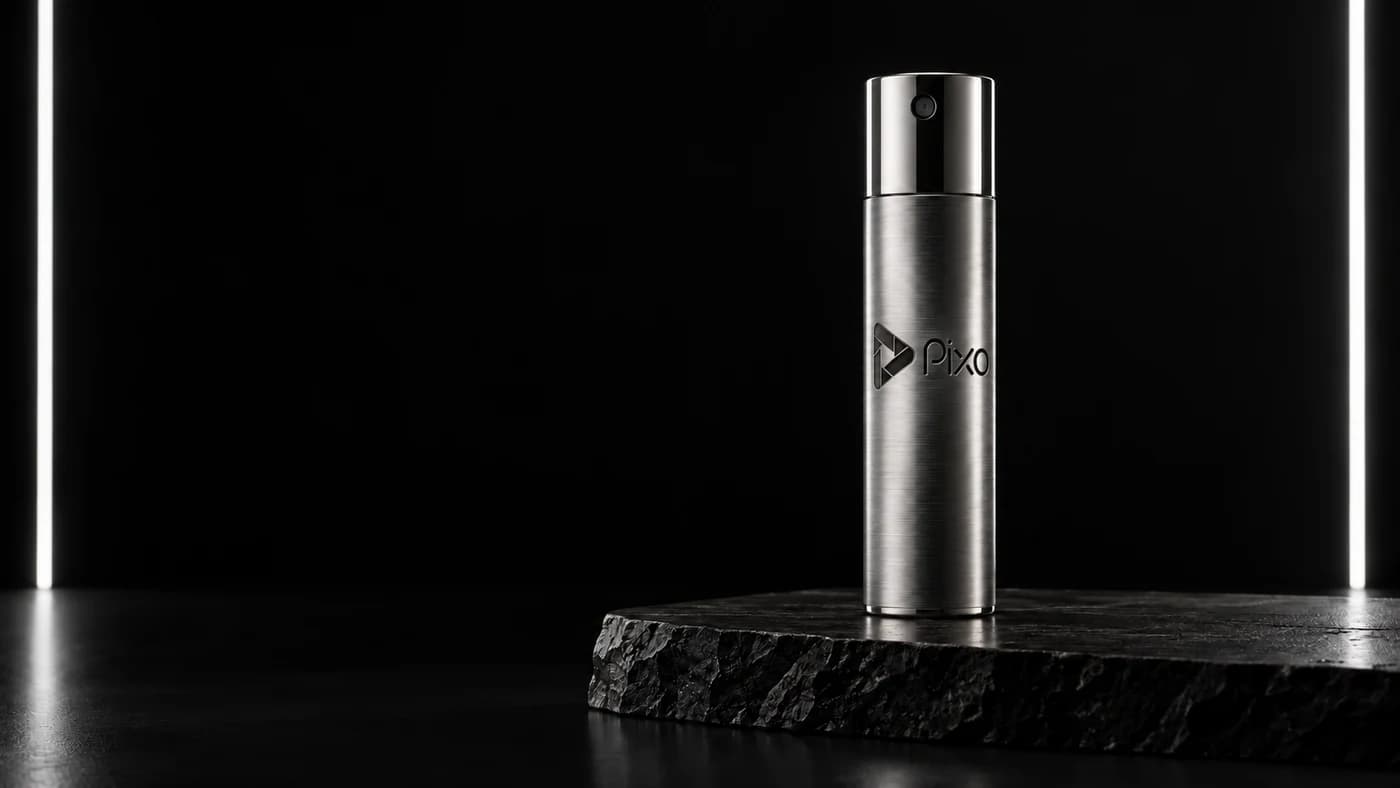
Example made with Seedance 2 from the photo shown.
One product, two camera moves
Both videos start from the same AI-generated product photo.
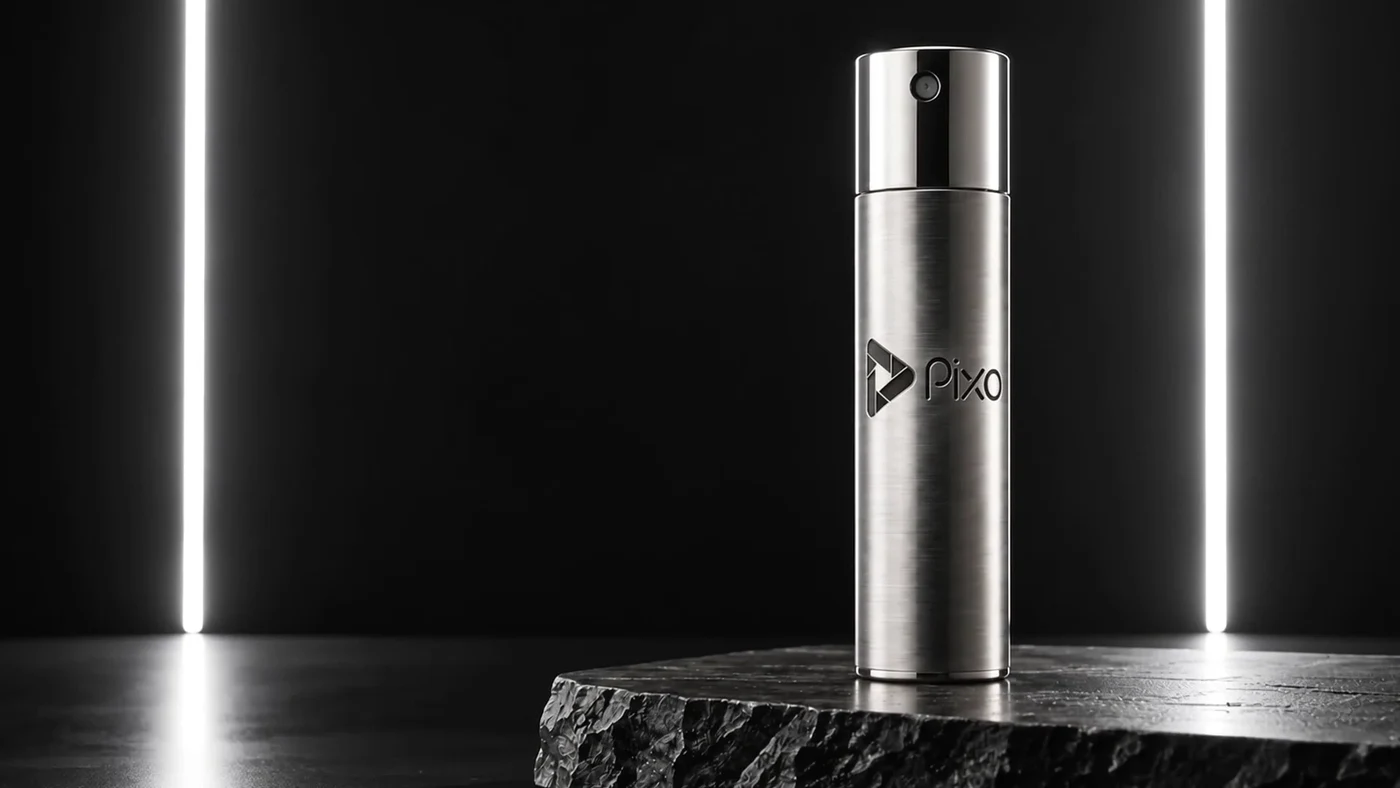
Full-product view
The camera moves gently closer, keeping the whole bottle in view.
View prompt
Made with Seedance 2
A premium studio product commercial, one continuous six-second take. Use the supplied image as the exact first frame. A single solid titanium perfume atomizer stands upright on the black stone plinth in the same black studio with two vertical strip lights. The camera makes a restrained, smooth straight dolly towards the stationary product, moving only 10 percent closer across six seconds. Keep the whole cylinder, nozzle and base visible. The existing strip-light reflections glide subtly along the brushed metal as perspective changes. The metal is rigid: consistent cylindrical proportions, nozzle, seam, engraved mark and brushed grain. The bottle and plinth stay still; only the camera moves. Crisp realistic material detail, continuous focus and exposure, stable straight edges, subtle physically plausible reflections. No liquid metal, flexing, warping, morphing, pulsing, object rotation, floating, duplicated objects, fog, cuts, or extra graphic overlays. The engraved Pixo mark belongs to the surface and follows perspective naturally; it does not need to face the camera throughout.
Pixo in-scene branding: Retain the Pixo engraving already present on the metal cylinder, fixed to its physical surface. Fit the scene naturally: Physical product branding in a luxury product commercial. Use the exact text Pixo and/or the supplied official Pixo logo; preserve its identity. Do not add a floating watermark or compromise the subject/composition. Let the Pixo branding follow the object and natural camera motion. It must be clearly identifiable in suitable moments and coherent when visible; turning to the side, temporary occlusion or leaving the frame is allowed. Do not constrain the shot merely to keep branding visible.
Reference 1: scene/subject input
Cap close-up
A closer view of the cap. Notice how the base moves out of frame.
View prompt
Made with Seedance 2
Use the supplied titanium travel perfume atomizer image as the exact first frame. Preserve the same single upright titanium cylinder, polished bevelled cap, recessed nozzle, horizontal seam and low black stone pedestal. Create one six-second luxury product shot. The camera slowly moves in a smooth clockwise arc of only twenty degrees around the stationary bottle, at cap height, with a very gentle move closer. The bottle never rotates or moves. Keep the same deep black studio and narrow white strip lighting; reflections should change naturally with the camera angle to reveal the brushed metal and polished cap. End in a closer three-quarter detail of the cap and upper body, with the pedestal still visible. Physically realistic product cinematography, steady focus, no added text outside the existing product branding, no extra objects, no hands, no mist, no geometry changes, no edits or cuts. Keep the full engraved brand on the front of the cylinder visible; do not zoom so far that the wordmark is cropped.
Pixo in-scene branding: Preserve the official Pixo icon and wordmark engraved on the front of the reference bottle. Fit the scene naturally: Physical product branding in a luxury product commercial. Use the exact text Pixo and/or the supplied official Pixo logo; preserve its identity. Do not add a floating watermark or compromise the subject/composition. Keep the Pixo branding readable and consistent throughout the entire clip, including every shot.
Reference 1: scene/subject input
Plan and edit product videos in Pixo
Plan your shots, describe the camera movement and change individual clips.
Turn a description into a shot plan
Describe your product, who the video is for and what it should show. Pixo creates a shot plan for you to review, such as a full-product view followed by close-ups of the details.
PixoShot plan
Plan a launch video for these green headphones. Start with a reveal, then show the ear cup in detail.
Plan shots
Reveal
Detail
Warmer light
Set the camera movement and lighting
Edit the prompt and reference image for each shot. Describe the camera angle, lighting and movement: for example, show the whole product first, then move closer to the packaging or material.
PixoShot direction
Detail
Product reference
Lighting reference
A slow close-up of the ear cup. Keep the green finish and soft studio light.
Nano Banana 2Edit shot
Change one shot, keep the rest
Generate a new version of one shot while keeping the rest of your project. Try a different camera angle or lighting, compare the result and choose the version you want to use.
PixoShot preview
Give this shot warmer sunset lighting. Keep the same green headphones.
Nano Banana 2Revise selected shot
How to make your product video
Start with a photo, describe the movement, then review the result.
01
Upload a product photo
Choose a clear photo that shows the product and its packaging.
02
Describe the movement
For example, ask the camera to move slowly closer to the product.
03
Check the result
Check that the shape, labels and colors match your product.
Make videos for product pages, social ads and client presentations. Example uses shown below.
Show products in your store
Add a video to your store or product detail page so shoppers can see the shape, finish and packaging. Show the whole product, then use close-ups to show details that are hard to see in one photo.
Make a short product clip for a launch, sale or social ad. Show one product benefit, add a clear message and tell viewers what to do next, such as visit your store.
Create a few sample shots to show a client or team before a larger shoot. Use the clips to discuss the lighting, camera movement and product details the final video should show.
 Reveal
 Detail
 Warmer light