Start With the Brief
Give Pixo a finished script or draft. Add the audience, goal, visual direction, and target length so the agent can prepare a production plan.
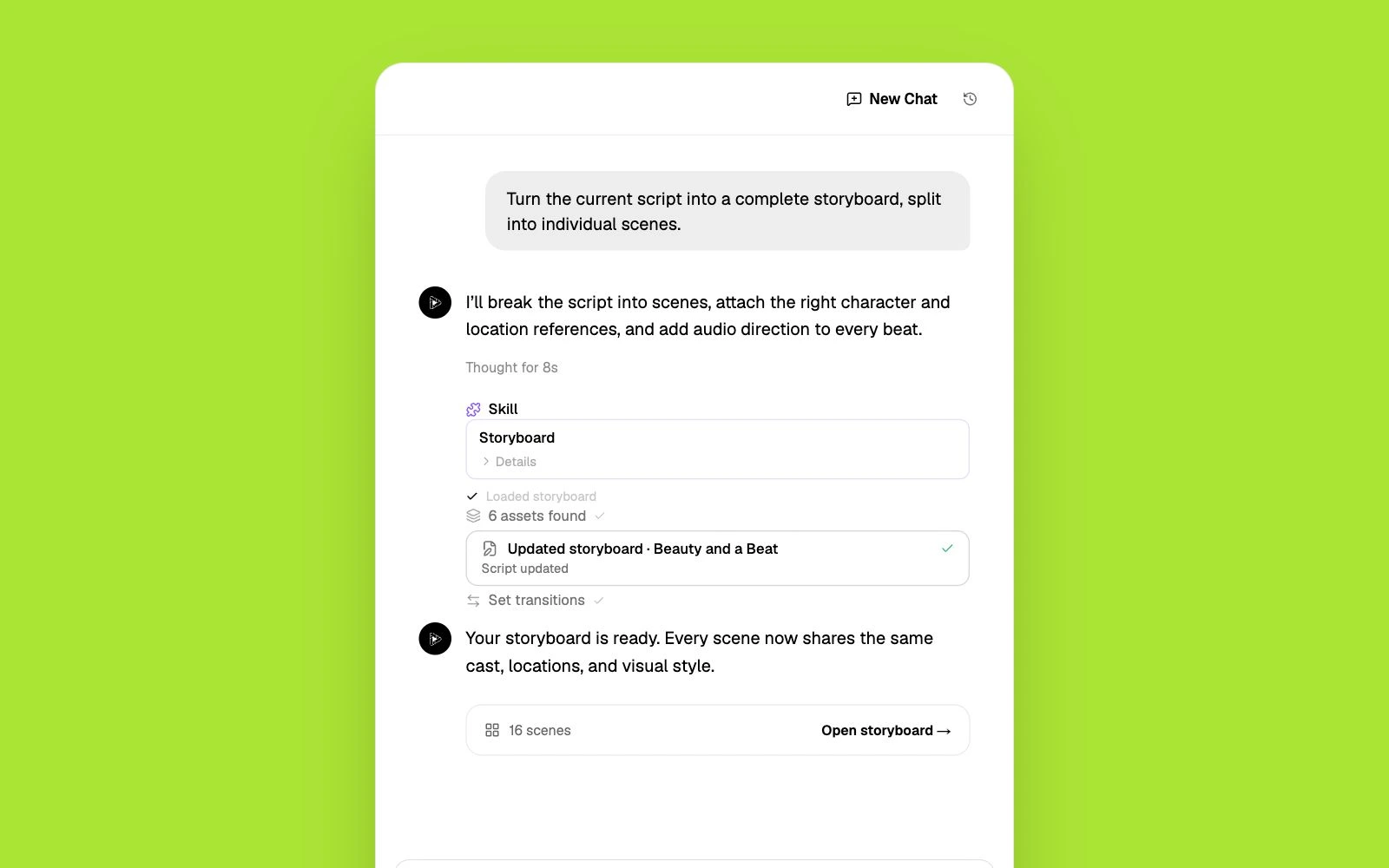
Turn a finished script or draft into a storyboarded, multi-scene video that follows the script. Pixo's AI agent helps plan the storyboard, generate individual scenes with leading video models, add voice and sound, and refine the complete video in one workspace.
New users receive 200 credits on sign-up. Video generation requires a paid plan and sufficient credits.
A finished script still needs decisions about shots and sound. Turn its passages into storyboard scenes so production can follow a clear plan. For scenes without source footage, turn text into video from a written description.
Written action can be interpreted in different ways. Review camera direction, references, and dialogue in the storyboard before generating footage. To develop the concept into a compact narrative, create an AI short film with a beginning, development, and ending.
Revising a filmed scene can require another production session. Keep scenes individually editable so a changed line or shot can be regenerated. When the idea needs a clear visual explanation, make an explainer video around the audience’s main questions.
Give Pixo a finished script or draft. Add the audience, goal, visual direction, and target length so the agent can prepare a production plan.
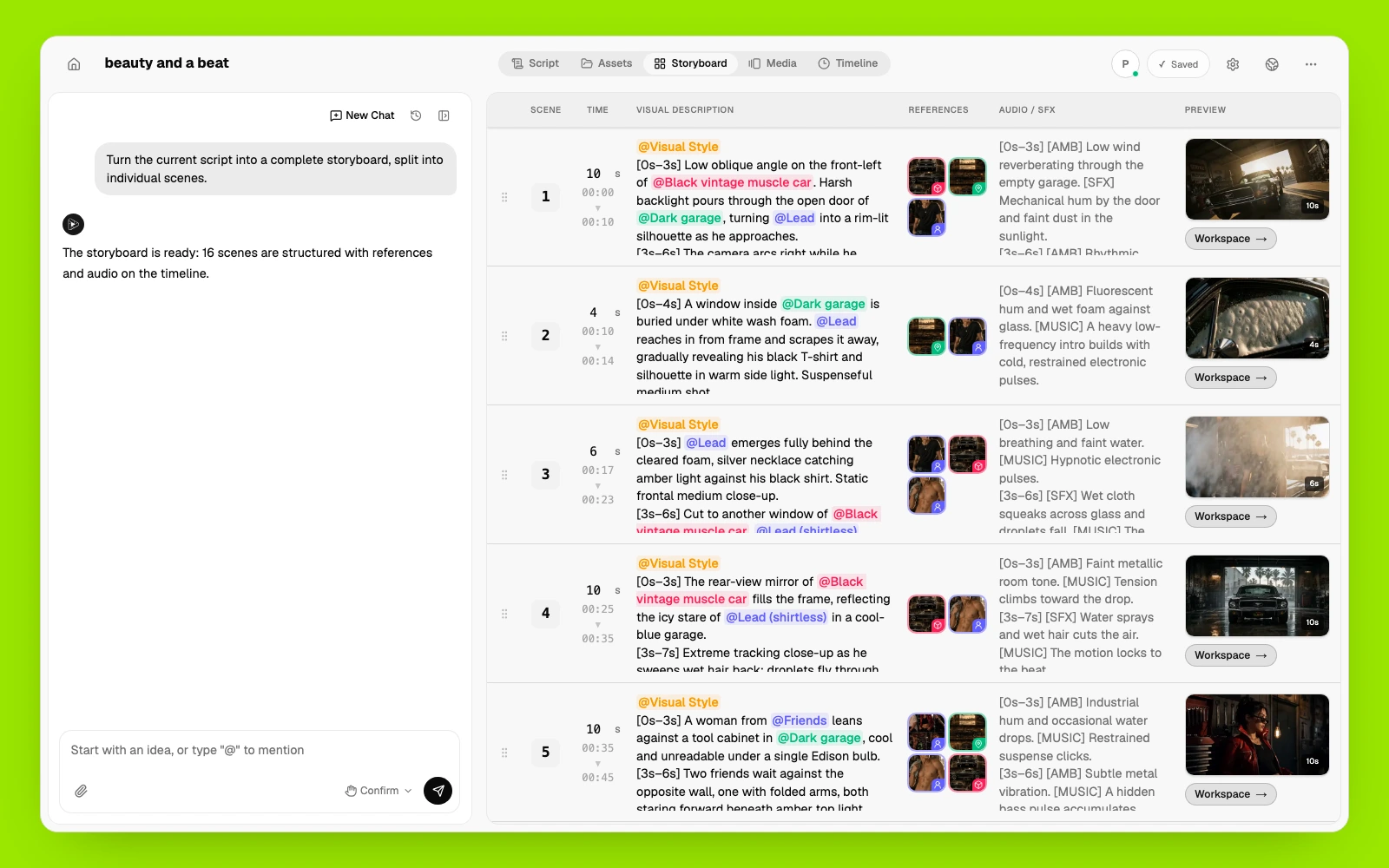
Review the script and storyboard scene by scene. Adjust the visual direction, camera movement, references, dialogue, and sound cues before generating video.
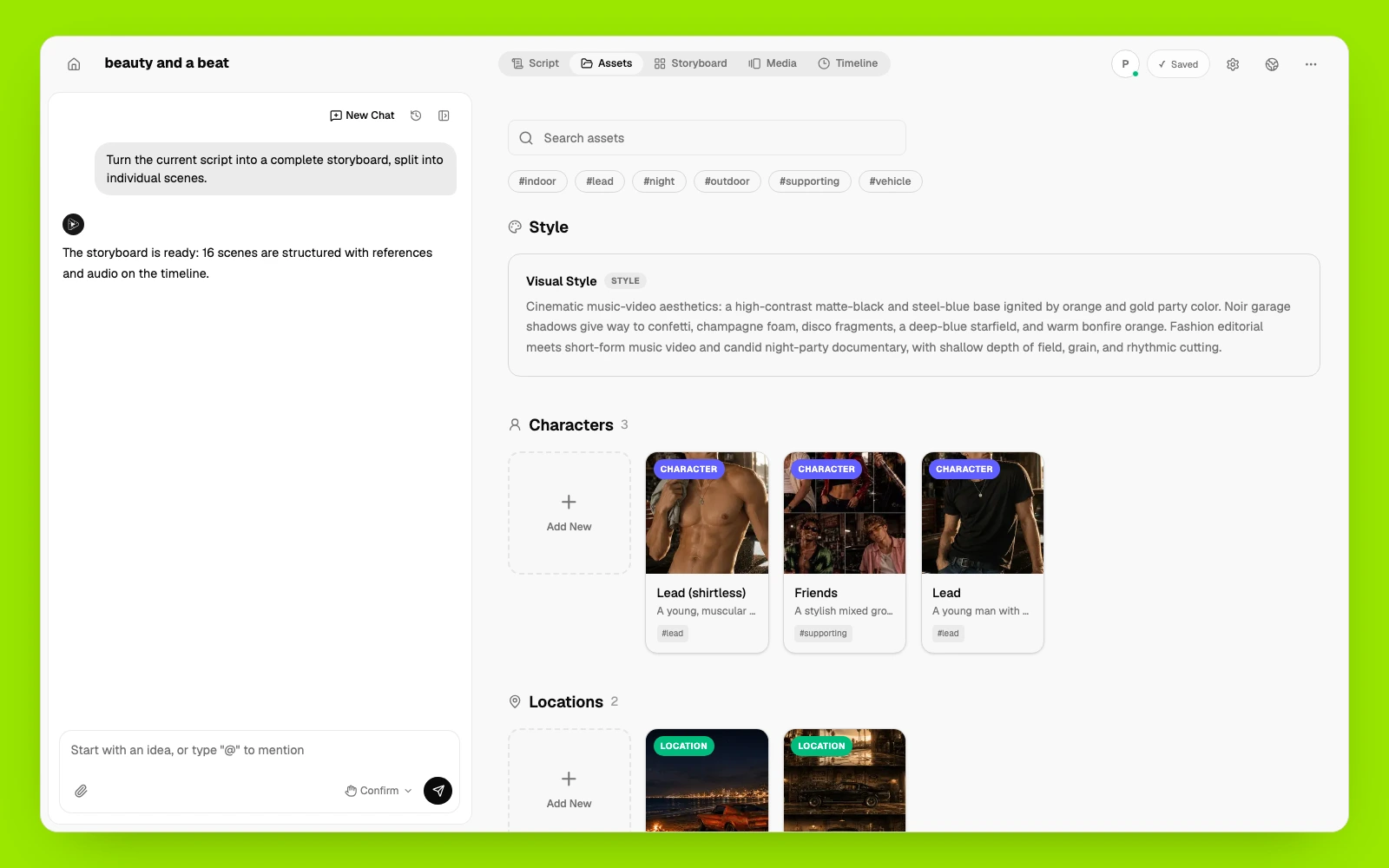
Reuse approved characters, products, locations, voices, and visual references so separate generated scenes belong in the same video.
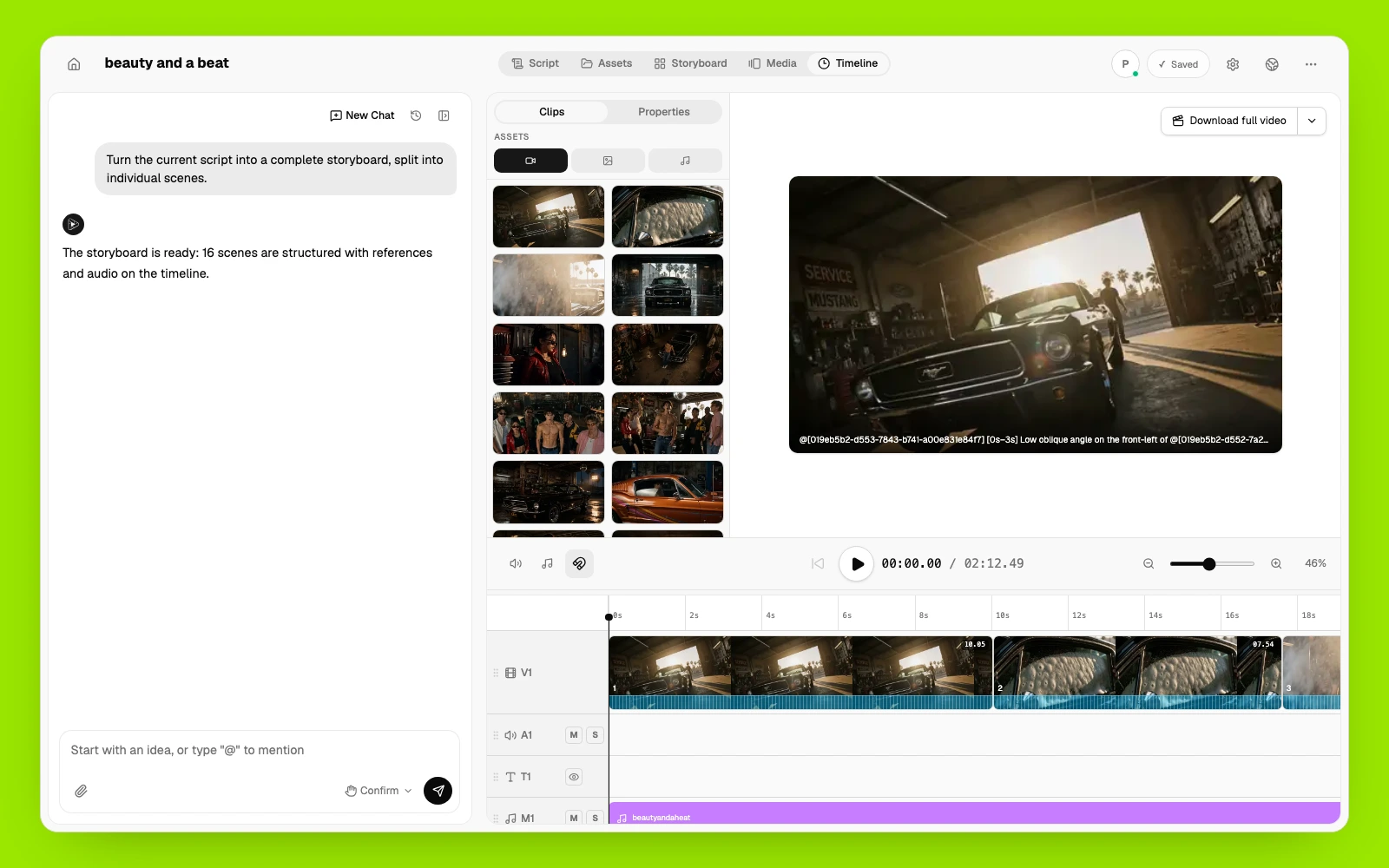
Review the generated scenes after generation. Regenerate only the shots that need changes, then arrange the approved video, voice, music, and sound in the final timeline.
Add a finished script or draft. Define the audience, purpose, visual style, target length, and any details that must remain accurate.
Review the AI-generated script and storyboard. Rewrite individual scenes, reorder the sequence, and confirm the creative direction before generation.
Generate each scene with a supported AI video model suited to the shot. Change the prompt, references, or model when a scene needs a different result.
Review the complete sequence, add voice, music, and sound where needed, and refine individual scenes before exporting the finished video.
Provide the script and production brief, then review how the agent divides the story into scenes.
Describe camera movement, setting, action, and reusable visual references for each passage of the script.
Choose a leading supported model for each scene and regenerate shots that need different motion or detail.
Arrange dialogue or narration with the generated scenes, music, and sound, and review their timing in the final sequence.
Adapt the approved script and storyboard for different audiences or formats, refining each complete version before export.
Explore related Pixo workflows and AI video models that can help you plan, generate, and refine a storyboarded, multi-scene video that follows the script.
Fliki assembles stock clips under a voiceover. Pixo generates original footage — AI agents script, storyboard, and edit real generative video in 1080p.
Syllaby plans and schedules faceless content. Pixo generates the videos themselves — agent-directed, multi-model, consistent from shot to shot in 1080p.
From bedroom studios to agency pipelines — hear it from the people making videos every day.
1,000,000+
videos generated
100,000+
creators worldwide
190+
countries
I run two faceless channels and this is the whole production stack. Script goes in, storyboard comes out, I tweak three panels and hit generate.
歌ってみた動画のMVを自分で作れるようになりました。絵コンテを直すだけで世界観が変わるのが楽しいです。
Clients ask for changes on Friday afternoon. I regenerate one scene instead of rebooking a crew — that alone pays for the subscription.
Every single I released this year has a video now. I storyboard the whole thing in an afternoon, regenerate the scenes that feel off, and export for YouTube and Reels in one go.
我做短剧账号,以前一集要剪两天。现在分镜自动生成,我只改镜头描述,当天就能更新。
Product demos used to take two weeks with a freelancer. Now I draft a script in the morning and the team reviews a finished cut after lunch. The scene-by-scene control is what sold me.
Je réalise des clips pour des artistes indépendants. Pixo me permet de tester trois directions artistiques dans la même journée — impensable avant.
브랜드 협찬 영상을 매주 두 편씩 만드는데, 장면별로 다시 생성할 수 있어서 수정 요청이 와도 무섭지 않아요.
Pixo thinks in shots, not clips. I can hold a location and a character across an entire sequence — that's the part every other AI tool gets wrong.
Hago videos para clientes de tres países y Pixo me resuelve la producción completa. Storyboard en la mañana, revisiones en la tarde, entrega el mismo día.
Common questions about creating a storyboarded, multi-scene video that follows the script with AI.
Plan first, generate second. Pixo's storyboard-first workflow gives you scene-by-scene control over your video — with multi-model generation, voiceover, and SFX built in.
Turn a topic, outline, or script into a structured YouTube video with a hook, connected scenes, voice, sound, and a final cut. Pixo's AI agent helps plan the storyboard, generate individual scenes with leading video models, add voice and sound, and refine the complete video in one workspace.
Not another prompt box. Pixo is an autonomous video agent — give it a script or a brief, and it storyboards, generates every shot, keeps your characters consistent, and edits the final cut while you direct.
Create a complete AI video from a prompt, script, or image—not just a single clip. Pixo brings an AI agent, storyboard tools, voice and sound, and leading video models including Veo, Kling, Hailuo, and Seedance into one workspace, from first idea to final cut.
New users receive 200 credits on sign-up. Video generation requires a paid plan and sufficient credits.