AI Drama Generator: Vertical Short-Drama Hooks with H3
Make ReelShort-style vertical drama hooks with AI: one MiniMax H3 generation delivers a 15-second multi-cut scene with lip-synced dialogue. Full guide.

Vertical drama is the strangest success story in video right now: minute-long episodes, soap-opera plots, and platforms like ReelShort turning them into a billion-dollar category. And the entire economics of the format hangs on one unit — the hook. The first fifteen seconds decide whether a swipe-feed viewer stays for episode one, and whether an ad viewer clicks through to the app. Studios A/B test hooks the way e-commerce teams test thumbnails.
Which is exactly why AI's arrival here is interesting. A hook is short, dialogue-driven, and needs multiple cuts with the same two faces — historically the worst possible brief for AI video, because stringing clips together is where characters drift and lip-sync dies. MiniMax H3 changed the shape of the problem: it generates a multi-cut scene in a single pass — camera cuts, consistent characters, spoken lines with lip-sync, all inside one 4–15 second generation. No stitching, because there's nothing to stitch.
We run Pixo, a multi-model video platform where H3 is live in the Playground. Here's the hook playbook.
The Anatomy of a 15-Second Hook
Every successful vertical-drama hook compresses the same four beats:
| Beat | What it does | Time |
|---|---|---|
| Cold open | Drop into the middle of tension — never at the beginning of the story | 0–3s |
| The reveal | The secret, the slap, the contract, the ring — something changes hands or comes to light | 3–8s |
| The reversal | The power flips: the despised heir is the CEO, the maid is the heiress | 8–13s |
| The cut-out | End mid-beat, one line hanging — the cliff that makes them tap | 13–15s |
Write your prompt against these beats and you're not asking the model to improvise drama — you're handing it a shot list.
Why H3 Fits This Format
Multi-cut in one generation. H3 handles camera cuts natively inside a single pass — wide to close-up, over-the-shoulder to reaction shot — with wardrobe, lighting and faces held across every cut. The hook's grammar is cuts; getting them from one generation instead of an editing timeline is the difference between an afternoon and a pipeline.
Reference-locked leads. Upload a photo per lead — Image 1 for her, Image 2 for him — and the faces anchor to your references across the scene. Melodrama is carried by faces; this is the feature the genre was waiting for. (H3's manual demonstrates the format directly: its showcase set includes a 9:16 vampire-romance drama teaser built on exactly this two-lead reference setup.)
Dialogue that lands. Write the line verbatim and it's spoken with lip-sync, in the same pass as the picture. Vertical drama runs on delivered lines — "You were never the heir." — not on captions over silent footage.
Born vertical. 9:16 is a native format on Pixo, generated at 768p or 2K — composed for the phone frame, not cropped down to it.
The Workflow
- Cast with two photos. One clear face reference per lead (each ≤30MB). Upload in order; they become Image 1 and Image 2 in your prompt.
- Write the four beats as cuts. Name the shot size and subject for every cut — "Cut to close-up: her hand" — the manual's own guidance is to write what the camera sees, cut by cut.
- Write every line of dialogue. Verbatim, in quotes, attributed. Two or three lines is plenty for fifteen seconds.
- Generate at 9:16. 768p for drafts while you iterate the beats, 2K for the version that ships.
- Test hooks like creatives. Same leads, different reveals — each variant is one generation, so let the click-through data pick the story.

Create AI videos with Pixo
Turn any idea into a publish-worthy video. One sentence is all it takes.
Three Copy-Paste Hook Prompts
1. The contract (modern chaebol romance)
The showcase's reference files
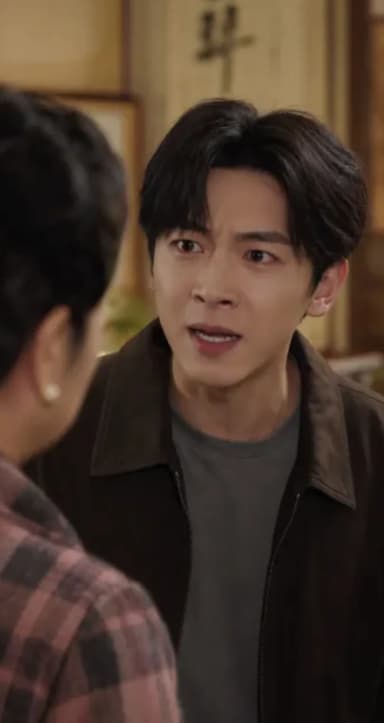
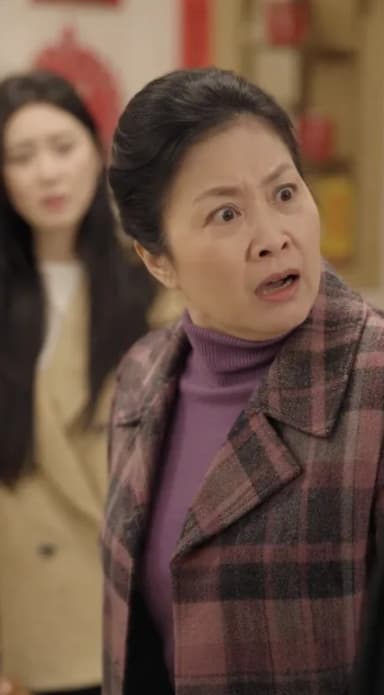
A manual showcase in the same register
Image 1 locks the female lead's face. Image 2 locks the male lead's face.
9:16 vertical drama scene, glossy modern penthouse at night, cinematic key lighting.
Cut 1, medium shot: she signs a document at a glass table, hands trembling slightly.
Cut 2, over-the-shoulder: he watches from the window, unreadable.
Cut 3, close-up on her: she looks up and says: "Now you have everything you wanted."
Cut 4, close-up on him: a slow half-smile. He says: "Not everything. Yet."
Freeze on his eyes. Quiet string tension under the dialogue, city hum outside.
Why it works: four cuts, four beats, and the cliff lands on a spoken line. The shot sizes are named on every cut, which is what keeps H3's editing rhythm on-script.
2. The reveal (vampire gothic, the manual's home genre)
The showcase's reference files
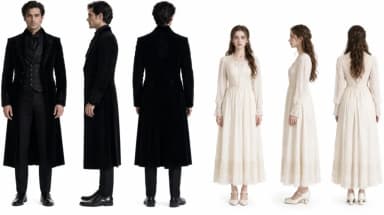
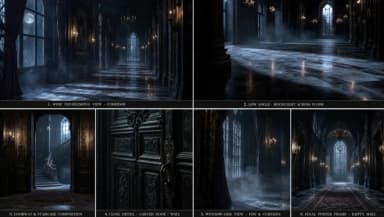
The manual showcase this prompt adapts
Image 1 locks the female lead's face. Image 2 locks the male lead's face.
9:16 vertical gothic romance, candlelit manor corridor, deep shadows, moonlight through
tall windows. Cut 1, wide: she backs slowly down the corridor, candelabra light flickering.
Cut 2, close-up: his face half in shadow. He says softly: "You shouldn't have followed me."
Cut 3, insert: his hand braces on the wall beside her head.
Cut 4, extreme close-up on her eyes, reflected candlelight. She whispers: "I know what you are."
Hard cut to black on the last word. Wind and candle flicker under everything; no music.
Why it works: it's the exact register of the manual's own 9:16 vampire-drama showcase — two locked leads, escalating shot sizes, a whispered cliff — and the cut-to-black on a spoken word is the genre's most reliable tap trigger.
3. The power flip (costume wuxia intrigue)
The showcase's reference files
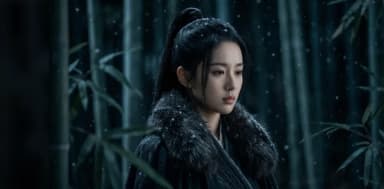

The manual showcase this prompt adapts
Image 1 locks the female lead's face. Image 2 locks the male lead's face.
9:16 vertical scene, night bamboo forest in mist, cold moonlight, cinematic wuxia styling.
Cut 1, wide: two cloaked figures meet on a narrow path, lanterns swaying.
Cut 2, medium: she passes him a small sealed letter. She says: "Burn it after you read it."
Cut 3, close-up: he breaks the seal instead, eyes rising to meet hers.
Cut 4, reaction close-up: her composure cracks for one frame.
End mid-breath before anyone speaks again. Night insects, wind through bamboo, cloth rustle.
Why it works: the manual's wuxia showcase proves the model holds costume, mist and night lighting across cuts; the drama here is carried by props and reaction shots, so it survives even if you localize the dialogue later.
After the Hook: Making the Series
Here's the honest boundary: a hook is one generation; a series is a production. When the hook converts and you need episode one — six scenes, recurring cast, locations that persist — you've outgrown single-shot generation, and that's what Pixo's storyboard workflow is for: an agent turns your synopsis into a script and a shot-by-shot storyboard, shared character assets keep the cast consistent across scenes, and each shot renders on the best model for it — Seedance 2.0, Kling 3.0, Veo 3.1. Hook in the Playground, series in the storyboard: same platform, two lanes.
Related reading: for horizontal, festival-style narrative work see the AI short film guide — a different craft with different pacing; this guide is the vertical, commercial lane. For turning stories into video more broadly, see AI story videos, and if you're building a channel economics around the format, how to make money with AI video.
FAQ
Can AI generate a short drama?
AI can now generate the part of a short drama that matters most commercially: the hook. MiniMax H3 produces a 4–15 second vertical scene with multiple camera cuts, consistent characters and lip-synced dialogue in a single generation — the same unit that opens every episode of a ReelShort-style series.
How do I keep the same actors across shots?
Lock them with reference images. Upload a photo for each lead — Image 1 for her, Image 2 for him — and reference them in the prompt. H3 anchors faces to the uploaded references, so the leads stay themselves across every cut inside the generation.
Does the dialogue lip-sync?
Yes. Write each line verbatim in the prompt and H3 generates the voice with the picture, mouth movements matching the words. Melodrama runs on delivered lines, so write them like script dialogue, not summaries.
What length and format should a drama hook be?
9:16 vertical, under 15 seconds. That's the window in which a swipe-feed viewer decides to stay, and it matches H3's 4–15 second generation range — one generation, one hook.
Can I make a full episode this way?
A hook is one generation; an episode is a produced sequence. For multi-scene episodes, Pixo's storyboard workflow turns your synopsis into a script and shot-by-shot storyboard, keeps characters consistent with shared assets, and renders shot by shot on models like Seedance 2.0, Kling 3.0 and Veo 3.1.
How do I try it?
MiniMax H3 is live in Pixo's Playground — generate 4–15 second vertical scenes at 768p or 2K, export watermark-free. New users get 200 free credits on sign-up, and plans are currently up to 55% off.
MiniMax H3 is now live in Pixo's Playground — generate 4–15 second vertical scenes at 768p or 2K, with your leads locked from reference photos. Sign up now — new users get 200 free credits on sign-up, and plans are currently up to 55% off.
Generate AI summary
From idea to finished video.
In one conversation.
Start CreatingNo credit card required • Free 200 credits