20 MiniMax H3 Prompts That Actually Work (Copy & Paste)
20 copy-paste MiniMax H3 prompts — brand films, product videos, drama scenes, animation and audio-driven shots — each with its reference setup and why it works.

MiniMax H3 rewards a specific way of writing — reference files with named jobs, action described in the order the camera sees it, dialogue written out verbatim. We covered the underlying grammar in the H3 prompt guide; this page is the other half: a library you can paste from. Twenty prompts across six genres, each with its reference setup and a one-line note on why it's built the way it is.
All of them follow MiniMax's official manual formula; every prompt adapts one of the manual's own showcase scenarios, shown with its official clip — and, where the case uses them, its reference files. Swap the bracketed parts for your subject, keep the structure. Everything here runs in Pixo's Playground at 4–15 seconds, 768p or 2K.
The formula, in one line: [reference notes: file number + job] + [core idea] + [what the camera sees, in order] — and non-narrative music: N/A at the end when you'll score it yourself.
Cinematic (4)
1. Add a cast member to existing footage — reference: your source clip; adapted from a manual showcase
The showcase's reference files
The manual showcase this prompt adapts
Add one more person on the left of the frame wearing the same team uniform,
movements matched to the others.
Why: one line, and H3 casts a new teammate into finished footage — gait, lighting and suit all matched. The edit stack at its most economical.
2. Sci-fi trailer beat — no references; adapted from a manual showcase scenario
The showcase's reference files
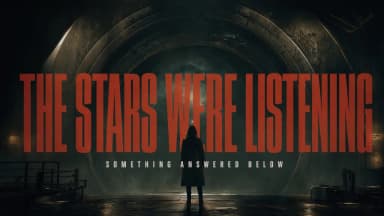
The manual showcase this prompt adapts
Epic sci-fi trailer style, 16:9, heavy cinematic grade. Shot 1, wide: a colossal
derelict ship drifts past a ringed planet, hull lights flickering. Hard cut to black.
Shot 2, close: frost creeps across a cockpit window from the inside. A low male voice
says: "The stars were listening." Title card resolves on black: [YOUR TITLE], metallic
serif, single deep bass hit. Slow tension strings under everything.
Why: black-frame cuts and a title card inside one generation — H3 handles trailer packaging natively.
3. One-take macro match-morph — references: two texture images; adapted from a manual showcase
The showcase's reference files


The manual showcase this prompt adapts
@Image 1: push in fast to the cappuccino's surface — foam bubbles, cocoa
particles, dark liquid texture filling the frame. True macro feel, razor-thin
depth of field, fine powder drifting down through backlight. At the moment the
coffee's grain, foam swells and ripples most resemble @Image 2's dune ridges,
wind-carved texture and blowing sand, transform seamlessly into the desert —
no crack, no black frame, no hard cut, no visible effect — then keep pushing
forward to reveal @Image 2's full dunescape. One continuous take, no stitching.
Quiet, real, restrained: one granular material passing from micro coffee to
macro desert.
Why: the one-take is enforced twice ("one continuous take", "no stitching") and the morph is anchored to a visual similarity moment — that's what makes the seam invisible.
4. Rewrite the line, keep the take — references: your clip + the new line as audio; adapted from a manual showcase
The showcase's reference files
The manual showcase this prompt adapts
Take Video 1. Replace the line the woman speaks — "We can't be together.
It's not that I don't love you; we just can't make it to the end." — with
Audio 1's line: "Don't go, okay? This time, let's not let go of each other."
Subtly adjust her performance to match the new read.
Why: the take survives, the line changes, and the performance shifts with it — quote the old line verbatim so the model knows exactly what to replace.
Brand & TVC (3)
5. Trailer-style product spot — references: product photo, logo
A manual showcase in the same register
Image 1 locks the product's shape, material and logo: [your product]. Image 2 is the
brand logo, exact mark. Trailer pacing with quick black-frame flashes between shots.
Shot 1: city night bokeh, the product catches a streak of neon light. Shot 2: the
product rotating on black glass, macro detail pass. Final frame: Image 2's logo
resolves on black with a deep bass hit. A low voice says: "[Your tagline.]"
Why: two locked references with distinct jobs — the product carries the shots, the logo owns the end card.
6. Fashion campaign film — references: model photo, garment/bag photo; adapted from a manual showcase scenario
The showcase's reference files
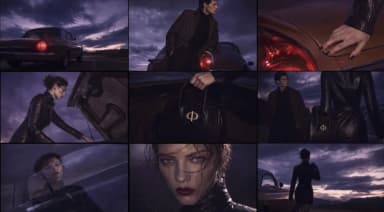
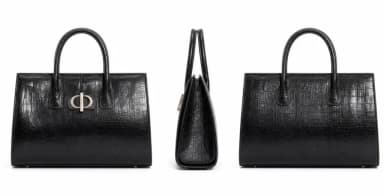
The manual showcase this prompt adapts
Image 1 locks the model's face. Image 2 locks the handbag's shape, leather texture and
hardware. 16:9 high-fashion campaign, desert highway at golden hour, restrained cold
grade. Wide: the model stands by a vintage car, coat moving in the wind. Cut, medium:
she takes the bag from the car seat and turns. Cut, detail: the bag's clasp catches
the sun. Cloth in wind, one car door closing. Non-narrative music: N/A.
Why: face lock + product lock in one prompt is the campaign-film pattern — each cut features one of the two references.
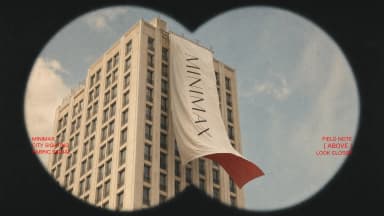
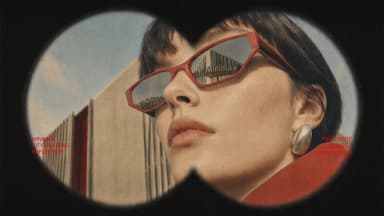
7. Binocular brand device film — references: four keyframe images; adapted from a manual showcase
The showcase's reference files
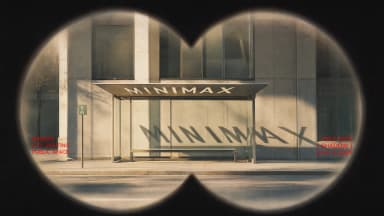
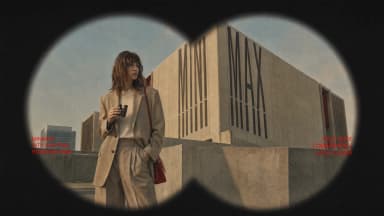
The manual showcase this prompt adapts
Images 1-4 are consecutive keyframes seen through an old pair of binoculars
hunting the [BRAND] installation. Open on defocused handheld shake, then a fast
rack focus onto Image 1. Between images, binocular sweep transitions — whip,
motion blur, optical smear, exposure flicker — switching at maximum blur and
snapping back sharp. A fixed double-circle lens mask the whole way (black
feathered vignette, size and position absolutely constant); only the view
inside moves. Image 2: fabric ripples in the wind, the [BRAND] lettering stays
readable. Image 3: a passerby walks and turns like a fashion candid. Image 4:
she adjusts her glasses, chin slightly raised — cool, relaxed campaign
attitude. Red typewriter captions load with the focus, fading in over 0.3-0.5s,
carried off by motion blur before each switch. Wes Anderson peeping-lens 35mm
film texture — light grain, soft highlight bloom, restrained color, red text
accents. No new people, cars, buildings or logos; keep each image's core
composition and the [BRAND] device unchanged.
Why: the mask is the brand device: locking the double-circle vignette ("absolutely constant") turns four stills into one continuous voyeur film.
E-commerce (3)
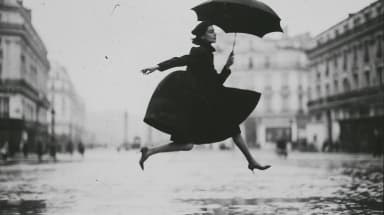
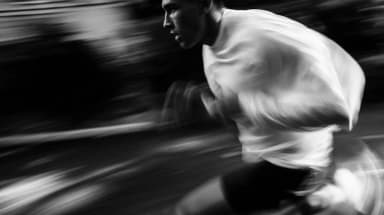
8. Cut to a reference's rhythm — references: six stills + a rhythm reference video; adapted from a manual showcase
The showcase's reference files
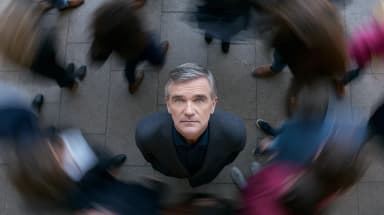
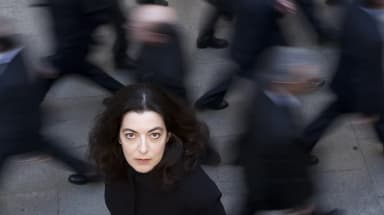
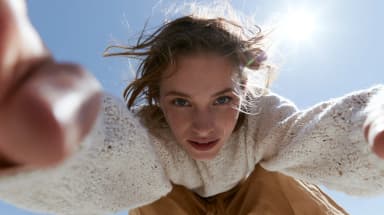
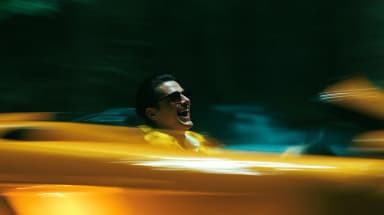
The manual showcase this prompt adapts
Images 1-6, cut strictly to reference Video 1's shot rhythm, transition style
and music.
Why: the inverse of every other prompt here — one line of text, six stills, and the reference video carries all the direction. Pacing, cuts and score are inherited, not described. Swap in your product stills for an instant spot.
9. Same SKU, three scenes — reference: product photo; adapted from a manual showcase scenario
The showcase's reference files

The manual showcase this prompt adapts
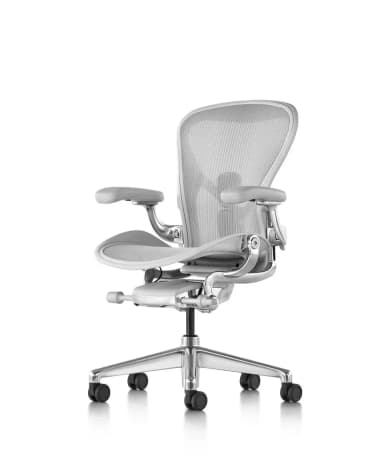
Image 1 locks the product's shape, material and logo: [your product]. 16:9, three-scene
spot with clean hard cuts. Scene 1: the product on a gym bench in morning light.
Scene 2: the same product in a car cupholder, city bokeh passing. Scene 3: the same
product on an office desk, late-afternoon light. Shape, material and logo stay identical
in every scene. Ambient sound follows each location. Non-narrative music: N/A.
Why: the manual's zero-drift demonstration as ad creative — restate the lock ("stay identical") inside the action text.
10. Action-fusion kitchen moment — references: your cast photo + an action reference clip; adapted from a manual showcase
The showcase's reference files
The manual showcase this prompt adapts
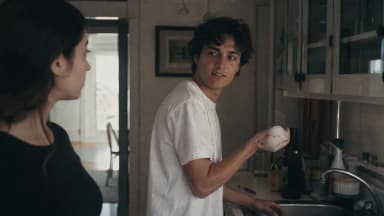
The characters in Image 1 strictly follow input Video 1's actions, expressions
and performance beats: the man at the sink on frame-right hands a washed plate
to the woman on the left, then spins and flicks dish-soap foam at her with his
right hand. Startled, she fires straight back — the two happily pelt and dodge
foam at each other, laughing hard.
Why: stock-clip energy, your cast: the reference clip supplies the choreography and comic timing, Image 1 supplies who's actually on screen.

Create AI videos with Pixo
Turn any idea into a publish-worthy video. One sentence is all it takes.
Drama (4)
11. Penthouse contract scene — references: two lead photos
The showcase's reference files
A manual showcase in the same register
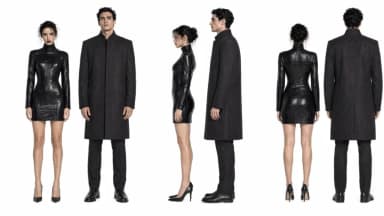
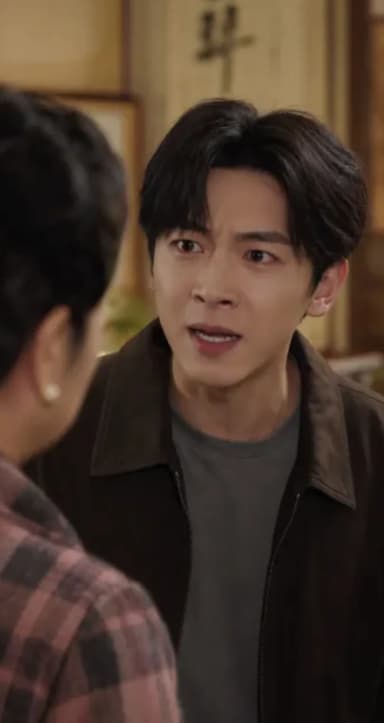
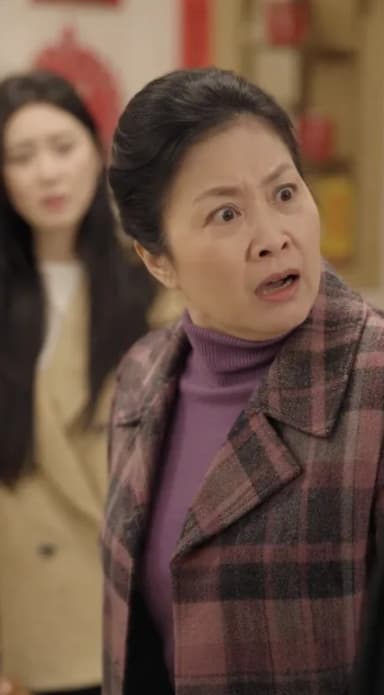
Image 1 locks the female lead's face. Image 2 locks the male lead's face. 9:16 vertical
drama, glossy penthouse at night. Cut 1, medium: she signs a document, hands trembling.
Cut 2, over-the-shoulder: he watches from the window. Cut 3, close-up: she says: "Now
you have everything you wanted." Cut 4, close-up on him: "Not everything. Yet." Freeze
on his eyes. String tension under dialogue, city hum.
Why: four cuts, two locked faces, cliff on a spoken line — the vertical-drama hook pattern. (Full playbook: AI short drama.)
12. Gothic corridor confession — references: two lead photos; adapted from a manual showcase scenario
The showcase's reference files
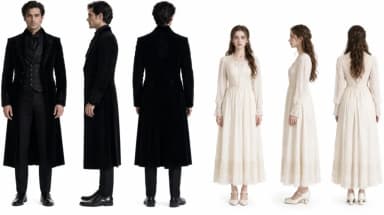
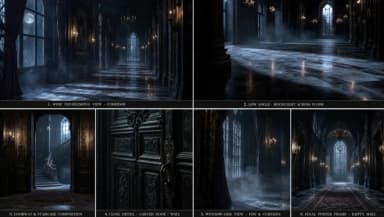
The manual showcase this prompt adapts
Image 1 locks the female lead's face. Image 2 locks the male lead's face. 9:16 gothic
romance, candlelit manor corridor, moonlight through tall windows. Wide: she backs down
the corridor. Close-up: his face half in shadow — "You shouldn't have followed me."
Insert: his hand braces on the wall beside her head. Extreme close-up, her eyes:
"I know what you are." Hard cut to black on the last word. Candle flicker and wind only.
Why: escalating shot sizes and a cut-to-black on dialogue — the manual's own vampire-teaser register.
13. Romance-game character PV — references: storyboard grid + character sheet; adapted from a manual showcase
The showcase's reference files
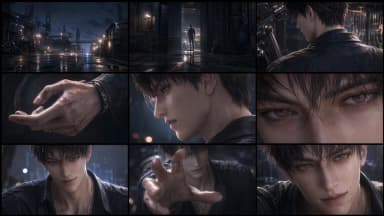
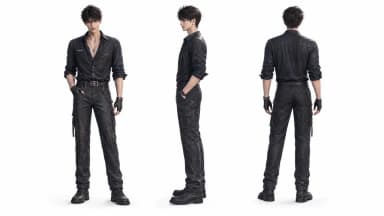
The manual showcase this prompt adapts
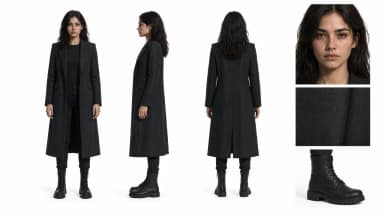
Produce a romance-game male-lead character PV. Use Image 2 as the strict
identity reference: keep the same face, hairstyle, body proportions, outfit
design, material detail and dating-sim CG finish throughout. Follow Image 1's
storyboard grid for the shot flow: night industrial street, hand close-ups,
an extreme eye close-up, and the final reach toward camera.
Why: a turnaround sheet is the strongest identity lock there is — front/side/back in one image beats any prose description of a face.
14. Wuxia handoff — references: two lead photos; adapted from a manual showcase scenario
The showcase's reference files
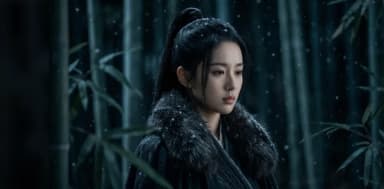
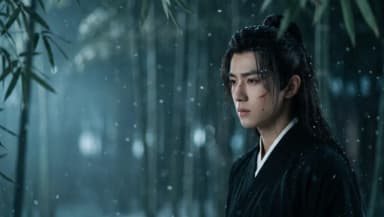
The manual showcase this prompt adapts
Image 1 locks the female lead's face. Image 2 locks the male lead's face. 9:16, night
bamboo forest in mist, cold moonlight, wuxia styling. Wide: two cloaked figures meet on
a narrow path, lanterns swaying. Medium: she passes a sealed letter — "Burn it after you
read it." Close-up: he breaks the seal instead, eyes rising to hers. Reaction close-up:
her composure cracks for one frame. End mid-breath. Night insects, wind through bamboo.
Why: prop-driven drama survives localization — the letter carries the plot even if you rewrite the lines.
Animation & Style (3)
15. Claymation chase — no references; adapted from a manual showcase scenario
The showcase's reference files
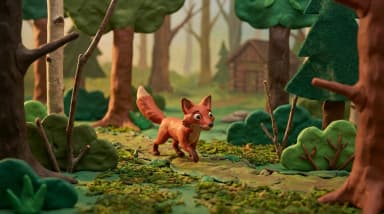
The manual showcase this prompt adapts
Handcrafted stop-motion claymation, visible fingerprints in the clay, miniature-set
depth of field. A clay fox sprints through a clay forest, leaps off a cliff edge in
slow motion — clay ears and scarf streaming — and lands rolling into a pile of clay
leaves. Slight stop-motion frame cadence throughout. Playful woodwind score.
Why: naming the medium's artifacts (fingerprints, frame cadence) is what sells a style — not the style's name alone.
16. Voxel street conversion — references: your footage + style image; adapted from the manual's showcase
The showcase's reference files
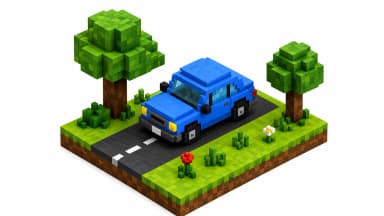
The manual showcase this prompt adapts
Video 1 provides the scene, composition and all motion. Image 1 provides the voxel block
style. Convert only the vehicles and trees into voxel-block versions of themselves;
buildings, road and pedestrians stay photographic. Every vehicle keeps its exact original
trajectory; shadows stay consistent with the original footage. Keep the original camera
movement.
Why: scoped style transfer — the technique gets a full guide in AI video style transfer.
17. Jazz-crime anime title sequence — references: six style frames; adapted from a manual showcase
The showcase's reference files
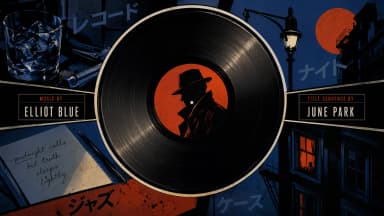
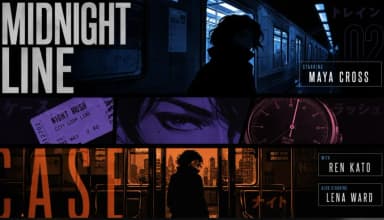
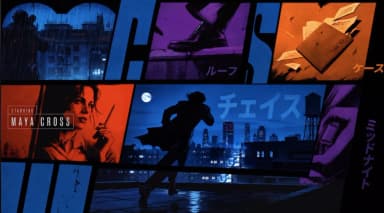
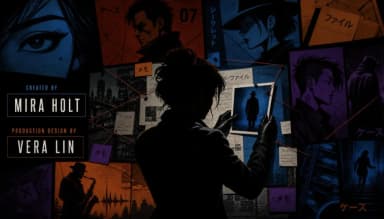
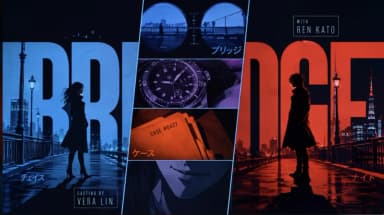
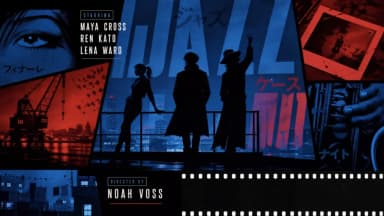
The manual showcase this prompt adapts
A 15-second 16:9 title sequence for a light crime-jazz film. Visual language
strictly from the reference frames: retro Japanese anime titles, hard-edged
silhouettes, comic-collage panels, asymmetric split screens, bold geometric
color blocks, English credits with a few katakana accents. Mood: 60% suspense,
40% jazz — mysterious, cool, urban-crime slick; never horror, never a happy
jazz MV. Motion-graphics collage energy: black wireframes draw first, split-
screen borders slash in, color blocks and panels paste in piece by piece;
silhouettes, prop close-ups and credits slide, pop and mask-reveal on the
drumbeat. Every credit appears exactly once — no repeated names, no repeated
roles. Transitions: vinyl-circle masks, car-door vertical wipes, long-shadow
screen swipes, red-line cuts, giant-letter masks, split-frame reshuffles, hard
color-block cuts — all on the beat; no soft dissolves, no fluid morphs. BGM:
original 15s cue — sustained low drone and tense pizzicato into a low drum
groove at 3s, jazz bass at 6s, a short sax riff at 10s, and a tense chord stab
freezing the final two seconds.
Why: negative constraints do the styling here — "never horror, never a happy jazz MV" and "every credit exactly once" prevent the two classic failure modes of AI title sequences.
Audio-Driven (3)
18. Beat-locked dance cut — references: dancer photo, music track (+ optional motion clip); adapted from a manual scenario
The showcase's reference files
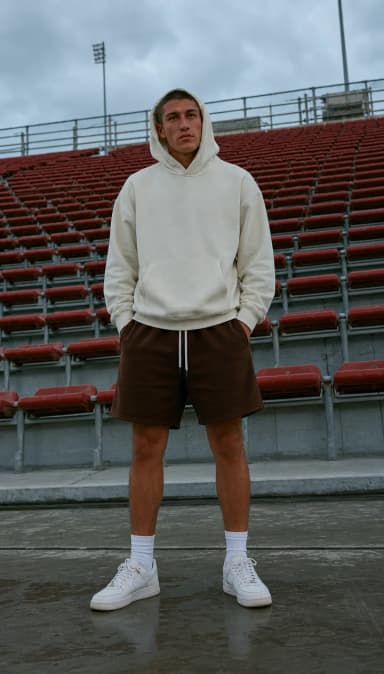
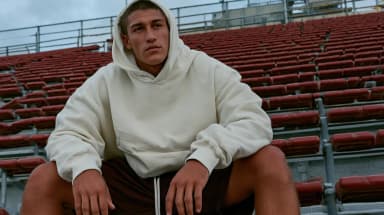
The manual showcase this prompt adapts
Image 1 locks the dancer's face and outfit. Audio 1 sets the rhythm — cut and move on
its beats. 9:16, a rooftop at dusk, practical string lights. The dancer performs sharp
isolations; the camera cuts between full shot and details (hands, footwork) exactly on
the track's downbeats. Motion accents land on the beat throughout.
Why: the audio file's job is stated ("sets the rhythm — cut on its beats"), which is what audio references are for.
19. Voice-cloned narration — references: portrait + voice sample
The showcase's reference files
The manual's voice-clone showcase
Image 1 locks the speaker's face. Audio 1 provides the voice timbre to clone. 16:9,
a warm study, evening lamplight. The speaker sits facing camera, hands folded, and
says in the cloned voice: "[Your 2–3 sentence message.]" Natural lip-sync, subtle
gestures on emphasis. Quiet room tone. Non-narrative music: N/A.
Why: voice cloning needs both anchors — the face to sync and the sample to clone. Remember audio never rides alone: it must accompany an image or video.
20. Sound-designed silence — no references
The showcase's reference files
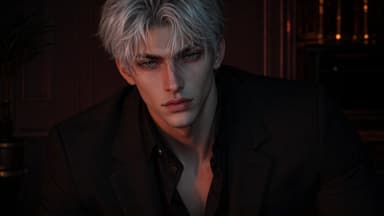
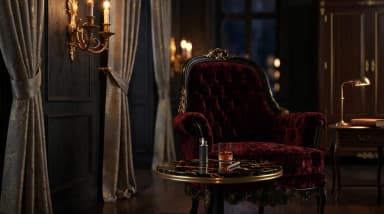
A manual showcase in the same register
16:9, ultra-quiet realism. A library reading room at closing time. A librarian walks
the aisle pushing a cart; one book is reshelved with a soft thock; she clicks off the
last green desk lamp. Sound carries the scene: cart wheels on wood, pages settling,
the lamp's click, then near-silence with room tone. No dialogue. Non-narrative music: N/A.
Why: a stress test worth keeping — if your sound design reads this precisely, you've internalized the formula.
Four Ways Prompts Go Wrong
- A reference with no job. Uploading files without stating "Image 1 locks…" leaves the model guessing which file does what. Every reference gets a numbered job.
- Summarized dialogue. "She says something comforting" generates mush. Write the exact line in quotes.
- Metaphor instead of action. "A storm of emotions" isn't filmable; "her hands tremble as she signs" is. Describe what the camera sees.
- Format decided too late. Aspect ratio is chosen at the prompt (9:16 / 3:4 / 1:1 / 4:3 / 16:9) — compose for the frame you'll ship, don't plan to crop.
Run Them
MiniMax H3 is live in Pixo's Playground: Video → MiniMax H3, paste a prompt, attach its references (numbered in upload order), pick your format at 768p or 2K, and generate 4–15 second shots — export watermark-free. For the grammar behind these, see the H3 prompt guide; for genre deep-dives, the e-commerce, native audio, short drama and style transfer guides each expand one section of this library.
FAQ
How do I write a good MiniMax H3 prompt?
Follow the official three-part formula: reference notes (each file's number and job), the core idea (subject, place, mood), and the visible action described in order. Write dialogue verbatim, name shot sizes on cuts, and end with "non-narrative music: N/A" if you don't want a score.
How do reference files work in prompts?
Files are numbered in upload order — Image 1, Video 1, Audio 1 — and you address them by number with a stated job: "Image 1 locks the face, Video 1 provides the motion, Audio 1 sets the pace." Up to 12 files per prompt: 9 images, 3 video clips, 3 audio tracks.
Do these prompts work without reference files?
Most do — text-only prompts are fully supported, and about half the prompts here run without uploads. Prompts that lock a face, a product or a motion need their reference files; each prompt lists its setup.
Are these the official MiniMax prompts?
They're written to the official manual's prompt formula, and each adapts a scenario from the manual's own showcase set. None are verbatim manual text — they're production-ready English prompts you can paste and edit.
Where can I run these prompts?
MiniMax H3 is live in Pixo's Playground: select Video → MiniMax H3, paste a prompt, add its reference files, choose your aspect ratio and 768p or 2K, and generate 4–15 second shots. New users get 200 free credits on sign-up, and plans are currently up to 55% off.
MiniMax H3 is now live in Pixo's Playground — paste any prompt above and generate 4–15 second shots at 768p or 2K. Sign up now — new users get 200 free credits on sign-up, and plans are currently up to 55% off.
For shot-specific workflows, see AI motion control and motion transfer, AI video transitions, and making AI cat videos.
Generate AI summary
From idea to finished video.
In one conversation.
Start CreatingNo credit card required • Free 200 credits