We Tested 5 AI Video Agents on the Same Prompt (2026)
Same prompt, five AI video agents — Runway, Higgsfield, Invideo, Flova AI, Pixo. The real credits, dollars, time, and failure modes from our hands-on test.

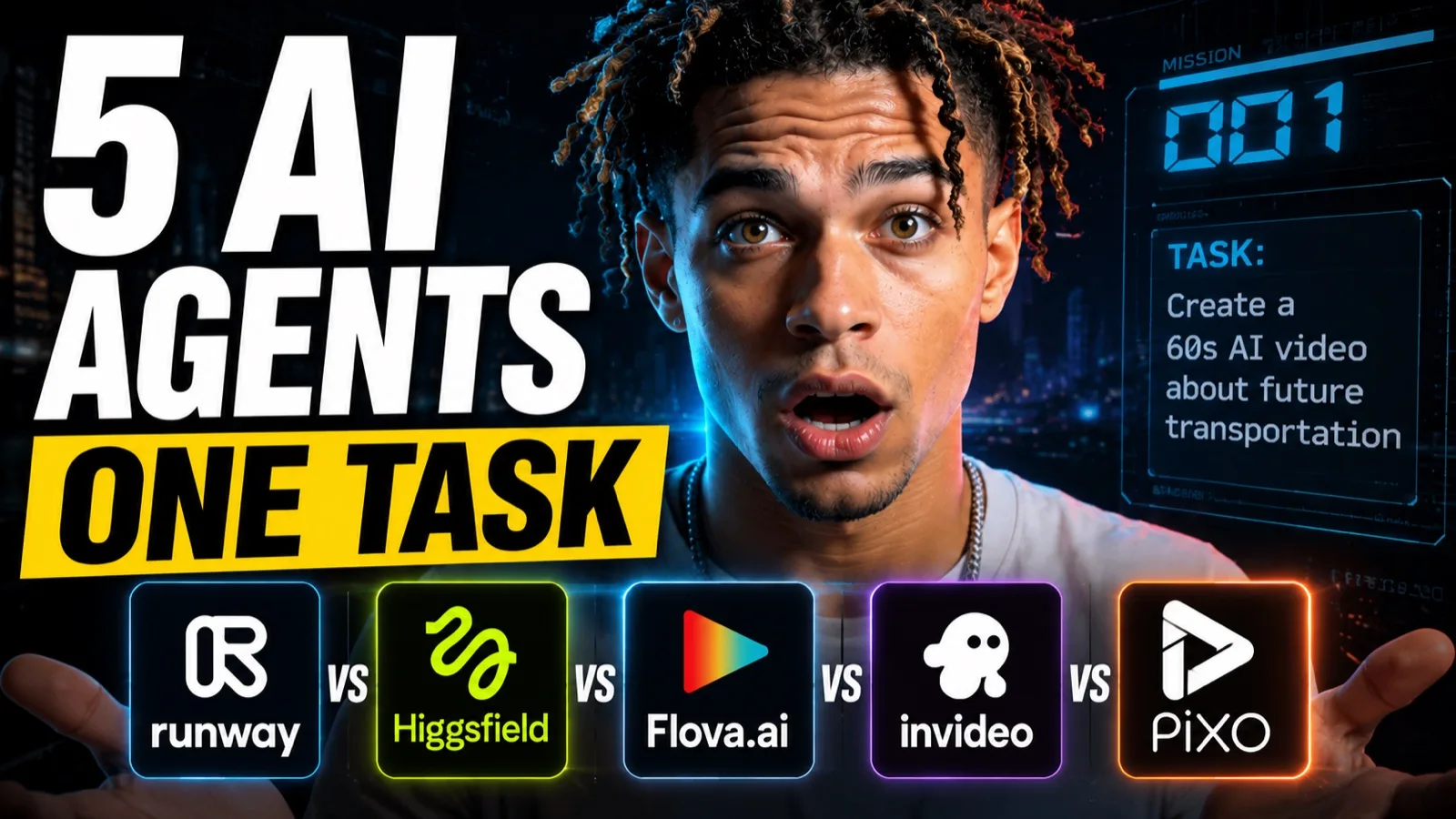
By 2026, AI video has left the clumsy canvas era behind. The interface is now a conversation: you describe a film, an agent writes it, designs it, shoots it, and hands you a final cut. But as more of these agents ship, a real question emerges — which are genuine production tools, and which are flashy, money-burning gimmicks?
So we spent our own money to find out. We took the five most mainstream AI video agents on the web right now — Runway, Higgsfield, Invideo, Flova AI, and Pixo — and ran the exact same prompt through all of them. Same brief, same lead character, same evaluation.
One disclosure before anything else: we build Pixo. That's exactly why we ran it through the identical gauntlet, reported the real credits and dollars each platform charged us, and left our own product's failures in this writeup. First-party tests are worth what their transparency is worth, so here's ours in full.
How We Tested
- One prompt, unchanged. Every agent received the identical brief — a short narrative film with a recurring lead character (an inventor named "Edison") and a scene built around a lamp and a light switch. We changed nothing between platforms.
- Three axes. (1) Screenwriting and narrative development, (2) character and production design, (3) hidden costs and time consumption.
- Real money, measured. We recorded actual credits consumed, converted to USD at the pricing in effect on our test date, plus wall-clock generation time.
- Same reviewer, same bar. One person judged every final cut against the same standard for coherence, staging, physical logic, and audio sync.
Two caveats worth stating plainly. Credit-to-dollar pricing on these platforms changes constantly — our dollar figures are a snapshot, not a fixed rate. And every result below is what happened in our run: AI generation is stochastic, so your mileage on any single platform will vary.
Results at a Glance
| Platform | Delivered | Time | Credits | ≈ USD* | The one-line result |
|---|---|---|---|---|---|
| Runway | 90s | 21 min | 3,284 | $26.20 | Good visuals, but audio desynced at the end; static staging |
| Higgsfield (Supercomputer) | 15s only | 13 min | 152 | $7.40 | Crammed a long brief into a 15s ad; weak narrative |
| Invideo (Agent One) | never finished | 60 min+ | — | $120+ | Ran out of credits mid-cut after a $120 top-up |
| Flova AI | 60s | 31 min | 1,816 | $14.80 | Clean breakdown, but static frames and physics errors |
| Pixo | 90s | 28 min | 1,308 | $12.40 | Most balanced; filmmaking workflow; minor quirks |
*Converted at each platform's credit pricing on our test date. Pricing changes — verify current rates before you buy.
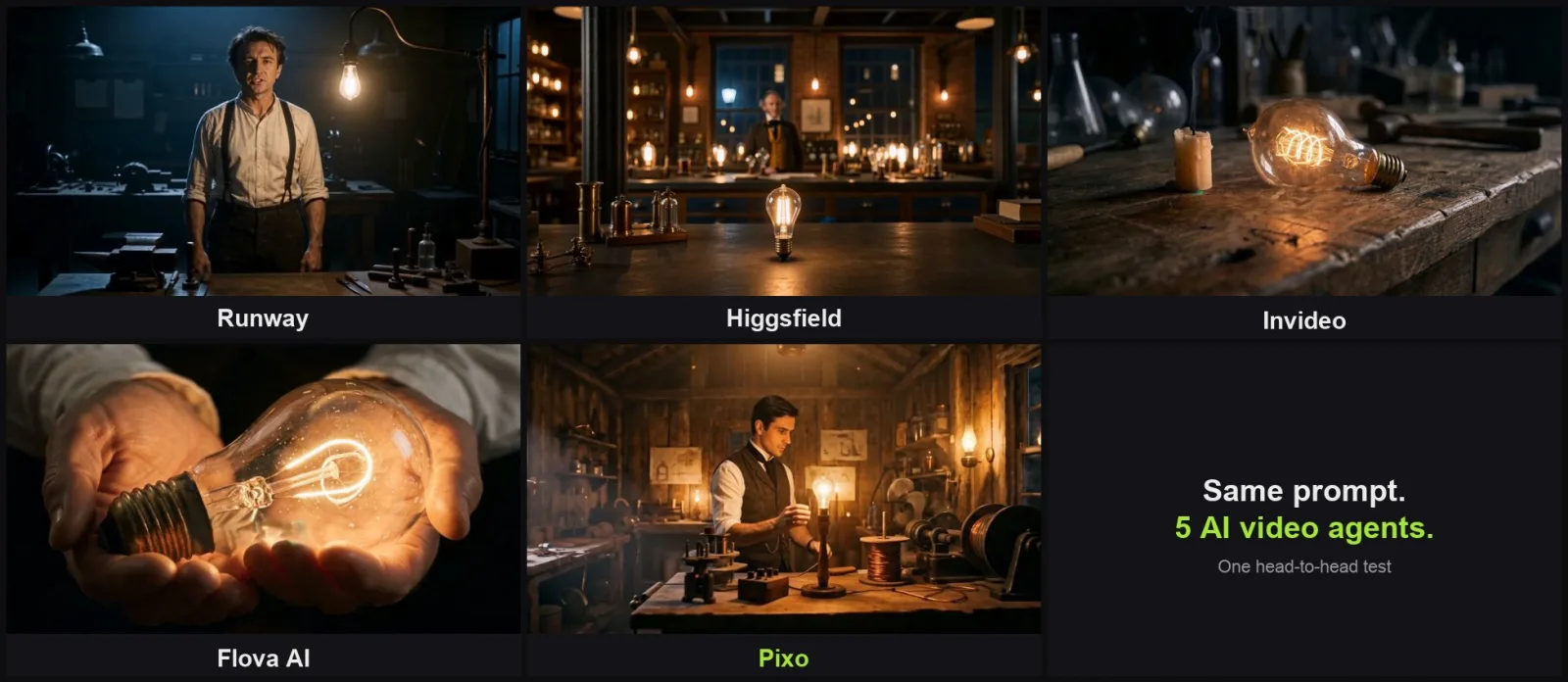
One frame from each platform's final cut, same prompt.
1. Runway
Product documentation: Runway.
Runway's agent lives on the far left of the homepage. Paste the prompt, hit enter, and you're in a clean two-pane workspace: chat on the right, a large preview monitor on the left.
It's fast. It quickly returned an overall visual style, an estimated credit cost, and running-time options — a ~3-minute short, or a 60-second featurette. We chose a 90-second short film, confirmed the character's appearance (the design was genuinely good), approved the creative concept, and let it run. Like most agents, it generated image assets first; the Edison render was acceptable and, tellingly, not very different from what other agents produced — a sign these tools train on broadly similar prompt models.
The result. After 21 minutes, the full sequence — including the audio track — was done. The footage looked good. But there was a severe flaw: by the end, the voiceover fell completely out of sync with the visuals. For a finished cut, that's a major continuity failure — if the voiceover can't align with the footage, the video loses its practical value. Visually, the characters lacked facial expression and the staging was mostly static environments.
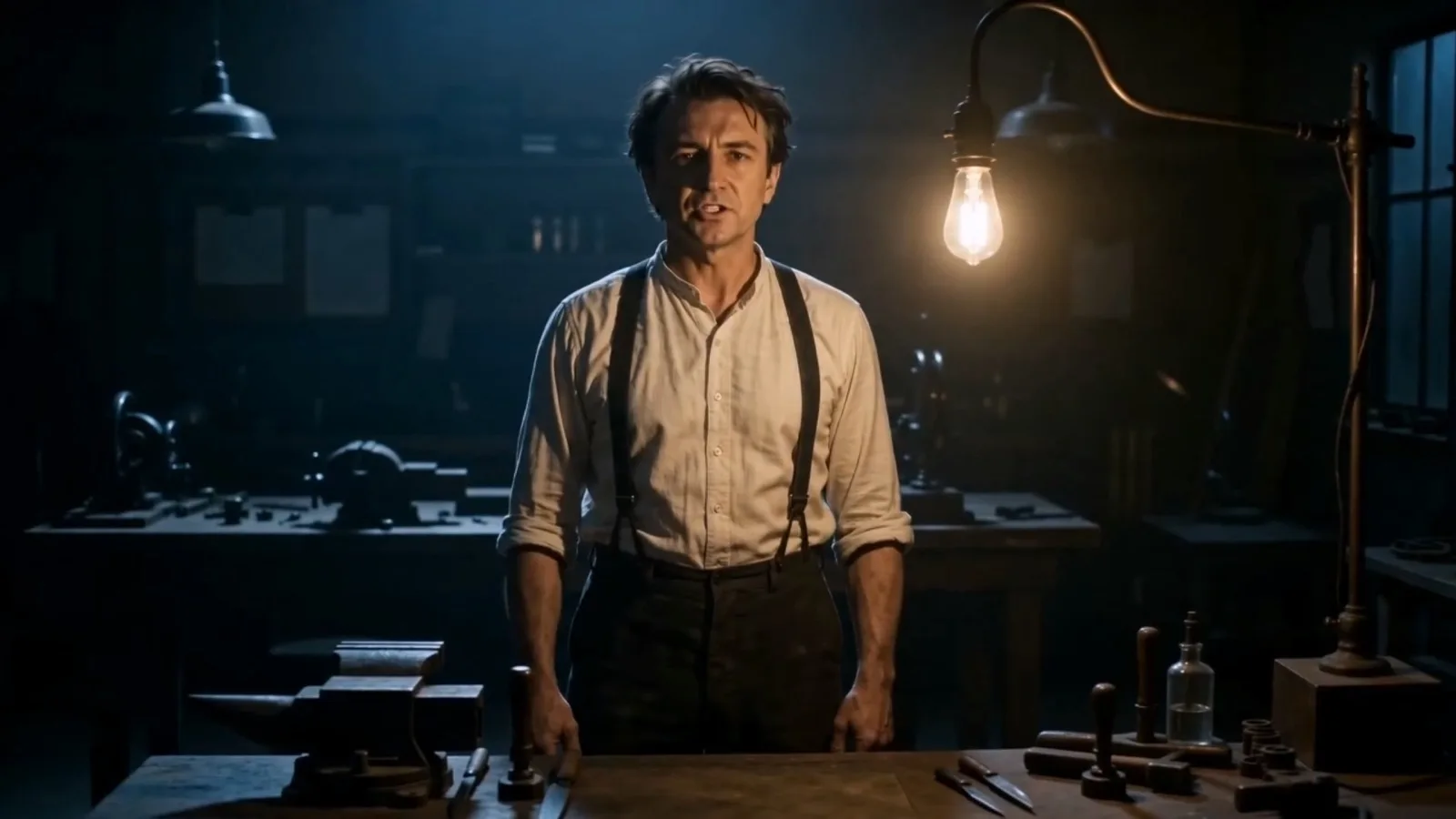
Runway's final cut — good-looking, but the audio desynced by the end.
Cost: 3,284 credits ≈ $26.20 for 90 seconds — a reasonable price range, undercut entirely by the audio desync.
If shot control matters more than an autonomous final cut, the Runway alternatives comparison helps you evaluate that trade-off separately from this test.
2. Higgsfield (Supercomputer)
Product documentation: Higgsfield.
Higgsfield's built-in agent is called "Supercomputer." Same flow: paste, start, wait. The interface is clean — chat and compute on the left, preview on the right, not many generation controls beyond that.
It generated an Edison image (a touch old, but fine), then moved to the script. And here it did something no other agent did: it formatted our long narrative brief as a 15-second TV commercial.
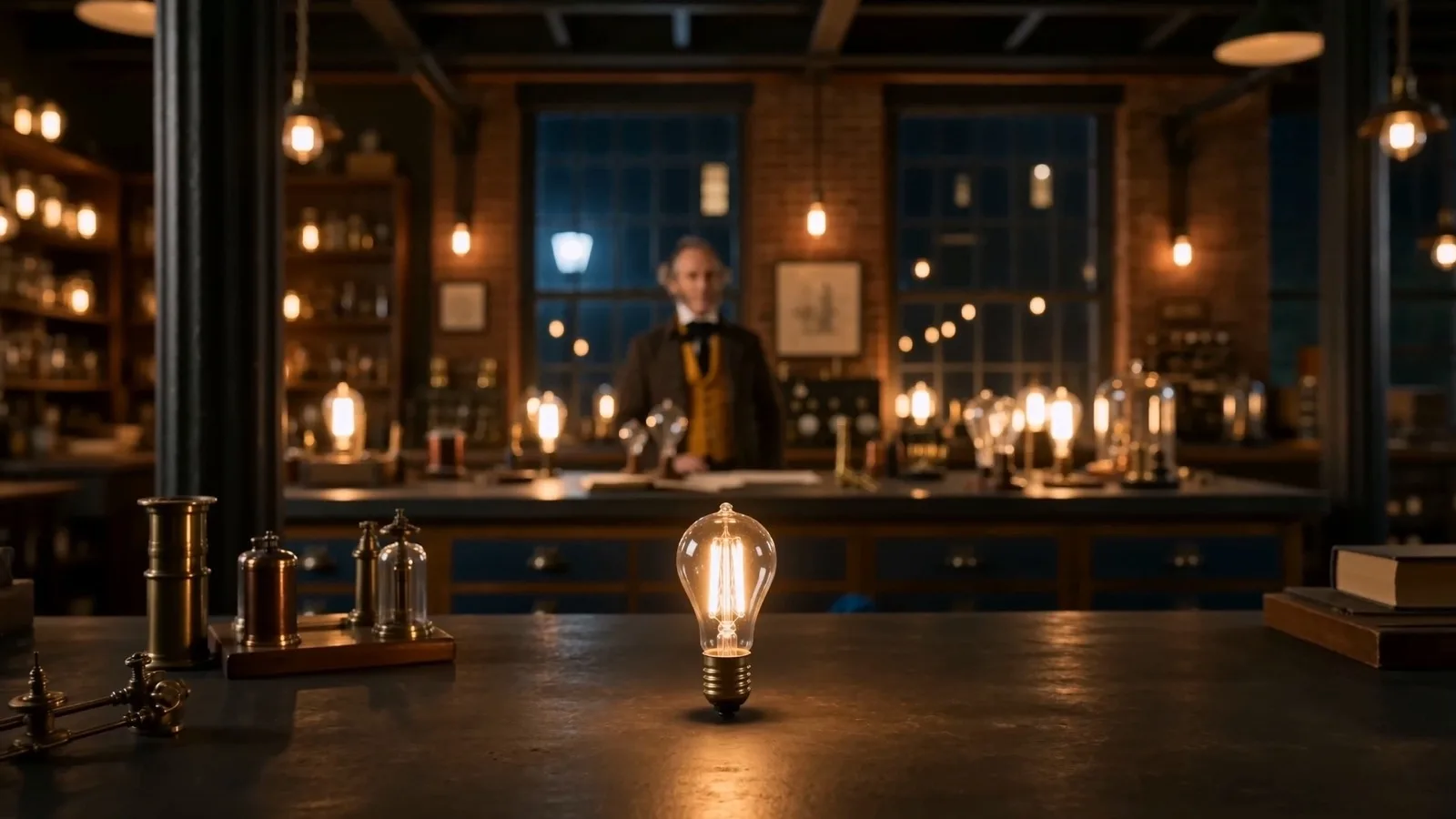
Higgsfield compressed the whole brief into 15 seconds.
The result. Its one real strength showed up inside those 15 seconds — roughly seven distinct setups with genuinely good transitions, a competent multi-shot sequence. But its script analysis was the weakest of the group. Every other agent expanded the brief into a one-to-two-minute short; Higgsfield alone compressed it into a 15-second promo and crammed the entire prompt in via rushed voiceover, which wrecks the pacing completely.
For longer projects it struggles: the interface leans heavily on chat, revisions are awkward, and there are no tools for meticulous shot-by-shot adjustment.
Cost: 152 credits ≈ $7.40 — the cheapest number here, but for only 15 seconds, so not actually cheap per second of finished film.
Use the Higgsfield alternatives guide to compare workflows beyond the single brief tested here.
3. Invideo (Agent One)
Product documentation: InVideo.
Invideo just launched a new agent, "Agent One." Onboarding is quirky — it asks you to name the agent and give it your nickname before you can start. Past that, it's the familiar two-pane layout.
It was thorough early on: it generated Edison's voice (three options), then a proper character design sheet showing front and two side profiles — a decent sheet. It even took revision feedback well; we asked for a younger Edison and it delivered a visibly younger version.
Then it fell apart on cost. After generating the opening sequence, it stopped and told us we had insufficient credits — despite a $100 top-up already on the account, with only a single 30-second test clip generated beforehand. We added $20 more. Still not enough to generate the second sequence.
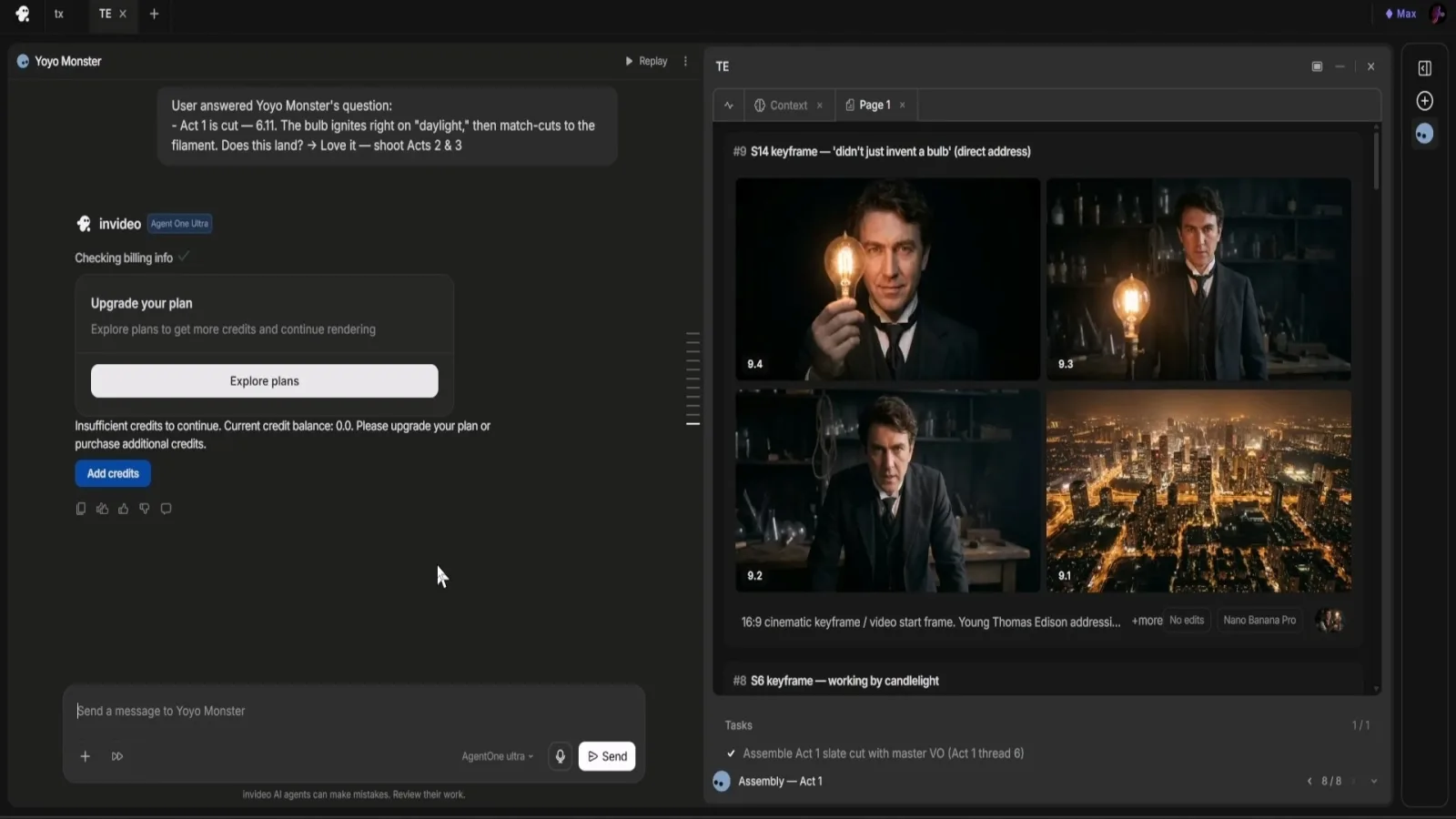
Invideo stopped mid-cut asking for more credits — after $120 already spent.
We stopped the test there. Extrapolated, that's roughly $50 to generate every 30 seconds of finished video — prohibitive for professional filmmakers and hobbyists alike. And we'd already spent over an hour without a finished cut. The partial footage had good color grading but nonsensical elements (a light bulb illuminating itself on a desk) and poor audio sync in places.

The exact artifact described — a bulb lighting itself, unconnected.
Cost: $120+ and no finished video. The dealbreaker of the test.

Create AI videos with Pixo
Turn any idea into a publish-worthy video. One sentence is all it takes.
For the distinction between stock assembly and generated scenes, see the InVideo alternatives guide.
4. Flova AI
Product documentation: Flova.
Flova AI analyzed the prompt and laid out its plan clearly: primary image and video models named up front (its image model was Banana Pro at 2K), a ~60-second narrative screenplay, and a detailed script breakdown mapped to storyboards. It suggested prompt edits, which we accepted, then generated character and location references that fit our brief well on age, build, and wardrobe.
The interface is clear: storyboard down the left third, image/video previews in the center, chat on the far right. It provided six shot breakdowns and generated the sequence.

Flova AI's final cut — decent, but static framing and physics errors.
The result. After 31 minutes, script-to-video was complete (you can add background music too). Quality was decent and everything from the prompt made it in. But the same weaknesses recurred: framing too static, staging simplistic, and glaring physical-logic errors — a doorknob twisted in place of a light switch, light bulbs hovering and glowing on their own.
Cost: 1,816 credits ≈ $14.80 for 60 seconds — mid-pack.
5. Pixo
Full disclosure again: this is our platform. Here's what the same prompt did.
Pixo's workspace maps to a traditional filmmaking pipeline: script → production assets → storyboard → media & timeline. The agent analyzed the prompt and wrote a complete, minute-plus screenplay first. From that script it generated character and location references, then went to the storyboard and bound those assets to each shot before generating video in the established cinematic style.
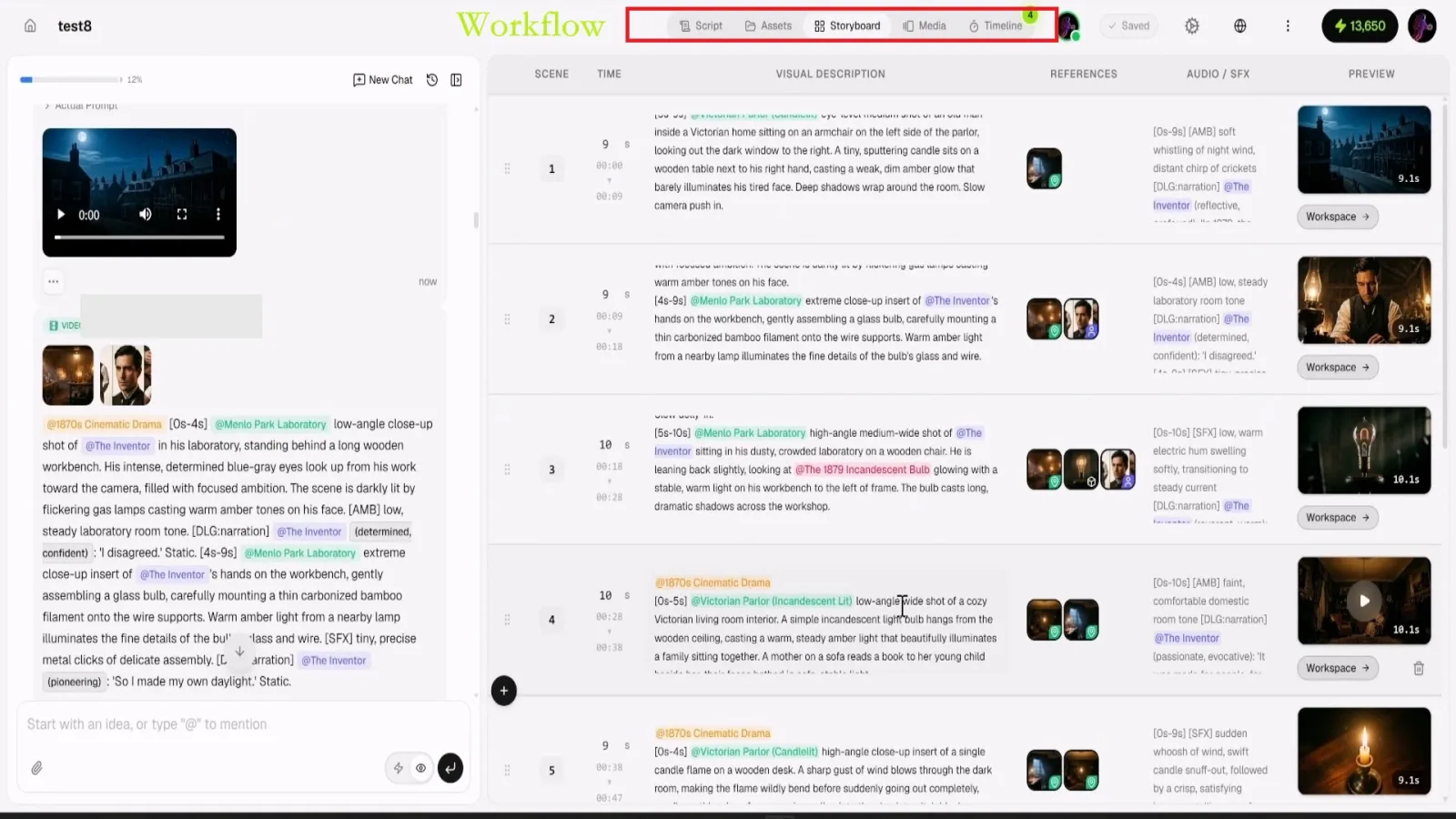
Pixo separates script, assets, storyboard and timeline — the differentiator the verdict rests on.
Two things stood out during the run:
- Shot-level revision without collateral damage. Because style and characters are bound in the assets tab, you can modify a single shot's sub-module without disturbing the overall narrative or look — you just call the established style. This is the difference between a production tool and a chat toy.
- Automatic handling of flagged prompts. When a prompt got flagged by the underlying model for copyright/IP/compliance reasons, the agent rewrote it on its own so generation wasn't blocked — no manual detective work about why a shot wouldn't render. Given how many strict filters today's mainstream models carry, that saved real time.
After each clip generated, the agent also ran a quality check on the footage, telling us where the cinematic quality was strong or weak and what to improve.
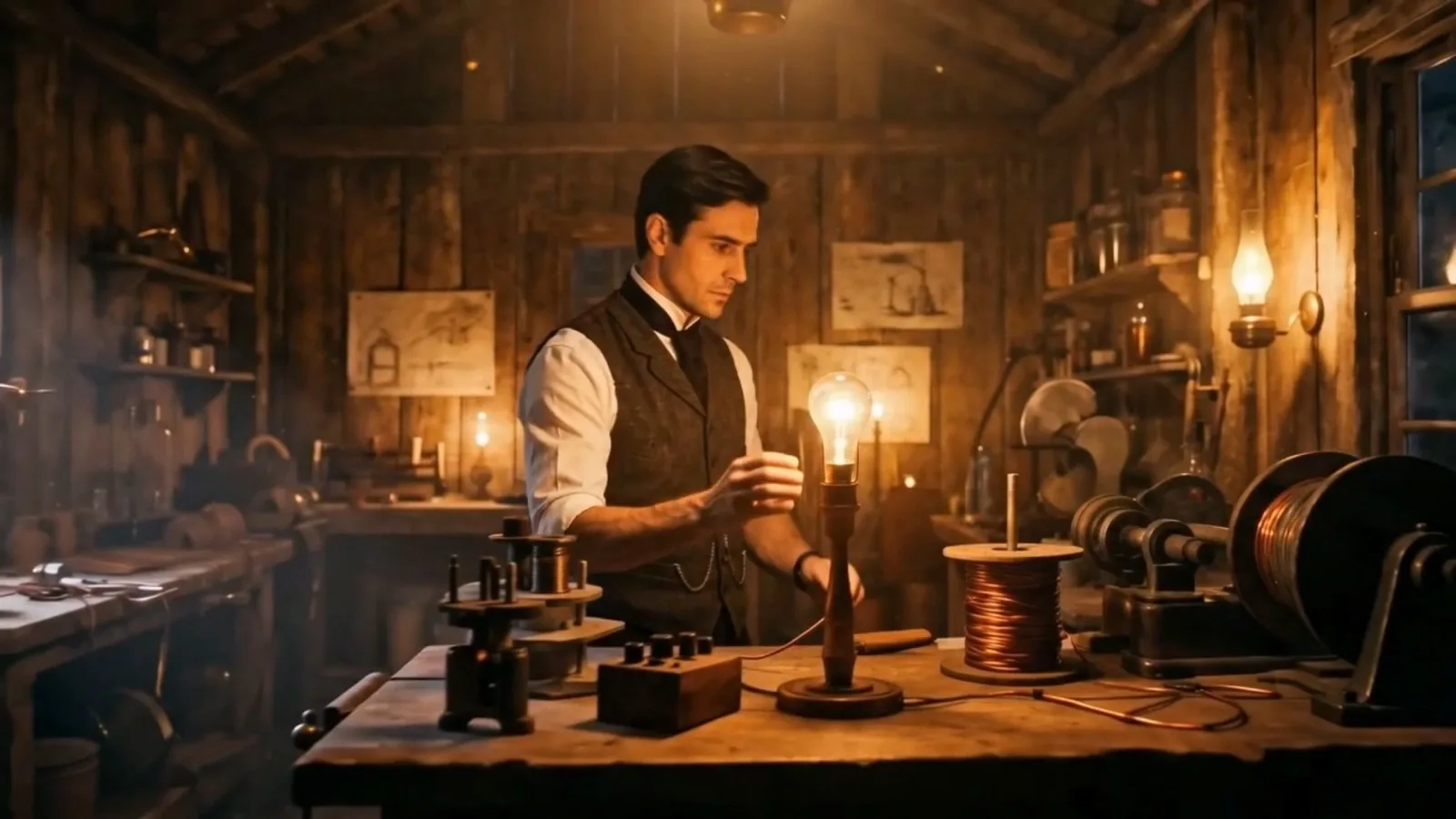
Pixo's final cut — the most physically coherent bulb frame in the test.
The result. In 28 minutes it produced a 90-second cut that was, compared to the others in this test, the most coherent: a cohesive plot, genuinely engaging characters and environments, and consistent handling of visual style, light-and-shadow, and production design. The flaws, kept in honestly: the light switch was still slightly absurd (a failure we saw across nearly every agent), and the voiceover and character seemed to use two distinct voices — not necessarily wrong, but noticeable.
Cost: 1,308 credits ≈ $12.40 for 90 seconds — the best value-per-finished-second in the test.
What the Test Revealed
Step back from the leaderboard and three patterns hold across every agent:
Physical logic is the shared weak spot. That lamp and light switch broke almost everyone — hovering bulbs, doorknobs standing in for switches, lights that illuminate themselves. In 2026, agents are strong on style and character and still shaky on physical cause-and-effect. Even our top performer stumbled here.
Audio sync is largely unsolved. Runway's end-of-cut desync was the worst case, but drift between generated visuals and audio showed up more than once. It's one of the least reliable parts of the pipeline right now.
Cost is wildly unpredictable — and often hidden until you're committed. The same ~60-90 second ambition ranged from $12.40 to $120-and-counting. The agents that hide the running total until you're mid-cut are the ones that hurt.
The interface being a chat box doesn't make the workflow production-ready. The agents that let you revise one shot without detonating the whole video — that separate script, assets, storyboard and timeline — are doing something categorically different from the ones that hand you a single flashy clip and no way to fix shot four.
The Verdict
Every agent here has genuinely leapt past the old canvas interface for script breakdown, character creation, and baseline generation. But precise cinematic control and physical logic still need work everywhere.
- Runway — reasonable speed and price, undone by complete audio desync and static staging.
- Higgsfield — good transitions, but forces long briefs into a 15-second structure and can't do meticulous revision.
- Invideo — decent early character work, sunk by exorbitant cost and hour-plus generation; unaffordable for most.
- Flova AI — clear breakdown and passable images, but static frames and physics errors in the final cut.
- Pixo — the most balanced, best value, with a workflow that mirrors real filmmaking: separated script/assets/storyboard/timeline, shot-level revision that preserves style, and automatic compliance handling. Not flawless — but the most practical here.
If your work demands image fidelity, shot-by-shot control, and predictable cost, the filmmaking-style workflow is what holds up under a real project. That's why Pixo took our test — and yes, we made it, which is exactly why we showed you every number.
Vendor documentation and test scope
Runway's Gen-4 video documentation explains its shot-generation workflow; it should not be read as a guarantee of the results in our comparison. Runway's workflow documentation illustrates how connected model steps differ from asking for a finished edit. MiniMax's H3 technical introduction explains the model's multimodal generation and editing design.
FAQ
Which AI video agent gave the best value in this test?
In our test, Pixo delivered the best balance of quality, cost and control — a 90-second short for 1,308 credits (about $12.40 at the time of testing) in 28 minutes, with a filmmaking-style workflow that separates script, assets, storyboard and timeline. We build Pixo, so read the methodology and keep our disclosed flaws in mind — but the raw numbers are the raw numbers.
How much does it cost to generate a short AI video?
It varied enormously in our test for a comparable ~60-90 second cut: roughly $7.40 (Higgsfield, but only 15 seconds delivered), $12.40 (Pixo), $14.80 (Flova AI), $26.20 (Runway), and $120+ on Invideo without ever finishing. Credit-to-dollar pricing changes often, so treat these as a snapshot from the time of testing, not fixed rates.
Why did the AI videos have physics errors like glowing light bulbs?
Our test prompt included a scene with a lamp and a light switch, and almost every agent mishandled it — hovering bulbs that light themselves, a doorknob standing in for a switch. It's a consistent weak spot in 2026: agents are strong at style and character but still shaky on physical cause-and-effect. Even the top performer in our test had a slightly off light-switch moment.
Did any agent have audio-video sync problems?
Yes. In our run, Runway produced good-looking footage but the voiceover track drifted completely out of sync by the end, which for a finished cut is a serious continuity failure. Sync between generated visuals and audio is one of the least solved problems across agents right now.
What makes a good AI video agent versus a gimmick?
Based on this test: a real production tool lets you revise a single shot without blowing up the whole narrative, handles compliance and cost predictably, and keeps audio in sync. Gimmicks produce one flashy clip, hide the running cost until you're committed, and give you no shot-by-shot control. The interface being a chat box is not the same as the workflow being production-ready.
Is this comparison fair if Pixo made it?
We ran every agent through the identical prompt, character and evaluation, reported the real credits and dollars each consumed, and left Pixo's own flaws in the writeup. That's the fairest we can make a first-party test — but it is first-party, so weigh it accordingly and, ideally, run your own prompt through the free credits each platform offers.
Related Reading
- The 7 best AI video generators in 2026 — the model-level comparison behind these agents.
- Seedance 2.0 vs Veo 3.1 vs Kling 3.0 — which underlying model to reach for.
- The AI video stack: a four-way taxonomy — how these tools split into categories.
- Meet your AI video director — how an agent-driven workflow actually runs.
- AI video agent — what an agent-driven pipeline looks like on Pixo.
Want to run your own prompt through the workflow that won our test? Open Pixo — new users get 200 free credits on sign-up, and plans are currently up to 55% off.
Generate AI summary
From idea to finished video.
In one conversation.
Start CreatingNo credit card required • Free 200 credits