Google Flow AI Explained: Models, Pricing, and Alternatives
What Google Flow is, how it relates to Veo and Gemini Omni, what its credits cost, and when a multi-model AI video platform makes more sense.

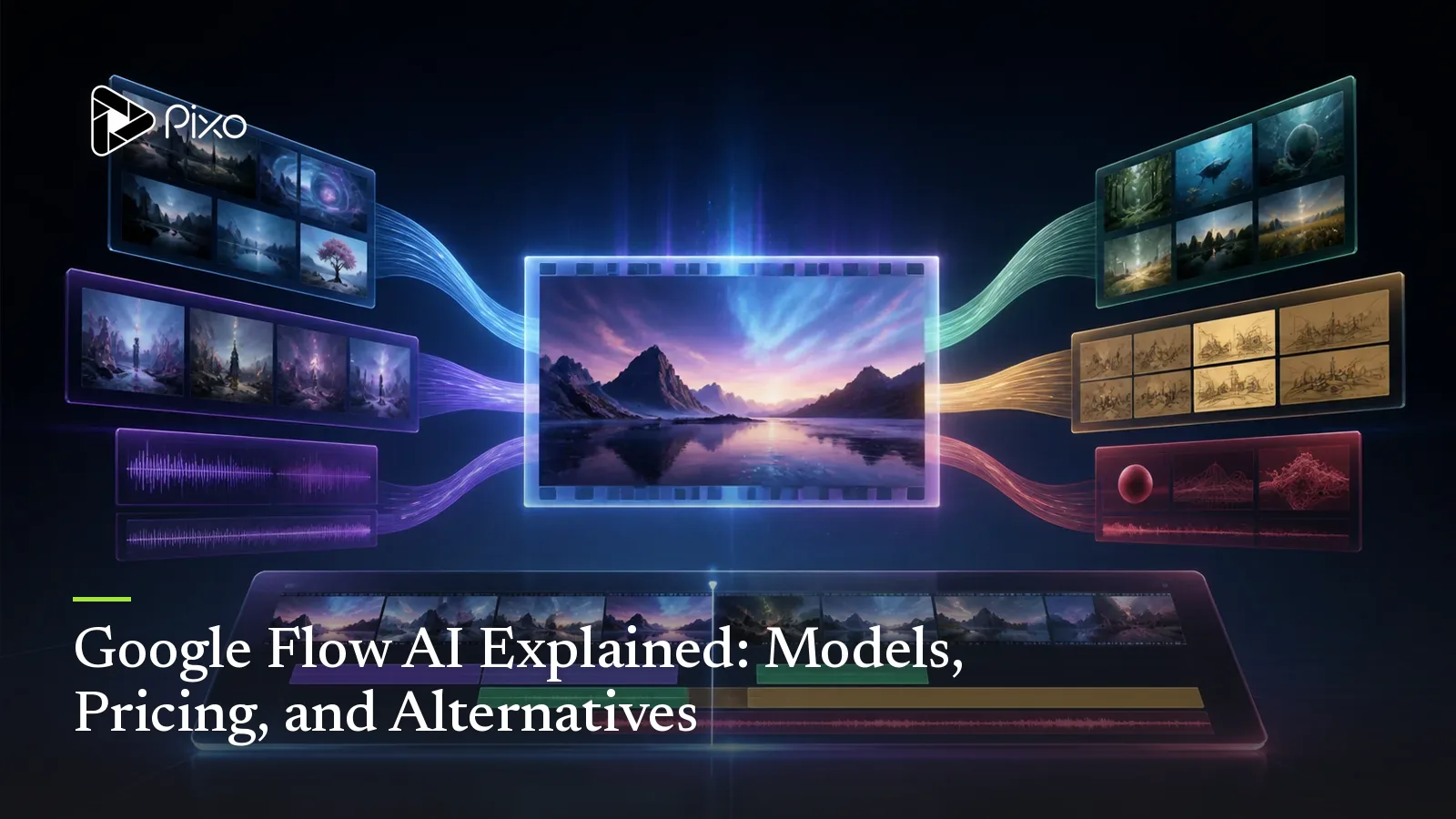
Google Flow is suddenly everywhere in AI video conversations, but its name creates an immediate problem: Flow is not an AI model. It is Google's creative studio, and several different models work inside it.
That distinction matters. If you search for "Google Flow AI," you may actually be looking for one of four things: Google's latest video model, a place to use Veo, an AI video editor, or a complete filmmaking workflow. Flow now touches all four, which is why it can be difficult to work out exactly what you are buying.
Quick answer: Google Flow is Google's workspace for generating, editing, and organizing images and videos. Veo 3.1 handles video generation, while Gemini Omni Flash adds multimodal generation and conversational video editing. Flow is a strong choice for creators who want an all-Google workflow. If you want to choose between Google, Seedance, Kling, Hailuo, and other model families shot by shot, a multi-model production platform such as Pixo is the more flexible approach.
Here is how Google Flow works, what its current credits buy, and where it fits in an AI video production stack.
What Is Google Flow AI?
Google Flow is an AI creative studio for making images, video clips, scenes, and stories. Google introduced it as a filmmaking tool, then expanded it into a broader environment for visual creation and editing.
Inside Flow, you can create source images, use them as references or frames, generate video, extend clips, remove or add objects, direct camera movement, organize assets, and iterate on the result. In February 2026, Google moved the core capabilities of Whisk and ImageFX into Flow, making image generation part of the same workspace as video. Google said that creators had already produced more than 1.5 billion images and videos in Flow by that point. Those capabilities and the usage figure come from Google's February Flow announcement.
The easiest way to understand the product is to separate the workspace from the technology running underneath it:
| Name | What it is | What it does |
|---|---|---|
| Google Flow | Creative application | Organizes generation, editing, assets, and projects |
| Veo 3.1 | Video model family | Generates and extends video clips |
| Gemini Omni Flash | Multimodal model | Generates and edits video using text, images, audio, and video as context |
| Nano Banana | Image model and editing system | Creates source images, references, ingredients, and frames |
| Flow Agent | Creative assistant | Helps brainstorm, plan, generate variations, batch-edit, and organize assets |
So, asking whether Flow is better than Veo is like asking whether an editing suite is better than the camera inside it. Flow is where the work happens; Veo is one of the engines producing the footage.
Why Google Flow Is Getting Attention Now
Flow is not brand new, but the product around it has changed substantially.
Google's February update turned it from a video-focused tool into a unified image-and-video workspace. Creators can generate an image, reference it with @, animate it with Veo, and continue editing without transferring the asset to another product.
Then, in May 2026, Google announced a larger expansion:
- Gemini Omni Flash brought conversational video generation and editing into Flow.
- Flow Agent added help with ideation, scene variations, batch edits, and asset organization.
- Flow Tools allowed users to describe and build custom creative utilities and workflows.
- An Android Flow app entered beta, with an iOS version announced as coming later. Google continues to describe the web version as the full-featured experience.
- Flow expanded to more than 140 countries, although exact features still vary by region and subscription.
These launches, availability details, and subscription qualifications are documented in Google's May 2026 Flow announcement. This explains much of the renewed search interest. People are not only searching for another text-to-video model. They are trying to understand whether Google has built an entire AI production environment—and whether it can replace the collection of tools they already use.
What Can You Make in Google Flow?
Flow covers more of the creative process than a basic prompt box. Google's current video-generation documentation and editing documentation list these workflows:
- Text-to-video: Describe a shot or sequence and generate it with Veo or Gemini Omni Flash.
- Image-to-video: Turn a generated or uploaded image into a moving shot.
- Reference-based creation: Reuse characters, objects, locations, and visual styles as ingredients.
- Conversational editing: Ask Gemini Omni Flash to change an existing generated or uploaded video.
- Clip extension: Generate what happens before or after an existing section.
- Object editing: Add or remove elements without starting the entire shot again.
- Camera control: Request pans, zooms, and other camera movements.
- Asset organization: Search, filter, group, and reference source material from the project library.
- Batch variation: Ask Flow Agent to create or edit multiple alternatives.
Imagine a product campaign for a red sneaker. You could generate the product image, use it as a reference across three environments, animate each setup, remove an unwanted prop, extend the strongest shot, and organize the resulting assets into a campaign collection. Flow's attraction is not any one button; it is the reduction in handoffs between those steps.
Google Flow vs Veo vs Gemini Omni
The overlapping names are responsible for a large share of the confusion.
Google Flow vs Veo
Veo is a model; Flow is a product. Veo 3.1 Lite, Fast, and Quality offer different trade-offs between credit cost, speed, and output quality. Flow provides the interface, project context, asset management, and editing workflow around those generations.
Veo can also appear through other Google products and third-party platforms. Using Veo does not always mean using Flow.
Google Flow vs Gemini Omni Flash
Gemini Omni Flash is also available inside Flow, but it is not a replacement name for the application. Google describes Omni as a model that can work across text, images, audio, and video. In practical terms, it makes Flow feel more conversational: you can generate a clip, bring in existing media, and ask for precise edits using natural language.
Veo remains a dedicated video-generation option. Omni Flash is most interesting when the task requires understanding or modifying several media types together.
Google Flow vs Flow Agent
Flow Agent is the planning and orchestration layer. According to Google's Flow Agent documentation, it can brainstorm and plan storyboards, suggest creative directions, create multiple variations, edit assets, and organize the project. It uses Google's models, but it is presented as the collaborator inside the application rather than the rendering model itself. Google currently lists the Agent as web/PC only.

Create AI videos with Pixo
Turn any idea into a publish-worthy video. One sentence is all it takes.
Is Google Flow Free? Current Credits and Costs
Google uses credits rather than a simple number-of-videos allowance. The exact cost depends on the model, the generation type, and—in some cases—the subscription tier.
As of August 18, 2026, Google's official Flow credit documentation lists these allowances:
| Access level | Included Flow credits |
|---|---|
| No Google AI subscription | 50 per day |
| Google AI Plus | 200 per month |
| Google AI Pro | 1,000 per month |
| Google AI Ultra ($100 tier) | 10,000 per month |
| Google AI Ultra ($200 tier) | 25,000 per month |
Google's credit page says the free daily credits can currently be used only for Veo 3.1 Lite, Fast, and Quality. Unused free credits do not roll over. Monthly subscription credits also reset instead of rolling into the next billing cycle.
There is a documentation mismatch worth knowing about: that credit page says people without a Google AI subscription receive 50 daily credits, while Google's separate getting-started page still says users must subscribe to Google AI Plus, Pro, or Ultra. Treat free access as account- and region-dependent until Google reconciles those pages.
Current generation costs are:
| Model or operation | Flow credits per generation |
|---|---|
| Veo 3.1 Lite | 10 for non-Ultra; 5 for Ultra |
| Veo 3.1 Fast | 20 for non-Ultra; 10 for Ultra |
| Veo 3.1 Quality | 100 |
| Gemini Omni Flash, 4-second video | 15 |
| Gemini Omni Flash, 6-second video | 20 |
| Gemini Omni Flash, 8-second video | 25 |
| Gemini Omni Flash, 10-second video | 30 |
| Gemini Omni Flash video edit | 40 |
| 1080p upscale | Included for paid subscribers |
| 4K upscale | 50; Ultra only |
There is an important catch: credits are charged per generation, not necessarily per prompt. One request can produce two videos and therefore consume the generation cost twice. Google says failed generations should not consume credits.
Credit limits and subscription pricing change quickly and vary by market. Check Google's current Flow credit page and the model selector inside Flow before purchasing a plan.
Where Google Flow Works Best
Flow is a compelling option when your preferred creative stack is already Google's.
It is especially well suited to creators who:
- Primarily want Veo and Google's newest experimental media models.
- Want image generation and video generation in the same environment.
- Prefer conversational editing over moving between specialized applications.
- Need a searchable library of references and generated assets.
- Want a polished, self-contained workspace for individual creative projects.
- Value early access to Google's latest features more than cross-provider model choice.
There is real value in that integration. A reference created with Google's image model can become a Veo frame immediately, and Flow Agent can keep working with the project's context. If those models consistently produce the look you need, introducing more platforms may add complexity without adding value.
Where a Google-Only Workflow Becomes Limiting
The difficult truth about AI video is that no model wins every kind of shot.
The model that creates the best photoreal product close-up may not produce the strongest dialogue scene. The best option for a controlled camera move may struggle with a recurring character. A visually excellent model may be too expensive for disposable b-roll.
Inside Flow, the answer to a weak result is another attempt with Google's available models. But production teams often need a broader question: which model is best for this particular shot?
That is where a Google-first workspace can become restrictive:
- You cannot switch a difficult shot to Seedance, Kling, or Hailuo inside Flow.
- Comparing providers means recreating prompts and references elsewhere.
- Each external tool introduces another account, credit balance, and asset library.
- Moving generated footage between tools breaks project context.
- A whole campaign can become dependent on the strengths and limitations of one provider's model family.
Flow optimizes the Google workflow. A multi-model platform optimizes model choice.
Google Flow vs Pixo
Pixo approaches the same production problem from a different direction. Instead of building a studio around one provider's models, Pixo builds the script, storyboard, assets, audio, and timeline first—then lets you assign the most suitable model to each shot.
| Google Flow | Pixo | |
|---|---|---|
| Core approach | Google creative studio | Agent-driven, multi-model production workspace |
| Model ecosystem | Google's models | Veo, Seedance, Kling, Hailuo, and more |
| Starting point | Create or edit visual assets | Describe a complete video and generate a storyboard |
| Model choice per shot | Within Google's lineup | Across multiple model providers |
| Script and storyboard | Agent-assisted creative planning | Agent generates the script and structured storyboard |
| Persistent project assets | Flow asset library and collections | Characters, products, locations, and references shared across shots |
| Audio and final assembly | Creative generation and editing | Voiceover, sound effects, music, and timeline assembly |
| Best fit | Creators committed to Google's ecosystem | Creators producing complete videos across several model families |
Pixo is not a copy of Flow. The meaningful difference is what happens after a generation misses.
In Flow, you can revise the prompt, edit the result, or choose another available Google model. In Pixo, you can keep the same shot, references, and role in the storyboard but render it with a different model family. The rest of the video remains intact.
Example: One Campaign, Several AI Video Models
Consider a 30-second fashion campaign with a recurring performer, spoken dialogue, a product close-up, and a fast action sequence.
Treating that as one long prompt forces a single model to solve four different problems. A production-oriented workflow breaks it into shots:
- Brief and script: Tell Pixo's agent the product, audience, format, duration, and visual direction.
- Storyboard: Review the proposed sequence before spending credits on generation.
- Character scenes: Use the model that best preserves the performer's appearance and narrative continuity.
- Product close-up: Switch that shot to Veo when material realism and fine texture matter most.
- Action sequence: Test Kling or another motion-focused model without rebuilding the scene.
- Supporting b-roll: Use a faster or lower-cost model where perfection will not affect the campaign.
- Assembly: Keep the selected generations, dialogue, music, and timing in the same project timeline.
The point is not that one named model always owns each category. Model behavior changes. The durable advantage is being able to test the same production decision without moving the entire project to a different application.
Should You Use Google Flow or Pixo?
Choose Google Flow if:
- You specifically want Google's newest creative models and experiments.
- Most of your project can be completed with Veo and Gemini Omni Flash.
- Conversational image and video editing is more important than provider choice.
- You prefer a self-contained Google-native workflow.
Choose Pixo if:
- You want to compare Veo with Seedance, Kling, Hailuo, and other models.
- Different scenes require different model strengths or credit costs.
- You are producing a complete, multi-scene video rather than isolated clips.
- You want an agent to create the script, storyboard, audio, and timeline—not only the footage.
- You want to regenerate one weak shot without rebuilding the rest of the project.
Use both if:
- Flow has an experimental Google feature you want to test directly.
- You prototype individual assets in Flow but need a broader multi-model production pipeline.
- You want to compare Flow's newest output against other model families before committing a whole project.
The right choice depends less on which interface looks better and more on whether you want a Google model workflow or a model-independent video workflow.
The Bottom Line
Google Flow has grown into much more than a place to type a Veo prompt. It now combines image creation, video generation, conversational editing, asset management, agents, and custom tools inside one increasingly capable studio.
Its greatest strength is also its boundary: it is designed around Google's ecosystem.
For creators who already know they want Veo and Gemini Omni, that may be exactly right. For teams that want to choose the best generator for every shot, the more flexible option is to make the project—not the model—the center of the workflow.
Pixo turns an idea into a script and storyboard, then lets you generate individual shots with Veo, Seedance, Kling, Hailuo, and other leading models inside one production. Start a project on Pixo and compare models without rebuilding your video.
Frequently Asked Questions
What is Google Flow AI?
Google Flow is Google's AI creative studio for generating, editing, and organizing images and videos. Flow is the application, not a single AI model: it uses models including Veo 3.1 and Gemini Omni Flash.
Is Google Flow the same as Veo?
No. Veo is Google's video-generation model family. Flow is the creative workspace where people can use Veo and other Google models to make and edit visual content.
Is Google Flow free?
Google's Flow credit page currently says non-subscribers receive 50 Flow credits per day, limited to Veo 3.1 Lite, Fast, and Quality generations. However, Google's separate getting-started page still lists a Google AI subscription as an access requirement. Availability therefore depends on the account and region, and should be checked before subscribing.
How many credits does a Google Flow video use?
As of August 18, 2026, one Veo 3.1 generation costs from 5 to 100 Flow credits depending on the model and plan. Gemini Omni Flash video generation costs 15 to 30 credits depending on duration, while a video edit costs 40 credits. Costs are per generation, not necessarily per prompt.
What is the difference between Google Flow and Pixo?
Google Flow is a Google-first creative studio built around Google's models. Pixo is an agent-driven, multi-model production workspace that lets creators use models such as Veo, Seedance, Kling, and Hailuo in the same storyboard and choose a different model for each shot.
Google Flow features and credit costs were checked against Google's official product announcements and support documentation on August 18, 2026. Model availability, regional access, subscription pricing, and credit requirements can change.
Generate AI summary
From idea to finished video.
In one conversation.
Start CreatingNo credit card required • Free 200 credits