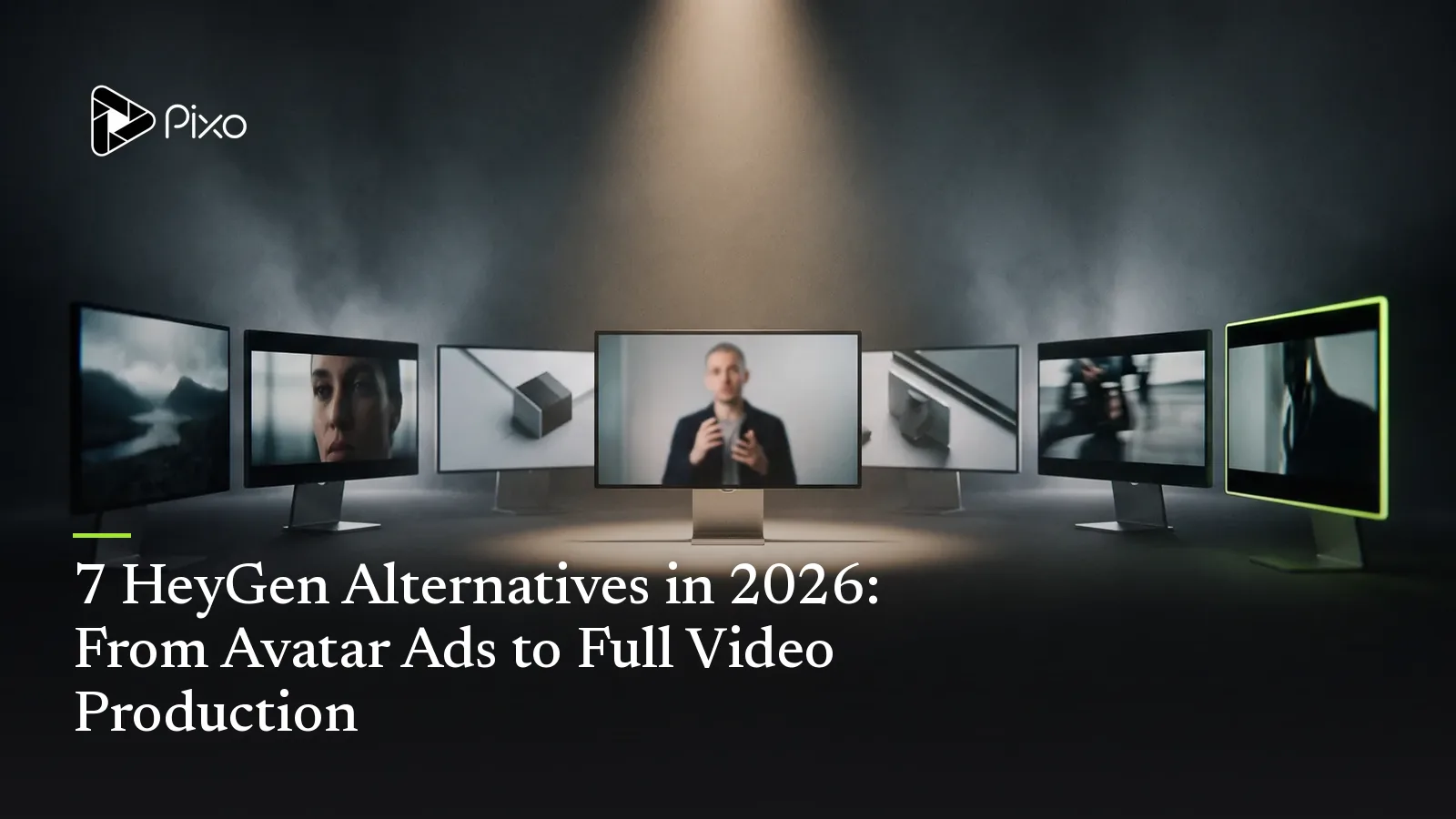
7 HeyGen Alternatives in 2026: From Avatar Ads to Full Video Production
I tested 7 HeyGen alternatives in 2026 — Synthesia, Captions, Arcads, Creatify, Topview, Argil, Pixo. Honest verdicts, real pricing, and which fits your ads.

If you're searching for a HeyGen alternative, you already know what HeyGen does well. It's the most realistic AI-avatar generator on the market right now — its Avatar IV and Avatar V models nail micro-expressions and identity consistency in a way nothing else quite matches, and the 2026 feature sprawl (video translation in 175+ languages, voice cloning, prompt-to-video, integrations inside ChatGPT and Canva) is genuinely impressive.
So why are so many people looking to leave? Three reasons keep coming up. Price, because HeyGen's $29 entry tier is a credit illusion — the realistic Avatar IV/V models burn roughly 20 credits per minute, so 600 credits is about 30 minutes of premium output before overage packs kick in. Avatar limits, because no matter how good the face is, it's still one person talking to a camera. And scene variety, because a talking head gets stale fast in a TikTok feed, and the sameness starts reading as "ad" — which is exactly what kills your scroll-stopping.
Watch the credit math: HeyGen's $29 "Creator" tier sounds cheap, but the realistic Avatar IV/V models burn ~20 credits per minute — so 600 credits is roughly 30 minutes of premium output before overage packs kick in. Compare real cost-per-minute, not the headline price.
I've spent the last several months testing avatar tools and AI video pipelines for ad work — building variants, breaking consistency, watching credits evaporate. This guide is the result: seven real, current HeyGen alternatives, each with honest strengths, honest weaknesses, and verified pricing (I checked the official pages; where a tool hides its pricing, I say so). Some of these beat HeyGen at its own game. One of them isn't an avatar tool at all — and for a specific kind of buyer, it's the most useful entry on the list.
Full disclosure: I work on Pixo, which is #7 below. I've tried to earn your trust by being fair to the other six — a list that only recommends my own product would be useless to you and ignored by everyone. So let's start with the avatar tools that genuinely compete with HeyGen.
Quick Comparison: HeyGen vs. 7 Alternatives
| Tool | Best for | Avatar quality | Scene variety | Character consistency | Pricing model | UGC-ad fit |
|---|---|---|---|---|---|---|
| HeyGen (baseline) | Realistic spokesperson video | Best-in-class | Low (one framing) | Per-avatar (one face) | $29+/mo, credit-based | Good |
| Synthesia | Corporate / training | High, polished | Low | Per-avatar | $18+/mo (annual), minute-capped | Weak |
| Captions | Editing-first short-form | Good (AI Twin) | Medium (editing) | Per-twin | ~$10–25/mo, credit-based | Good |
| Arcads | Talking-head ad variants | High | Low | Per-actor | $110+/mo, no free tier | Strong |
| Creatify | URL-to-ad automation | Variable | Low–medium | Per-avatar | Free / $39+/mo | Strong |
| Topview | E-commerce product ads | Good (~80–85% lip-sync) | Low–medium | Per-avatar | $29+/mo, credit-based | Strong |
| Argil | Cloning yourself for short-form | High (your real face) | Medium | Your clone | $27+/mo (annual), trial only | Strong |
| Pixo | Beyond avatars: demos, narrative, variants | Per-shot (any model) | High (per-shot models) | Any character/product, all shots | Free / $9.90+/mo | Strong (multi-shot) |
Pricing verified against official pages as of June 2026. Avatar tools change fast — confirm current numbers before you commit.
How I Evaluated These Tools
I ran the same job through each tool: a 30-second TikTok-style UGC ad for a fictional skincare serum, with a hook, a problem, a product moment, and a CTA. Then I tried to make a second variant — same product, different hook — to see how each tool handled iteration, because in real ad work you never ship just one.
I scored each on five things: avatar realism (does it cross the uncanny valley?), scene variety (can the ad be more than one framing?), character and product consistency (does the same face and the same bottle survive across variants?), speed to a usable variant, and honest cost (the real price after credits, not the headline number). Where a tool simply isn't built for part of that job, I say so rather than penalizing it for being good at something else — Synthesia isn't trying to win TikTok, and that's fine.
Two Kinds of Alternative
Before the list, the most useful thing I can tell you: there are two completely different reasons to leave HeyGen, and they point at two different kinds of tool.
Kind one — another avatar tool. You like the talking-head format. You just want it cheaper, faster, better-tuned for ads, or able to clone your face instead of using stock avatars. That's Synthesia, Captions, Arcads, Creatify, Topview, and Argil. These are like-for-like swaps — you'll feel at home immediately.
Kind two — a different category entirely. You've realized the talking head is the problem. Your ad needs a product demo, b-roll, scene changes, maybe a second character, and it needs to stay consistent across ten variants you'll A/B test this week. No avatar tool does that, because they're all built around one person reading a script. That's where a full production pipeline like Pixo comes in — it's not a better avatar tool, it's a different tool.
Pick your lane first. Want the talking-head format, just better or cheaper? → another avatar tool (entries 1–6). Realized the talking head is the limit? → a production pipeline (entry 7). Choosing the lane saves you from buying the wrong category twice.
Most "HeyGen alternatives" lists only show you kind one. That's the gap this list fills.
1. Synthesia — The Corporate Training Standard

Synthesia is HeyGen's most direct rival, but aimed at a different room: L&D teams, internal comms, product how-tos, and compliance training. It turns a script or document into a video of a stock or custom AI presenter, with 230+ avatars, 140+ languages, branded templates, interactive video, and — crucially for its audience — SCORM export so videos drop straight into an LMS.
Key Features
Enterprise governance is the real differentiator: SAML/SSO, brand kits, team controls, and SCORM packaging. Interactive video lets viewers click through branching content. One-click translation across 140+ languages keeps a training library in sync.
My Experience
Synthesia's avatars are polished and stable — they don't do the weird gesture glitches you sometimes catch on hyper-realistic models, because they're tuned for calm, professional delivery rather than emotional range. For a training module, that's exactly right. For my skincare ad, it felt stiff and corporate — which is the honest verdict: this is a workplace tool wearing a suit, not a creator tool.
Where Synthesia beats Pixo: if your job is turning a 40-slide onboarding deck into a multilingual course with LMS tracking, Synthesia is purpose-built and Pixo simply isn't trying to do that.
| What I Liked | What I Didn't Like |
|---|---|
| Best-in-class for corporate/training (SCORM, SSO) | Expensive per minute; tightly minute-capped |
| Stable, low-uncanny, professional avatars | Not built for viral/social short-form |
| Strong multilingual + interactive video | Personal avatars gated to higher tiers / paid add-on |
| Trusted by large enterprises | Stiffer, less expressive than HeyGen |
Pricing: Free tier (watermarked, ~10 min/year). Starter ~$18/mo billed annually ($29/mo monthly). Creator ~$64/mo annually ($89/mo monthly). Enterprise is custom — typically low-five-figures/year. Custom avatars are a paid add-on. Check current pricing.
Best for: Corporate L&D, training, and internal comms teams — not UGC ads.
2. Captions — The Editing-First Alternative
Captions approaches the problem from a different angle than HeyGen. It's an AI-native video editor first — auto-captions, automatic cuts and B-roll, filler-word removal, eye-contact correction, and AI dubbing — and an avatar tool second. Its AI Twin makes a digital you from a single photo, and AI Actor gives you synthetic presenters. The Mirage AI ad-creator (built for marketers) has been folded into Captions, so it now covers UGC-style ads too.
Key Features
AI Edit auto-assembles short-form videos with cuts, transitions, and B-roll. Eye-contact correction and filler removal clean up real footage automatically. AI Twin is the cheapest fast route to a personal avatar I tested.
My Experience
Captions shines when the work is editing-heavy. Feeding it raw selfie footage and getting back a captioned, tightened, eye-contact-corrected clip is genuinely fast and useful — that's a real workflow win HeyGen doesn't replicate. The AI Twin from one photo was good enough for a quick social clip, less so for a polished 30-second spokesperson piece. The frustrating part is pricing: the official page only shows iOS plans, tiers differ by platform, and you need a separate subscription per platform. Budget carefully.
Where Captions beats Pixo: for fast, mobile-first editing of footage you already shot — captions, dubbing, cleanup — Captions is a better fit than a from-scratch generation pipeline.
| What I Liked | What I Didn't Like |
|---|---|
| Best of the bunch for fast short-form editing | Confusing, platform-fragmented pricing |
| Very low entry price | Credit system limits AI generations |
| AI Twin from a single photo, cheap and quick | Twins less realistic/controllable for long-form |
| Genuinely automated editing (eye-contact, B-roll) | Free tier heavily gated (lifetime, not monthly, credits) |
Pricing: Free tier (lifetime credits, gated). Pro and Max around $10–25/mo; Scale from ~$70/mo. Prices vary by platform — treat the lower tiers as "check current pricing" on your device.
Best for: Creators whose workflow is editing-first, with the occasional AI avatar.
3. Arcads — The Performance-Ad Specialist

Arcads is the most ad-native tool on this list. It does one thing — turn a script into a lifelike talking-head ad with an AI actor — and it's optimized hard for performance marketers who need to test many hooks fast. The library runs to 1,000+ AI actors, consented for commercial use, with custom cloning on higher tiers.
Key Features
1,000+ commercial-cleared actors across demographics, so your ad can match an audience. Fast variant generation — a finished ad in about two minutes. Built-in captions and B-roll plus 30+ languages.
My Experience
For pure talking-head ad volume, Arcads is excellent — realism and lip-sync are strong, and the demographic range of actors is the best I tested for matching an audience persona. It is built for exactly the "spray ten hooks, see what converts" workflow. Two real gripes: there's no public pricing page (you commit before you see real numbers) and no free trial at all, which is a tough ask. And it's talking-head only — no product interaction, no scene variety. Testing four hooks ran me about $44 in finished-video cost.
Where Arcads beats Pixo: if your ad genuinely is just a person talking to camera and you want the absolute fastest path to ten variants of that, Arcads is more turnkey for that one format.
| What I Liked | What I Didn't Like |
|---|---|
| Strong talking-head realism and lip-sync | No free trial, and pricing isn't even public |
| Huge, demographically broad actor library | Talking-head only — no product interaction |
| Built for ad-variation testing at scale | Limited post-production (often still need CapCut) |
| Much cheaper than human UGC | Credits deplete fast (~$11/finished video) |
Pricing: No public pricing page. Third-party-reported: Starter ~$110/mo (10 videos), Creator ~$220/mo (20 videos), top tier custom — check current pricing in-app. No free tier or trial.
Best for: Performance marketers running high-volume talking-head ad tests.

Create AI videos with Pixo
Turn any idea into a publish-worthy video. One sentence is all it takes.
4. Creatify — The URL-to-Ad Machine

Creatify is built around one clever workflow: paste a product URL, and it scrapes the page, writes a script, and renders a UGC-style ad with a lip-synced avatar. For e-commerce sellers who don't want to write anything, that automation is the draw. It carries 300–1,500+ avatars, 200+ templates, batch mode for A/B testing, and 75+ languages.
Key Features
Product-URL ingestion pulls copy and images straight from your listing. Batch/variation mode spins up multiple ad versions for testing. Custom avatars on the Pro tier.
My Experience
The URL-to-ad flow is genuinely satisfying — paste, wait, get a usable ad — and for testing creative angles at volume it's a solid engine. Avatar realism was hit-or-miss in my tests: some renders had slightly off lip-sync or robotic voiceover. The credit system is the catch — credits expire monthly and a quality video can eat ~20 credits, so the $39 Starter is realistically about five videos a month. Worth it for the automation, but do the credit math.
Where Creatify beats Pixo: for the specific "I have a Shopify listing and want an ad now, written for me" job, Creatify's URL ingestion is more automated than building a storyboard from scratch.
| What I Liked | What I Didn't Like |
|---|---|
| Fast link-to-ad automation | Avatar realism is hit-or-miss |
| Great for scaling ad-test creative | Credit system + monthly expiry inflates real cost |
| Large avatar + 75-language library | Recurring billing complaints |
| Strong reputation (G2 4.8) | Limited deep customization |
Pricing: Free ($0, 10 credits/mo, watermarked). Starter $39/mo (100 credits, watermark removed). Pro $99/mo (300 credits, custom avatars). Enterprise custom. Check current pricing.
Best for: E-commerce sellers who want ads written and rendered from a product link.
5. Topview — The E-Commerce Product-Ad Engine
Topview positions itself as an AI "video agent" for e-commerce. Feed it a product URL (Amazon, Shopify, Etsy, eBay, AliExpress) or an image, and it auto-scripts, picks shots, and renders avatar plus voiceover plus captions. Its standout is Product Avatars — an AI person who appears to hold and use your product — plus an ad-cloning feature where you paste a winning competitor ad and recreate the concept with your product.
Key Features
Product Avatars put your actual product in the avatar's hands, which is closer to a demo than most avatar tools manage. Ad cloning recreates the structure of a proven ad with your product. Direct e-commerce ingestion across major marketplaces.
My Experience
Topview is the avatar tool that gets closest to a product demo — the Product Avatar holding the serum bottle felt more like an ad and less like a webcam monologue. Lip-sync sat around 80–85%, which is fine in motion but visible on close-ups and longer clips. The ad-cloning feature is a smart shortcut if you have a competitor ad you admire. Heavy automation means limited fine control, and credits get pricey when you iterate a lot.
Where Topview beats Pixo: for the narrow "AI person holds my Amazon product" shot with zero setup, Topview's Product Avatars are more turnkey than building that shot yourself.
| What I Liked | What I Didn't Like |
|---|---|
| Product Avatars get closest to a demo | Heavy automation = limited creative control |
| Huge avatar library + ad-cloning feature | Credits get expensive when iterating |
| Direct e-commerce product-page ingestion | Lip-sync ~80–85%, visible on close-ups |
| Cheap entry ($29/mo) | Free option is evaluation-only/watermarked |
Pricing: Pro $29/mo ($348/yr). Business $75/mo. Ultra $150/mo. Team $130/seat/mo. Enterprise custom. No standing free tier (evaluation credits only). Note: some sites cite $16 — that's stale; official is $29. Check current pricing.
Best for: E-commerce sellers who want product-in-hand avatar ads from a listing.
6. Argil — Clone Yourself, Not a Stock Avatar

Argil flips the avatar premise: instead of picking a stock face, you upload ~2 minutes of yourself and it trains a custom avatar on your face, voice, and mannerisms — then generates "you" from typed text. It's built for creators and influencers, with an automated short-form pipeline: vertical video, auto-captions, transitions, and AI editing, plus Seedance 2.0 on higher tiers.
Key Features
Personal cloning that captures your real face and voice, not a generic presenter. Automated short-form pipeline outputs post-ready vertical video. API access included even on the entry tier.
My Experience
When the clone works, it's uncanny in the good way — it's actually you, with natural head movement and accurate lip-sync, which a stock HeyGen avatar can't give you. For a creator who wants to scale their own face without filming daily, that's compelling. It breaks down on emotion-heavy delivery and occasionally throws eye-blink or hand artifacts, and it's best kept under 60 seconds. No free tier — just a 5-day trial — and the Classic plan's ~25 minutes of credits goes quickly.
Where Argil beats Pixo: if the whole point is "make more videos of me specifically," Argil's personal cloning is purpose-built and Pixo's strength (any character, any scene) is the wrong tool for that one goal.
| What I Liked | What I Didn't Like |
|---|---|
| Clone is genuinely your face and voice | No free tier (5-day trial only) |
| Natural head movement, accurate lip-sync | Modest credit caps (~25 min on Classic) |
| Fully automated post-ready short-form | Quality breaks on emotion-heavy acting |
| API on the entry tier | Best confined to short-form (under 60s) |
Pricing: Classic $39/mo ($27/mo yearly, ~25 min). Pro $149/mo ($104/mo yearly, adds Seedance 2.0). Scale $499/mo ($349/mo yearly). Enterprise custom. Trial only, no free tier. Check current pricing.
Best for: Solo creators and influencers scaling their own on-camera presence.
7. Pixo — Beyond Avatars, Into Production

Here's the one that isn't an avatar tool. Pixo is a full video production pipeline — and it's the right pick only if your honest answer to "do I want another talking head?" is no. Instead of generating one avatar reading a script, Pixo turns a brief into a storyboard, lets you assign the best clip-generation model to each shot, and assembles a full multi-shot video: hook, demo, b-roll, multiple characters, all in one project.
Key Features
Storyboard-first workflow — you iterate on paper, arranging shots before spending a single credit, so you generate once instead of re-rolling blind. Per-shot multi-model — assign Seedance, Veo, Kling, or Hailuo to individual shots inside one project, so the cinematic hero shot and the fast b-roll each use the right engine. Asset Library — lock a character or product so the same face and the same bottle appear across every shot and every variant, which is the named solution to AI video's #1 pain point: character consistency. Variant economics — duplicate a project, change one variable, and regenerate only the shots that changed, which is how you get 6–12 ad variants in a day.
My Experience
The honest trade-off: Pixo is steeper than a one-click avatar tool. My first project took a couple of hours to learn the storyboard model; an avatar tool would have given me a talking head in five minutes. But that talking head was the entire ceiling. On Pixo, my skincare ad became a real ad — a hook shot, a close-up of the product being applied, b-roll of the texture, and a spokesperson moment as just one shot among several. When I built the second variant, the duplicate-project flow meant I only regenerated the hook and kept everything else consistent. That's the workflow that pays off across ten variants, not one.
Where the others beat Pixo: for a pure spokesperson ad you need in five minutes, every avatar tool above is faster and simpler. Pixo earns its keep the moment the ad is more than a talking head. If you're weighing the two categories directly, I wrote a deeper breakdown in AI UGC ads vs. AI video production — and an honest look at when not to use an AI UGC avatar tool.
| What I Liked | What I Didn't Like |
|---|---|
| Multi-shot ads: demo, b-roll, narrative — not just a head | Steeper than a one-click avatar tool |
| Per-shot model choice (Seedance/Veo/Kling/Hailuo) | First project takes ~1–2 hours to learn |
| Asset Library locks character + product across variants | Overkill for a pure spokesperson clip |
| Duplicate-project flow → 6–12 variants/day | You're picking shots, not just typing a script |
Pricing: Free ($0, 200 credits — enough to build a full storyboard before you spend). Basic $9.90/mo (1,000 credits). Pro $39.90/mo (4,200 credits, 4K). Max $199.90/mo. All models available on every tier.
Best for: Buyers who outgrew talking-head avatars and need product demos, scene variety, and consistency across many variants.
The Pattern Across All Seven
After testing all of them, one thing reframed how I think about this whole category: six of these tools are solving the same problem, and one is solving a different one.
Synthesia, Captions, Arcads, Creatify, Topview, and Argil are all, at heart, "a better way to make a person talk to a camera." They differ on price, realism, automation, and whether the face is stock or yours — and those differences matter a lot if a talking head is what you want. HeyGen is still the realism leader; the alternatives win on cost, ad-tuning, or cloning you.
But every one of them hits the same ceiling: one face, mostly one framing. That's fine for a testimonial. It's a problem the moment your ad needs to show something — a product in use, a before-and-after, a second character, a scene change. No amount of avatar realism fixes "this is structurally a webcam monologue." That's the gap a production pipeline fills, and it's why I think of Pixo as a different category rather than a seventh avatar tool. (If you want the full map of how these categories relate, I laid out the whole AI video stack taxonomy.)
How to Choose
The real question isn't "which is the best HeyGen alternative" — it's "which problem are you actually solving?"
You want a cheaper, ad-tuned talking head
Choose Arcads or Creatify. Arcads for the broadest actor library and pure talking-head ad volume; Creatify if you'd rather paste a product URL and have the ad written for you.
You're making corporate training or internal comms
Choose Synthesia. SCORM, SSO, brand governance, and stable professional avatars. It's the workplace standard for a reason.
Your workflow is editing real footage
Choose Captions. Auto-captions, eye-contact correction, dubbing, and an AI Twin when you want one — all editing-first.
You sell physical products and want the avatar holding them
Choose Topview. Product Avatars and e-commerce URL ingestion get closest to a product demo within the avatar format.
You want to clone yourself, not use a stock face
Choose Argil. Train an avatar on your own face and voice, built for creator short-form.
Your ad is more than a talking head
Choose Pixo. Build the hook, demo, b-roll, and CTA as separate shots; assign the best model to each; keep your character and product consistent across every variant. If you're building UGC ads specifically, start with the AI UGC ad generator guide. Try the production-pipeline approach free.
Frequently Asked Questions
What is the best HeyGen alternative?
It depends on what frustrated you. For a cheaper or faster avatar tool, Creatify and Arcads are the closest swaps for ad-style talking heads, and Synthesia is the pick for corporate training. If HeyGen's credit costs stung, Captions and Topview start cheaper. If you outgrew talking-head avatars and need product demos, scene variety, and character consistency across many variants, a production pipeline like Pixo is a different — and for that buyer, better — category.
Is there a free HeyGen alternative?
Yes, several. Creatify, Synthesia, and Captions all have free tiers (usually watermarked and credit-limited). Pixo gives you 200 free credits and lets you build a full storyboard before spending on generation. Arcads and Argil have no standing free tier — Argil offers a 5-day trial, and Arcads doesn't publish pricing publicly at all.
What's the difference between HeyGen and Pixo?
HeyGen generates an avatar reading your script — one face, mostly one framing. Pixo builds a full multi-shot video: hook, demo, b-roll, multiple characters, with the same character and product locked across every shot via its Asset Library. Different categories, not a head-to-head. HeyGen is faster for a pure spokesperson clip; Pixo is what you need when the ad is more than a talking head.
Which HeyGen alternative is best for TikTok UGC ads?
For a pure talking-head testimonial, Arcads and Creatify are purpose-built for ad variants and fast. For ads that need a product demo, scene variety, or a mini narrative, Pixo lets you build the whole ad as a storyboard and assign the best clip model to each shot. Captions is strong if your workflow is editing-first.
Do HeyGen alternatives support product demos?
Most avatar tools don't — they're built around a talking head. Topview's Product Avatars and Creatify's URL-to-ad get closer, but the demo is still framed around the avatar. Production pipelines like Pixo generate the demo as its own shot, so you can show the product in use rather than just describing it.
Related comparisons
Comparing specific tools? See how Pixo stacks up: Pixo vs Hedra · Pixo vs Fliki · Pixo vs CapCut
Generate AI summary
From idea to finished video.
In one conversation.
Start CreatingNo credit card required • Free 200 credits