Seedance 2.5 Prompt Guide: Character Formula, Timestamp Scripting & 12 Transitions
The official Seedance 2.5 prompting playbook, distilled: a 7-slot formula for realistic humans, second-by-second timestamp scripting, and a copy-ready cheat sheet of 12 transitions.

Seedance 2.5 is the most literal-minded video model we've directed: it does what the prompt says, at the second the prompt says it. That cuts both ways — a vague prompt gets a generic clip, a structured one gets something startlingly close to a storyboard. This guide distills the prompting playbook from the official Seedance 2.5 guide into three tools you can copy today: the base prompt structure, the character realism formula, and timestamp scripting with a 12-transition cheat sheet.
Everything below works in Pixo's Playground with Seedance 2.5 — generations up to 30 seconds at 720p.
The base formula
Every good Seedance 2.5 prompt has the same skeleton:
Full prompt = [reference declarations] + [one-line summary]
+ [plot, written in beats or timestamps] + [global wrap-up]- Reference declarations — number each upload and say what it's for: which image is the character, which audio is the voice, which video is the motion or scene. Skip this section if you upload nothing. You can (and should) re-mention
@image 1/@video 1again later in the prompt wherever they apply — repetition makes the binding stick. - One-line summary — subject + place + event + genre/style + any special camera move. One sentence.
- Plot — the body. Write it as a timeline or story beats. Each beat carries a positive description (what's on screen: action, camera, dialogue, sound) and, where needed, a negative one ("no subtitles", "no BGM").
- Global wrap-up — close by restating what must hold for the entire video: camera position, environment traits, overall sound and light — and repeat the global bans (subtitles, BGM) one more time.
Negative directions work best stated twice: once inside the beat where the risk lives, once in the wrap-up. "No subtitles, no BGM" at the end of the prompt is the cheapest fix for Seedance's two classic artifacts.
Here's the base formula in the wild — the official guide's nature-documentary case, one paragraph per structural block:
Naturalistic documentary style, cinematic true-to-life light. In morning
mist, in a vast wetland of reeds (@image 1), an elegant red-crowned crane
is dancing with spread wings. (@image 2) The crane's feathers are snow
white, its crown vivid red, its posture slender and noble, its movements
light and graceful. The setting is a shallow autumn wetland — glittering
water, golden reeds, duckweed and water grasses all around, the blurred
background holding distant mist and a rising sun. Camera: low-angle
medium shot, slight handheld feel, essentially locked, always keeping
the crane centered.
0–3s: the crane stands still in shallow water, then slowly begins to
spread its broad black-and-white wings, the downdraft rippling the
surface. Morning wind; sunlight rakes in from the horizon through the
mist, forming visible shafts of light.
3–8s: the crane leaps lightly across the water, feet alternately
skimming, splashing crystal drops. Its long neck arcs back, beak to the
sky; it lands softly, folds its wings, stands, sweeps its head around
elegantly, and gives one clear, ringing call.
Global: low camera position, slight handheld follow on the jumps.
Natural depth of field — foreground reeds softly blurred, crane sharp,
mist and sun softly blurred behind. Natural ambience only: water,
powerful wingbeats, the crane's call. Serene, ethereal, beautiful.
Reference declarations woven into the first sentences, a one-line scene summary, two timed beats, and a global wrap restating camera, focus and sound. Every prompt in this post is this skeleton wearing different clothes.
The character realism formula
The most common complaint about AI video humans — the waxy "AI face", or two characters drifting into twins — is mostly a prompting gap. The official guide's fix is a 7-slot formula. Fill every slot; the slots you skip are where the model invents.
Character = [age / ethnicity] + [skin tone & texture] + [facial details]
+ [eyes / soul] + [hair] + [clothing & fabric] + [build / mood / aura]| Slot | What to write | Example |
|---|---|---|
| Age / ethnicity | Exact age, origin, face archetype | "22-year-old East Asian woman, a gentle classical film face" |
| Skin tone & texture | Warm/cool tone + named color + texture, always end with "keep real fine pores and skin texture" | "cool porcelain skin with a warm jade translucency, real fine pores and skin texture preserved" |
| Facial details | 3–4 concrete features: eye shape, brow, nose, lips, jawline | "long almond eyes with faintly moist rims, a small straight nose, full lips with a barely-there smile, a soft jawline" |
| Eyes / soul | What the gaze conveys, with a metaphor and the emotion under it | "deeply affectionate gaze, like a pool of spring water — tenderness with a trace of reluctance" |
| Hair | Color + state/texture + named style + how it moves in the environment | "black hair in a loose classical low bun held by one plain jade pin, stray strands drifting at her cheek in the breeze" |
| Clothing & fabric | Cut + color + garment + fabric and wear state | "a minimal plain-white crossed-collar robe in softly lustrous silk, the collar slightly open" |
| Build / mood / aura | Frame/shoulders + composition + action/eyeline + one aura word | "slender, thin shoulders; chest-up close-up, eyes straight into the lens; a tender, classical-romance aura" |
Two slots do most of the work. Skin texture is what kills the AI look — flat, poreless white skin reads synthetic, so the guide hard-codes the "keep real fine pores and skin texture" suffix into every character (add freckles or stubble when it fits). Eyes are what make a face act instead of pose: name the emotion, don't just describe the shape.
Each slot also has its own mini-formula, and the official guide gives three archetype fills per slot. A sampler, to show the range:
| Slot | Archetype A — classical romance | Archetype B — cold aristocrat | Archetype C — lived-in realism |
|---|---|---|---|
| Age / ethnicity | "22-year-old East Asian woman, a gentle classical film face" | "25-year-old British man, a lean, high-IQ aristocratic face" | "26-year-old Black woman, a sculpted black-pearl supermodel face" |
| Skin | "cool porcelain with warm-jade translucency, real pores kept" | "warm honey tone with a sun-touched sheen, faint real freckles on the nose bridge, pores kept" | "rough wheat-toned skin with weathering and fine dry lines, enlarged pores and stubble traces kept" |
| Eyes / soul | "a gaze like a pool of spring water — tenderness with reluctance" | "extremely calm, hollow eyes like a bottomless black hole — sharp, pressuring, faintly dangerous" | "scattered, dulled eyes, gaze low and unfocused — deep fatigue and numbness toward life" |
| Hair | "black hair in a loose classical low bun, one plain jade pin, stray strands in the breeze" | "silver-white cropped bob with mirror-gloss highlights, edges razor-sharp against the scalp" | "caramel-brown loose curls with just-woke-up volume, strands falling across the collarbone" |
| Build / aura | "slender, thin shoulders; chest-up close-up; tender classical-romance aura" | "broad-boned, thick shoulders; low-angle full-body shot, half-turned glance back; hardened epic-survivor aura" | "tall and straight; extreme facial close-up, half the face in shadow; suffocating thriller-lead aura" |
Mix across columns freely — the discipline is filling every row, not matching a column. For multi-person scenes, run the formula once per character with deliberately different anchors (face archetype, hair, wardrobe palette) — that's what keeps Seedance 2.5's twin-fix working for you instead of against you.

Create AI videos with Pixo
Turn any idea into a publish-worthy video. One sentence is all it takes.
Timestamp scripting: direct by the clock
Seedance 2.5's signature ability is following stage directions pinned to seconds. The unit is the time slice:
[start s – end s]  [stage name / theme]
Physical directions: framing + composition + exact micro-actions
Subtext: why — the emotion or camera intent behind the directions
The subtext line matters more than it looks: telling the model why ("she's not accusing him — she's waiting for an answer she already knows") measurably improves how the physical directions land.
Wrap the slices in a global settings block so the world can't drift between slices:
[Global settings]
Environment & texture: time + place + mood + "insist on extreme physical realism"
Visual style: film look / realism / anime + depth of field + lighting
Camera language: shot scale / POV + description
Character: paste the 7-slot character formula here (or @image references)
Performance core: the one thing the whole film must nail
Forbidden: sounds + subtitles + behaviors + known failure spots
Here's a complete worked example — the official 30-second one-take that opens our Seedance 2.5 page:
The 30-second one-take
30-second one-take (glacier to deep-sea reverie)

[Global settings]
Environment & texture: polar glacier and deep ocean. National
Geographic-grade physical realism — meltwater refraction and underwater
light shafts must obey real optics.
Visual style: epic landscape film, 8K, cold palette (ice blue into abyssal blue).
Camera language: one smooth, slow, monumental drone push-in for the whole
film. No hard cuts anywhere.
Performance core: no human subject — the performance is the landscape,
time-lapse light, and one seamless surface-to-underwater transition.
Forbidden: no people or vehicles (except the shipwreck), no flicker at the
water transition, no subtitles, no built-in BGM.

[Timestamp script]
[00:00–00:09] Majestic polar — the camera glides forward through a vast blue
glacier crevasse; sunlight rakes the ice; small calvings drop toward the sea.
Subtext: pure, monumental awe.
[00:10–00:15] Time-lapse — same push-in speed, but daylight wheels through
violet dusk into an aurora night in five seconds.
Subtext: ages passing over the ice; charge the transition.
[00:16–00:21] The dive — the camera tips down and plunges through the
surface; a burst of bubbles, then clear abyssal blue, god-rays overhead.
Subtext: the film's one showpiece transition — the water hit must feel physical.
[00:22–00:30] The wreck — gliding on through the light shafts to a medieval
wooden shipwreck on the sand; translucent jellyfish drift past; hold on the
barnacled figurehead and end.
Subtext: silence and mystery to close.
Note how the transition at 00:16 is written into the slice, with its own physical description and its own subtext. That's the pattern the whole next section generalizes.
With characters and sound design: the ballroom
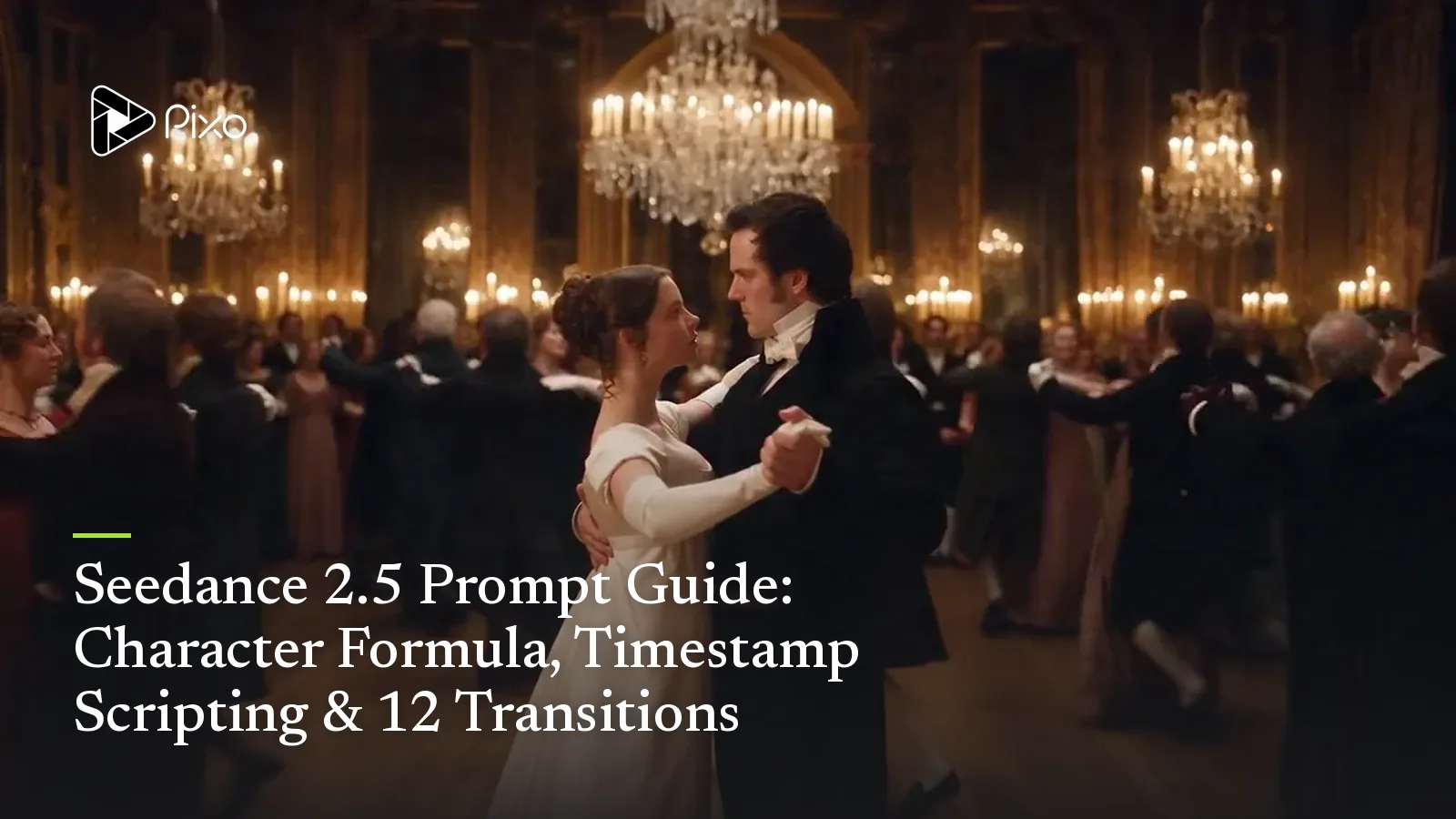
The same skeleton scales to human drama. The official Regency-ballroom case adds two things: the 7-slot character formula pasted into the global block (once per lead), and an audio design line inside every slice — Seedance 2.5 generates sound with the picture, so the score is directed like the camera:
The ballroom case
[Global] Early-19th-century English manor ballroom, giant crystal
chandelier, hundreds of candles. BBC period-drama look — warm gold,
ivory and deep black, high-contrast candlelight, film-grain texture.
Audio design: classical waltz throughout, moving from "restrained
social ambience" to "the world stripped away, pure obsession",
hitting the beats of the action.
Her: 20-year-old English woman, classic British bone structure...
[7-slot formula continues]  Him: 26-year-old English man, a sharp,
cold aristocratic face... [7-slot formula continues]
Forbidden: no modern hair or zippered clothing, no modern lighting,
no hard jump cuts, no spoken lines, no cloth floating on its own,
no identical clone faces in the crowd.

[00:00–00:06] Rack focus + crane down. Audio: waltz with room
reverb and murmured chatter; when focus snaps clear, the chatter
falls away and the melody sharpens. High angle, frame blurred; the
chandelier's crystals hang sharp in the foreground — then focus
snaps to the couple below, and the camera cranes down to eye level
as he offers his hand and she looks up, appraising.
[00:07–00:13] Foreground-occlusion transition. Audio: on the beat
her hand lands in his; a heavy silk "swish" as a dancing couple
sweeps past the lens, their white skirt wiping the frame to pure
white — when it clears, the camera is already in the full-shot of
the two mid-waltz. Background dancers: scattered spacing, varied
dress colors, hair and faces all different, imperfect unison.
[00:14–00:20] Slow-motion dolly-in. Audio: the ballroom drains away
into "underwater" muffle — one taut cello line and a heartbeat drum.
The camera pushes from full shot to a two-face close-up in extreme
slow motion; depth collapses, the crowd melts into warm bokeh. His
throat moves; her breath quickens. On the final heartbeat, cut to
black, music stops dead.
(Condensed — the full character blocks follow the 7-slot formula above verbatim.) Three slices, and each one owns a transition, a camera grammar and an audio state. This is the prompt as shooting script.
Action variant: the mecha chase
For action, the same structure — but the subtext lines talk physics instead of feelings:
The mecha chase
[Global] 2077 cyberpunk sea-crossing bridge, torrential rain, deep
standing water. Extreme physical realism — rain on metal, tire spray
and flame refraction must obey real physics. Hard-sci-fi film look,
high-contrast neon (cyber pink / ice blue), fast shutter. Camera:
extreme-speed chasing drone POV with wind-shear tremble.
Subject: a silver-black streamlined heavy-industrial concept mecha
motorcycle, exhaust jetting pale-blue plasma flame.
Forbidden: no soft-body warping of the mecha in motion (rigid metal
only), no humans, no subtitles, no built-in BGM.

[00:00–00:08] Full tilt. The camera hugs the flooded road surface
behind the bike; the tires throw up a meters-high water curtain, the
plasma tail drawing a long light trail through the rain.
Subtext: pure speed — spend the frame on water, reflection and
flame physics.
[00:09–00:16] The dodge. Camera snaps to overhead. Burning wrecks
block the road; the bike leans almost to the tarmac, tires grinding
orange sparks, threading the debris in one tight S-line.
Subtext: weight transfer under speed — grip, friction, sparks.
[00:17–00:24] Mid-air reassembly. The bike launches off a broken
bridge section; the camera vaults with it, orbiting. In the hang,
panels flip and restructure — wheels fold to thrusters, limbs deploy
— motorcycle to humanoid battle frame.
Subtext: heavy-industry mechanism beauty; precise interlocking parts,
never noodle-soft morphing.
[00:25–00:30] Superhero landing. Camera plunges to a low-angle
close-up. The mecha lands on one knee; the deck cracks in a spiderweb,
the shockwave blasting the rain into a ring. It raises its head, eyes
igniting red, straight into the lens. Hold.
Subtext: mass and menace — sell the tonnage through the cracked road
and the blown-out rain.
Micro-acting: a 30-second farewell in five stages
The subtlest official case has no action at all — one close-up of a woman saying goodbye, thirty seconds, five emotional stages. It's the clearest demonstration that the subtext line is doing real work:
[0–3s]  The question — she looks straight into the lens (his POV),
no tears yet, a quiet settling. Brow tightens slightly; lips part:
"Are you really going?"
Subtext: she isn't accusing — she's waiting for an answer she
already knows.
[3–10s] Accepting — her eyes drift off his face to the empty air.
Lids lower. One short smile lifts and drops. Nostrils tighten in a
restrained breath; her chest rises once.
Subtext: the smile is self-mockery; the breath swallows the grief.
[11–17s] Memorizing — gaze returns, moving slowly over his face.
Eyes now rimmed red, tears held. A half-second dead pause; lips move
once, press shut; chin tightens; throat rolls.
Subtext: not saying goodbye — carving his face into memory.
[18–23s] The sigh — eyes drop, and only now one tear falls, landing
on her collar. She doesn't wipe it. When she looks up, the brow slowly
unknots; a shake of the head almost too small to see.
Subtext: reproach has become deep regret — "we could have been."
[24–29s] Letting go — extreme close-up. She builds a light, soft
smile; as it reaches her mouth a second tear crosses her nose. In a
voice barely held steady: "Go." The smile stays, the tears keep
falling, her eyes never leave the lens.
Subtext: no collapse — restraint is the performance.
Every stage is physical instruction + why. Strip the subtext lines and the same actions play hollow; that's the experiment worth running once yourself.
The 12-transition cheat sheet
Cuts inside a Seedance 2.5 video are prompted, not edited. At any cut point in your timestamp script, drop in the 3-line transition recipe:
1. Use a "<TRANSITION>" transition at this cut (no hard cuts,
   no objects appearing out of nowhere).
2. <How picture A hands over to picture B — see the table.>
3. The scene switch must be natural. (Optionally: and the shot
   scale changes from X to Y, e.g. close-up to medium.)
Swap line 2 per type:
| Transition | What it is | Best for | Line 2 to copy |
|---|---|---|---|
| Natural cut | A clean cut with breathing room — the anti-jump-cut | Most narrative cuts | "Keep camera breathing and pacing; leave enough time for picture A to hand over naturally to picture B." |
| Fade | Through black (or white) | Openings, endings, "the next day" | "Picture A darkens to full black (or white); picture B slowly surfaces and brightens out of it." |
| Dissolve | A and B overlap briefly | Memory, dreams, soft passage of time | "Picture A slowly turns transparent while picture B emerges — a soft 1–2 second overlap." |
| White / black flash | One-frame blast of white or black | Beat drops, gunshots, shutter moments | "The frame bursts into white (or snaps to black) for an instant, then cuts hard into the next picture." |
| Wipe | B pushes A off like a sliding door | Retro looks, clear location moves | "Picture B slides in from the left (or right / top / bottom) like a sliding door, wiping picture A away." |
| Mask transition | Something fills the frame to black, then opens on B | Crossing spaces — through a wall, a mirror, a passing object | "The camera pushes forward until [an object — a tree, a passerby's back] fully blocks the frame to black; it pulls through the darkness into a brand-new scene." |
| Match cut | A's last shape becomes B's first shape | Montage poetry — moon into latte art | "Use shape or color similarity for a seamless handover: the round moon at the end of picture A becomes the round [object] opening picture B." |
| Whip pan | Camera snaps sideways; B arrives on the same energy | Action, parkour, travel vlogs | "The camera whips violently left (or right) out of scene A into heavy motion blur; scene B rides in on the same direction and force, then locks." |
| Action relay | A movement leaves frame A and lands in frame B | Outfit-change videos, place-to-place jumps | "The subject jumps up and out of frame in scene A; in scene B they drop into frame from above mid-fall — background changed." |
| Zoom-through | Push into a detail until it becomes the next world | Scale jumps — pupils, keyholes, worlds-within-worlds | "The camera magnifies one detail of picture A (e.g. the pupil) until it fills the screen, then the picture unfolds inside it into scene B." |
| Ink wash | The frame blooms away like ink in water | Guofeng, heritage pieces, deep memory | "Picture A blooms and disperses like thick ink dropped into water; picture B surfaces out of the spreading ink." |
| Model's choice | Let Seedance pick | When you know the mood, not the mechanism | "Choose the most fitting transition for this film from [natural cut / mask / ink wash / match cut]." |
Every recipe keeps the two guard clauses — no hard cuts, no objects appearing out of nowhere — because they're doing the real stabilizing work. And when a specific handover object matters (which leaf, whose back), name it: "a normal-sized falling leaf drifts into the lens and blocks the frame" beats "something blocks the frame" every time.
Writing transitions into a story
The recipes come alive when line 2 carries your actual scene. The official guide runs the same folk tale through several transitions — watch how the template absorbs the story:
White flash — Mother Meng sees her son mimicking the hawkers' cries;
she furiously smashes the shuttle in her hand. The frame erupts in a
violent white flash; smash-cut to a loaded ox-cart jolting down a
muddy road (the decisive second move).

Mask transition — the camera follows the moving cart into a dark
narrow alley; the wall swallows the lens to full black. The camera
pulls through the darkness and opens directly on the new scene: the
bright, spacious academy hall.

Match cut — the last frame of shot A is a round copper coin in a
market vendor's hand; the camera drives into the coin, and it
resolves seamlessly into the equally round tip of the teacher's
ruler in the academy.
Same three-line skeleton every time — only the middle line is yours.
The graduation piece: five shots, five transitions
The most instructive official case scripts a 30-second wuxia short where every cut is a different transition, each written into its slice. Condensed:
[Global] Late night, a bamboo-forest inn. Top-tier guofeng anime
look (2.5D), ink-wash edges, cold moonlight against warm candle.
A 22-year-old swordsman, sharp brows, high ponytail, white robe
with black trim, black-sheathed sword on the table.
Forbidden: no 3D greasiness, no clipping in the fight, no subtitles.
The ink-wash effect may only appear after the 25s "click" — never
earlier. The wine bowl must not appear before the moon has fully
faded.

[00:00–00:04] Match cut — a full moon holds frame center; it dims
and fades as a perfectly round wine bowl (top-down on the table)
resolves in its place, moonlight glinting in the wine.
[00:05–00:10] Zoom-through — his eyes go sharp; the camera dives
into his pupil until it fills the screen, and inside it unfolds the
reflection: an assassin dropping blade-first from the bamboo canopy.
[00:11–00:18] Pull-back + whip pan — the camera whips with his
drawing arm, hard right, motion blur wall-to-wall; out of the blur,
mid-air, sword meets dagger in a burst of orange sparks.
[00:19–00:24] Mask — the clash storms up a wall of bamboo leaves;
one giant leaf crosses the lens to black. When it drifts off-frame:
ground level, the assassin falling limp in the background, the
swordsman sheathing his blade in the foreground, back to camera.
[00:25–00:30] Ink wash — on the "click" of the sword seating, the
whole scene blooms into black-and-white ink and disperses; the frame
settles as a splash-ink landscape. End.
Notice the negative directions in the global block bind the transitions themselves ("ink wash only after the click", "no bowl before the moon fades") — sequencing guards for effects, the same way "no subtitles" guards content. When a transition can misfire early, forbid it early.
Editing prompts: change one thing, keep the rest
Seedance 2.5's instruction editing responds to a simple grammar — lock the target, then order the change:
[the exact thing to change] + [what it becomes / how it changes]
+ optional [when it takes effect, as a timestamp]
Verbs that work reliably: change / replace / turn into, add, remove / delete. Scope words matter — "change the trousers to black for the whole video, keep it consistent" is what prevents a half-edited clip.
Before
After one edit prompt
For heavier edits — green-screen swaps, BGM separation, viewpoint changes — the same grammar holds; see the smart-edit section of our Seedance 2.5 page for what's available on Pixo today.
Reference sweet spots
Prompts and references fail together, so the guide's best-practice ranges are worth pinning: 1–8 subject images (above 5 subjects, single-view images are most stable — upload separate shots, not a collage), 5–10 second subject clips, and for edits a source video under 20 seconds with 1–5 reference images. More is allowed; expect more retries.
If you're choosing between models: Seedance 2.5 currently leads on raw control — this whole guide is really about exploiting that — while MiniMax H3 trades some of it away for dramatically lower cost and open weights. Different films, different pick.
Put it to work
The fastest way to internalize the formulas is to run them. Pick a transition from the table, write one 3-slice timestamp script around it, and generate — 30 seconds at 720p, straight from the Playground.
Run this on Pixo
- Sign up at pixo.video — new accounts start with 200 free credits.
- Open the Playground and pick Seedance 2.5 as the model.
- Paste any prompt from this guide, attach your reference files, and generate — up to 30 seconds at 720p.
Generate AI summary
From idea to finished video.
In one conversation.
Start CreatingNo credit card required • Free 200 credits